首先在学习Love2d之前我们先熟悉该引擎所依赖的语言—–Lua(这里我们就用lua5.4吧,毕竟功能多)

第一个程序:输出Hello Genshin Impact

其实上一篇我们已经输出过这句话了,不过再看一遍吧[狗头] [狗头] [狗头]

1
print("Hello Genshin Impact!")

这个在其他语言中的表现形式片段展示一下吧(就全扯一遍我见过的吧,反正都是随便写的伪代码片段哈哈哈)

1
2
3
4
5
public class Main {
public static void main(String[] args) {
System.out.println("Hello Genshin Impact!");
}
}
1
2
3
4
5
6
7
using System;

class Program {
static void Main() {
Console.WriteLine("Hello Genshin Impact!");
}
}
1
2
3
4
5
6
#include <iostream>

int main() {
std::cout << "Hello Genshin Impact!" << std::endl;
return 0;
}
1
2
3
4
5
6
#include <stdio.h>

int main(void) {
printf("Hello Genshin Impact!\n");
return 0;
}
1
console.log("Hello Genshin Impact!");
1
print("Hello Genshin Impact!")
1
2
#GDScript伪代码
print("Hello Genshin Impact!")
1
2
3
4
5
6
7
8
9
10
//Unity C#伪代码
using UnityEngine;

public class HelloGenshin : MonoBehaviour
{
void Start()
{
Debug.Log("Hello Genshin Impact!");
}
}
1
2
3
4
5
6
7
8
9
10
//Godot C#伪代码
using Godot;

public partial class HelloGenshin : Node
{
public override void _Ready()
{
GD.Print("Hello Genshin Impact!");
}
}
1
2
;AutoHotkey V2伪代码
Print("Hello Genshin Impact!")
1
fun main() = println("Hello Genshin Impact!")
1
console.log("Hello Genshin Impact!");
1
fn main() { println!("Hello Genshin Impact!"); }

可以看出像lua这种缩进式语言还是及其简洁的,就像python和GDscript一样

不过我就在这一主题中专心于lua这一种语言吧,其实语言没有优劣之分,只是分工不同,就看会不会用哦,不会用就算语言再高级也是没用的,就像送给原始人笔记本电脑一样(  ̄ー ̄)

OK,不废话了,先说第一个—–注释

注释

lua语言注释的格式是,作用是写点能提醒自己自己写的是什么东西的话(不要相信你自己的记忆力,真的,头一天写睡一觉忘得一干二净很正常 (>﹏<) ),而编译器或引擎会忽略这句话

但是我们一般不会一点一点的敲符号的,在VScode里我们可以选中要注释的文本直接使用快捷键Ctrl + /

什么,你说怎么取消注释,其实再按一下Ctrl + / 就取消了

同理多行注释是 shift +alt +a

代码格式化是 shift +alt +fctrl +K ,ctrl +F,区别是前者是格式化鼠标选择区域的代码,后者是 格式化整个文件的代码

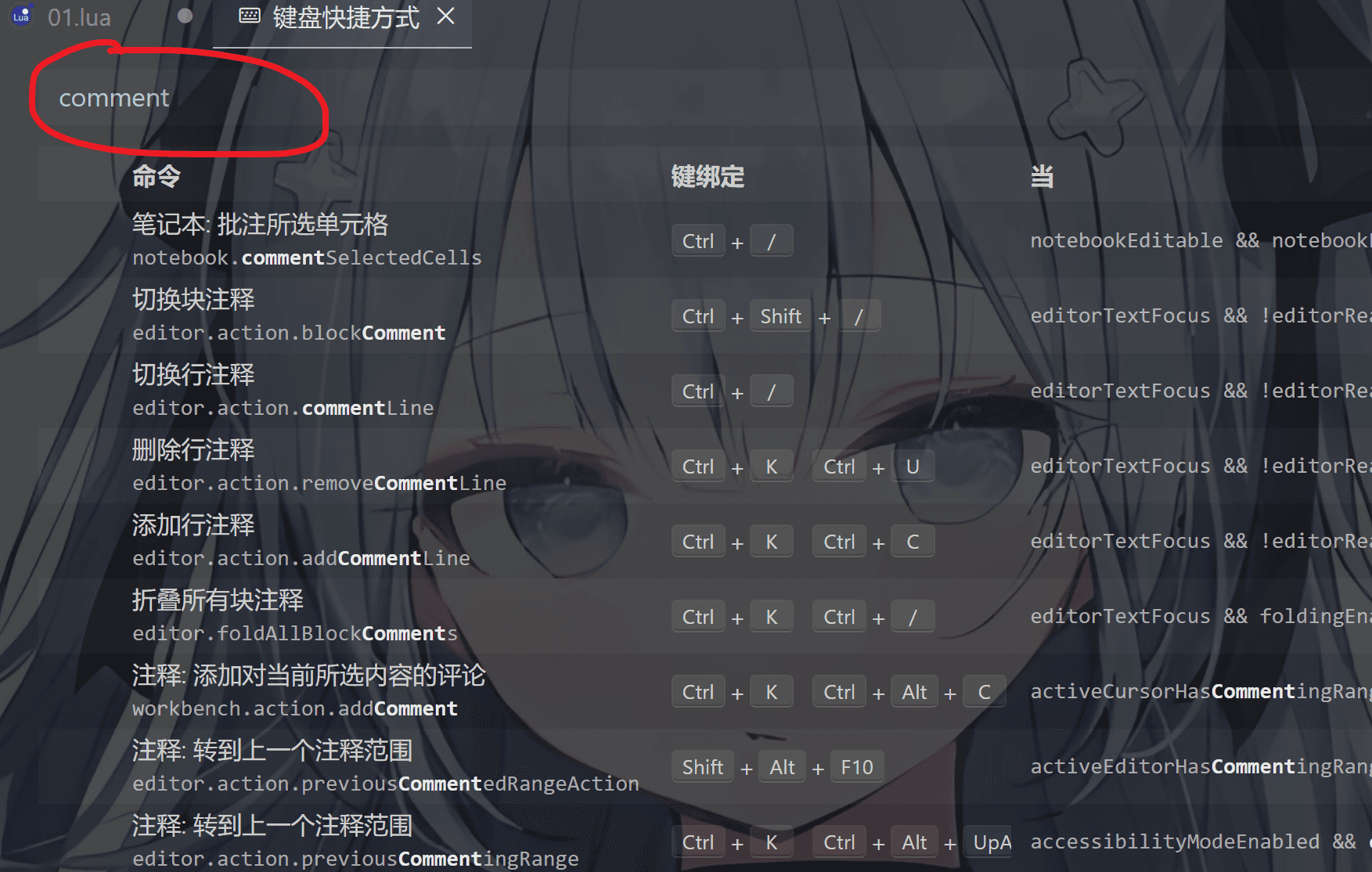
如果用不惯的话可以自定义
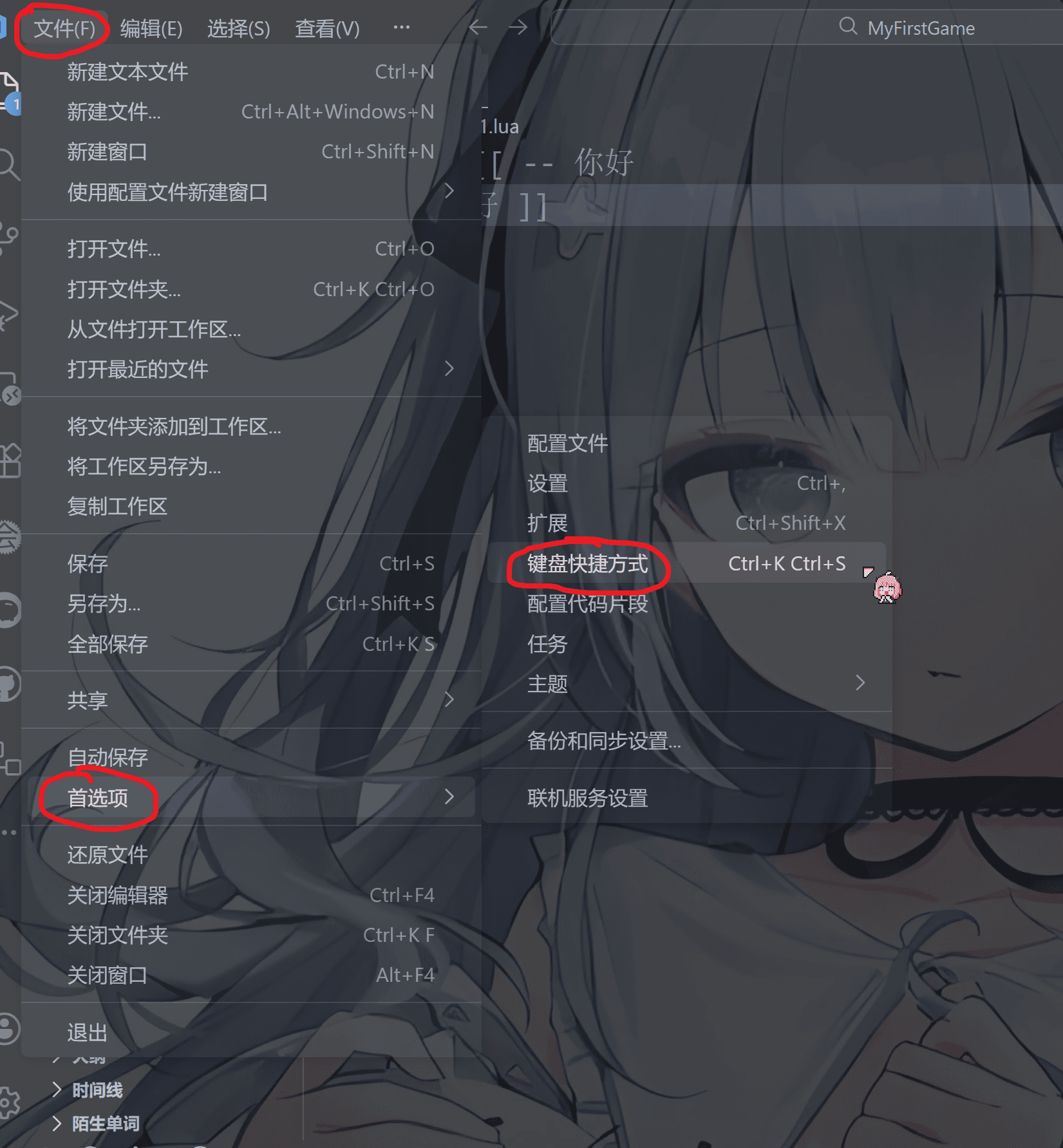
image-20251218213220074

输入comment

1
comment

image-20251218213348246

如图,行注释就是单行注释,块注释就是多行注释,这里多行注释我已经调成我喜欢的ctrl + shift + /

右键中间的键绑定部分点击“更改键绑定”自己修改即可
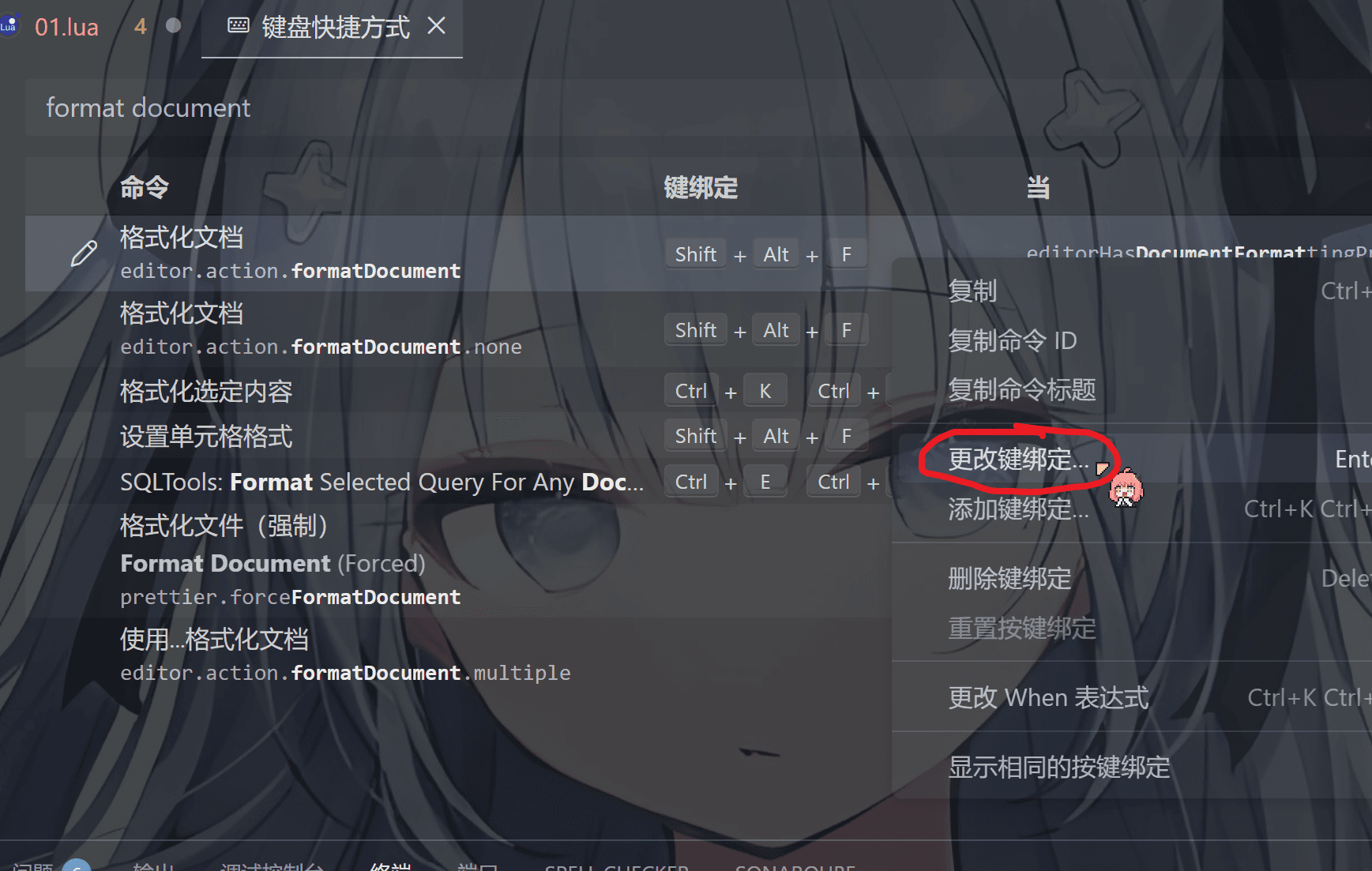
image-20251218220629962

image-20251218213513573

代码格式化的我们可以这样调

同理,输入 format document

1
format document

image-20251218214502376

​ 把里面的快捷键自己调成你喜欢的,我因为一大堆插件造成快捷键冲突所以我就不改了

单行注释

1
--hello,我是牢大,我爱冰红茶

多行注释

格式:在单行注释后面加上[[ 注释内容 ]]

1
2
3
4
--[[
man!
what can I say
]]

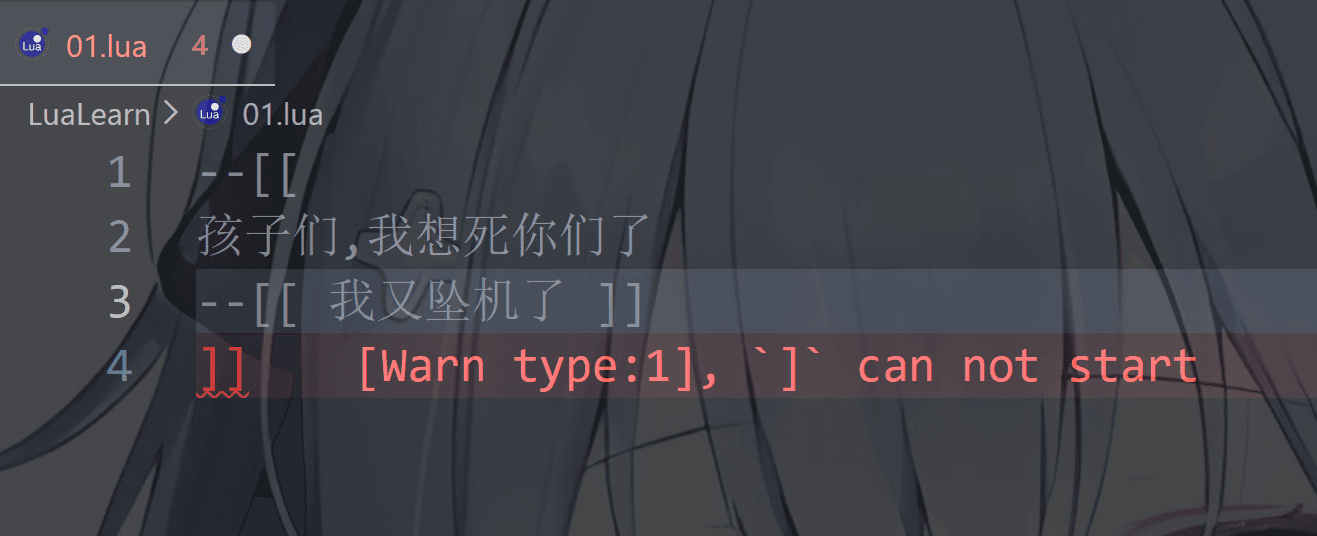
有些曼波小伙伴可能会这么干,这是达咩的哟,lua不允许嵌套注释

image-20251218220350743

语言风格

lua有点类似于JavaScript,像大多数语言比如C,Java,C#,C++都是强制每句代码后都有一个分号“ ;

但是lua可要可不要,一般不要,比如下面两种写法都对(先保存再运行代码,不然结果还是之前的)

image-20251218212058977

变量

变量命名规则和其他语言基本一致

通常是小写字母加数字或者“_”符号,或者是那种驼峰命名法

比如

1
2
3
4
5
player
item
tree_01
enemy_orc
myInventory

Lua 中的变量全是全局变量,哪怕是语句块或是函数里,除非用 local 显式声明为局部变量

局部变量的作用域为从声明位置开始到所在语句块结束,这个等会儿会在脚本中演示

在 Lua 中:

不写 local 的变量 = 全局变量
写了 local 的变量 = 只在当前作用域可见

关键字

这个基本上相比其他语言关键字不是很多,先不讲以后慢慢说

and break do else
elseif end false for
function if in local
nil not or repeat
return then ture until
while goto

数据类型

lua有8种数据类型,如下:

数据类型 描述
nil(空) 类似其他语言的null,也就是表示空值的意思,nil就是
boolean(布尔) 布尔值,只能表示,false和true,false为,true就是
number(数字) 这个可以表示整型和浮点型,浮点的话默认双精度double,只是lua统一为number类型
string(字符串) 字符串类型,可以用双引号“ ” 单引号 ‘ ’ 双长括号 [[ ]]
function(函数) 函数(或方法),几乎每个语言都会有的东西,用来实现特定的功能
userdata(自定义类型) 一种用户自定义数据,用于表示一种由应用程序或 C/C++ 语言库所创建的类型,可以将任意 C/C++ 的任意数据类型的数据(通常是 struct 和 指针)存储到 Lua 变量中调用
thread(线程) 类似于unity中的协程方法,不过unity是单线程的 在 Lua 里,最主要的线程是协同程序(coroutine),即协程。它跟线程(thread)差不多,拥有自己独立的栈、局部变量和指令指针,可以跟其他协同程序共享全局变量和其他大部分东西。 线程跟协程的区别:线程可以同时多个运行,而协程任意时刻只能运行一个,并且处于运行状态的协程只有被挂起(suspend)时才会暂停。
table(表) 类似于其他语言的数组array,数组的索引可以是数字,字符串,甚至是table本身,这个特点和其他语言一致

nil(空)

nil 类型表示一种没有任何有效值,例如打印一个没有赋值的变量,便会输出一个 nil 值:

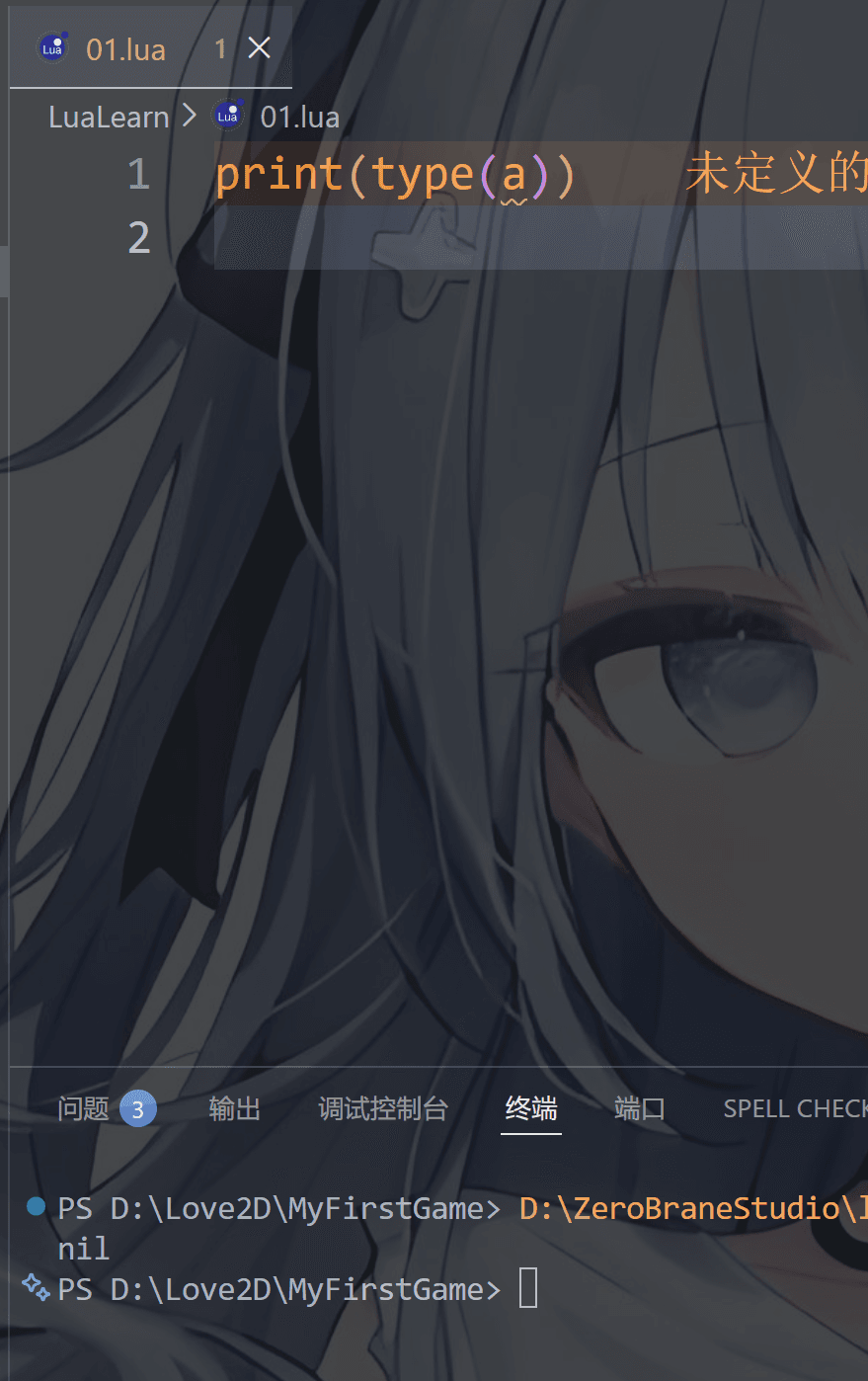
比如我们用type输出此时没有赋值的a,那么结果就是 nil

1
print(type(a))

image-20251218215324165

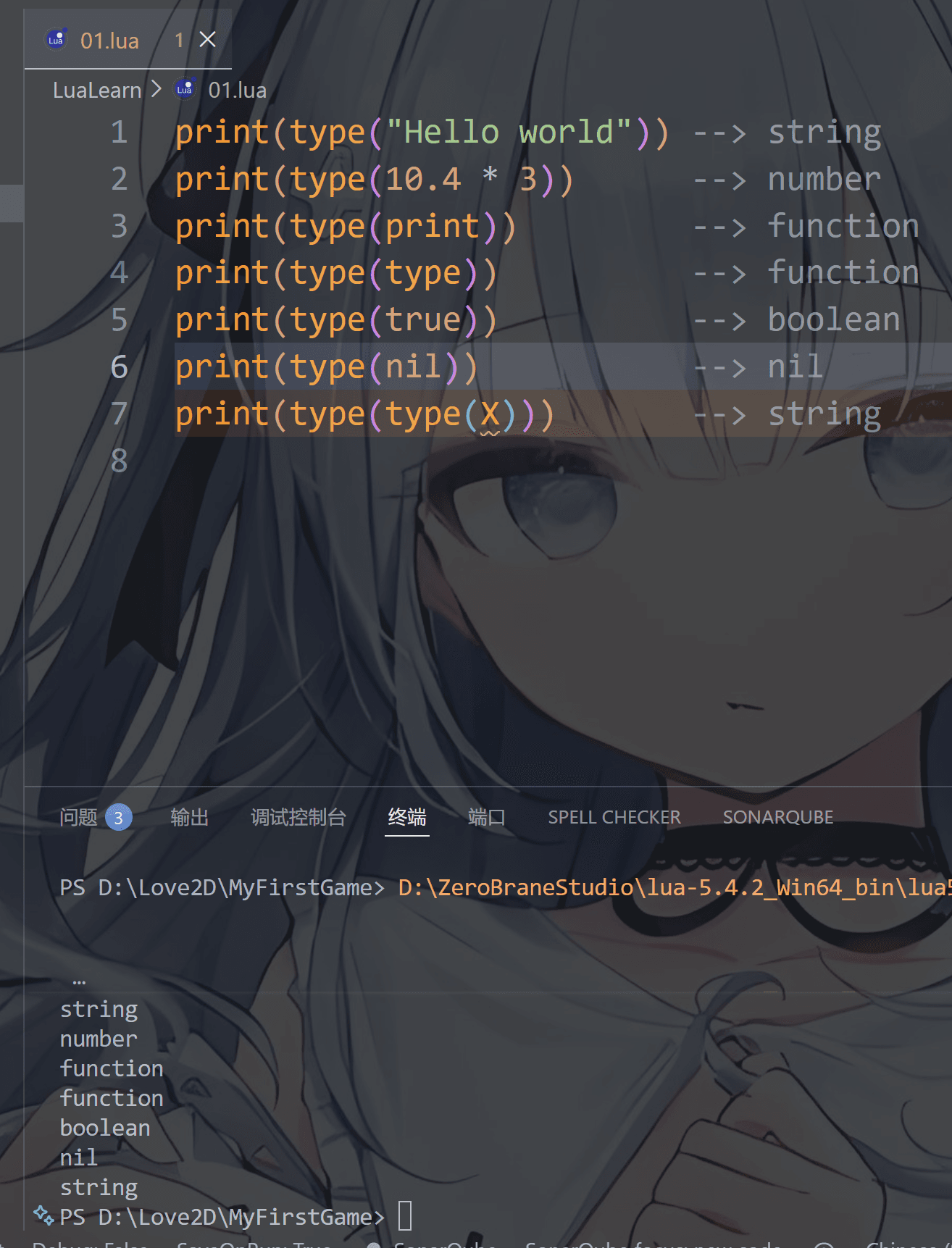
type类似JavaScript和TypeScript里的typeof,可以输出变量的数据类型

比如

1
2
3
4
5
6
7
print(type("Hello world"))      -- string
print(type(10.4*3)) -- number
print(type(print)) -- function
print(type(type)) -- function
print(type(true)) -- boolean
print(type(nil)) -- nil
print(type(type(X))) -- string

image-20251218215715884

同样的nil可以用来删除数据,这个先不提,等会讲到table表的时候再讲一下

boolean(布尔)

boolean 类型只有两个可选值:true(真) 和 false(假)

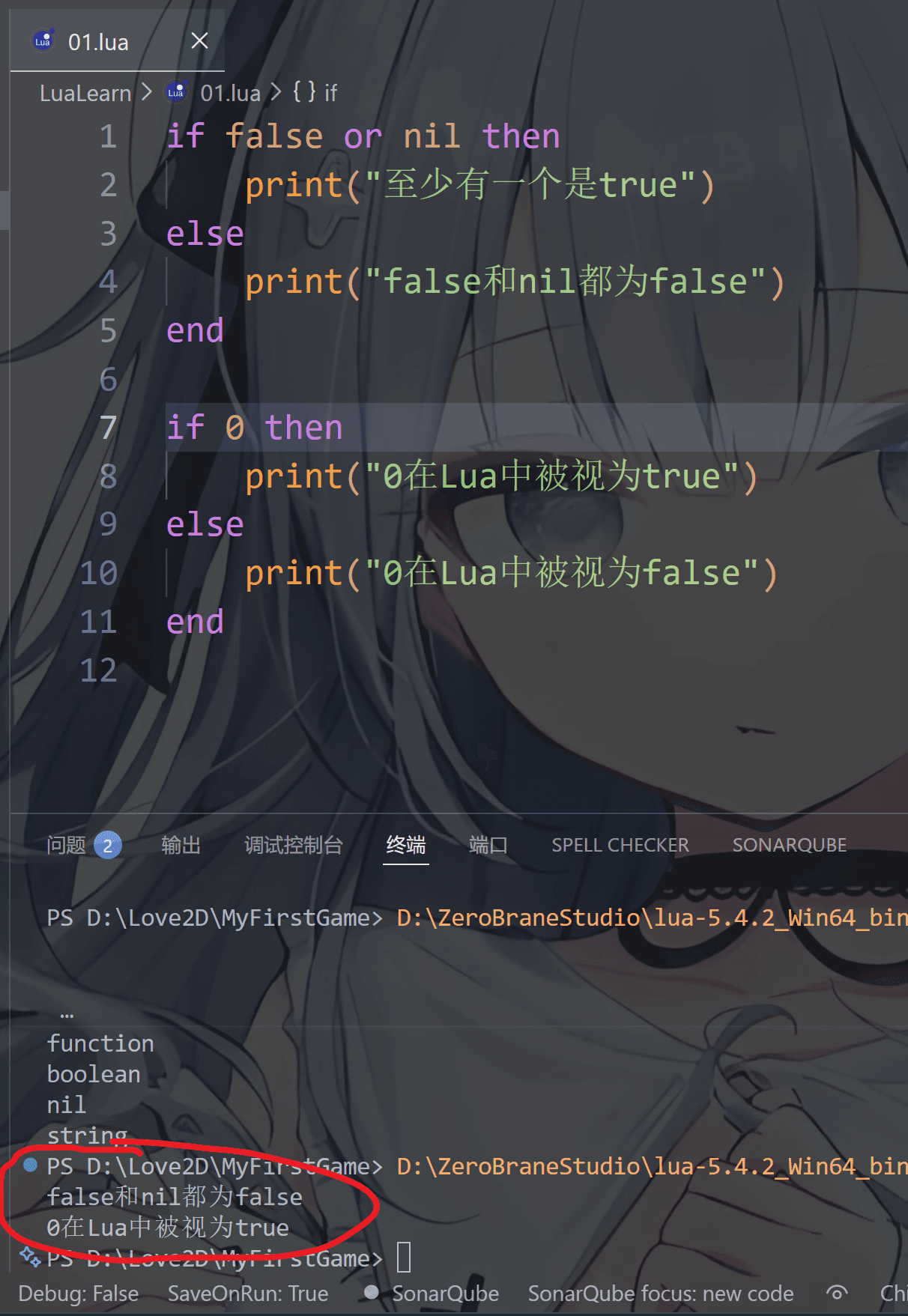
Lua 把 false 和 nil 看作是 false,其他的(包括数字 0)都为 true

这里涉及了if else语句,先不要管,先写了再说,这个其实表示判断,if 和 then之间的内容代表条件,满足条件执行上一条,不满足就是下一条

1
2
3
4
5
6
7
8
9
10
11
if false or nil then
print("至少有一个是true")
else
print("false和nil都为false")
end

if 0 then
print("0在Lua中被视为true")
else
print("0在Lua中被视为false")
end

image-20251218221300456

​ 哦,可能学过其他语言的会困惑第二个输出结果: 0为啥是真,好吧,也算是lua的特性
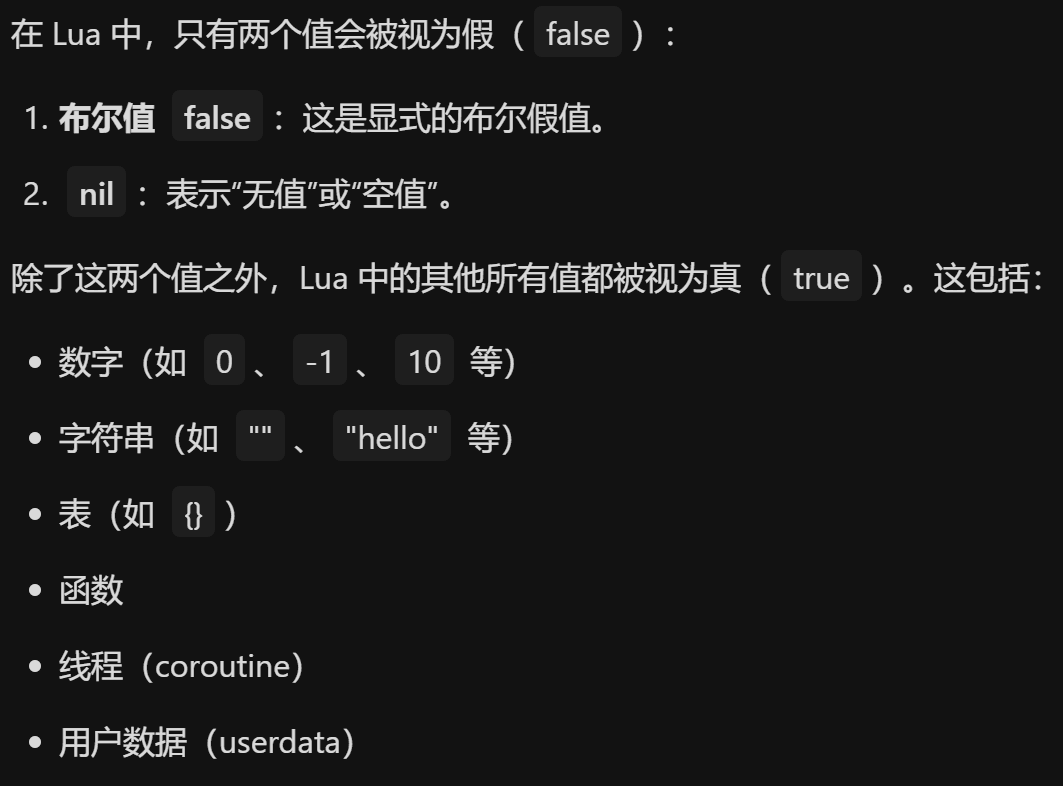
image-20251218221855925

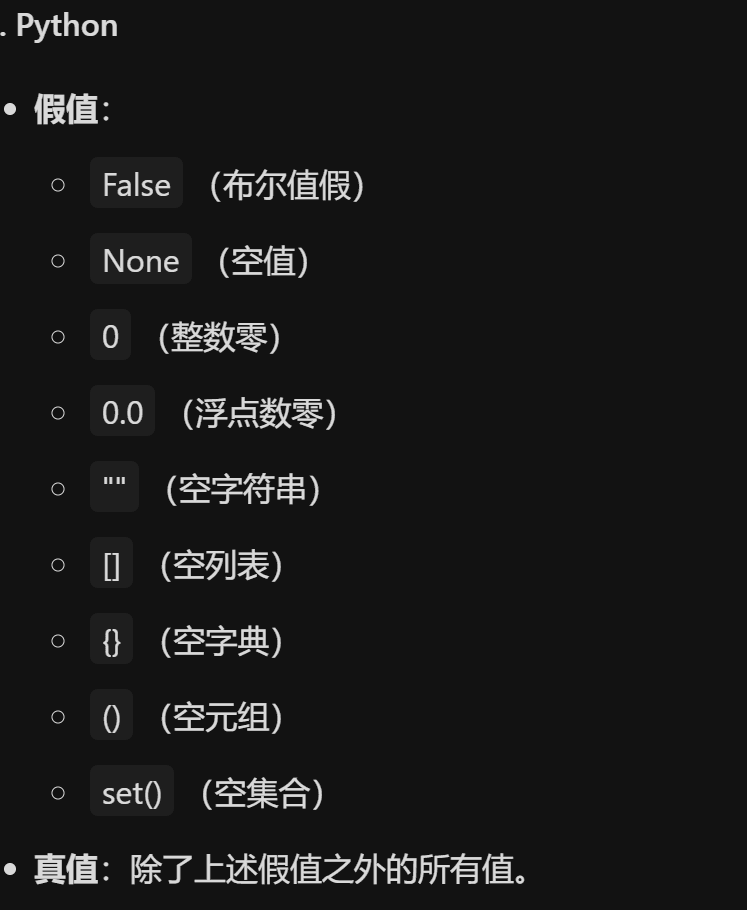
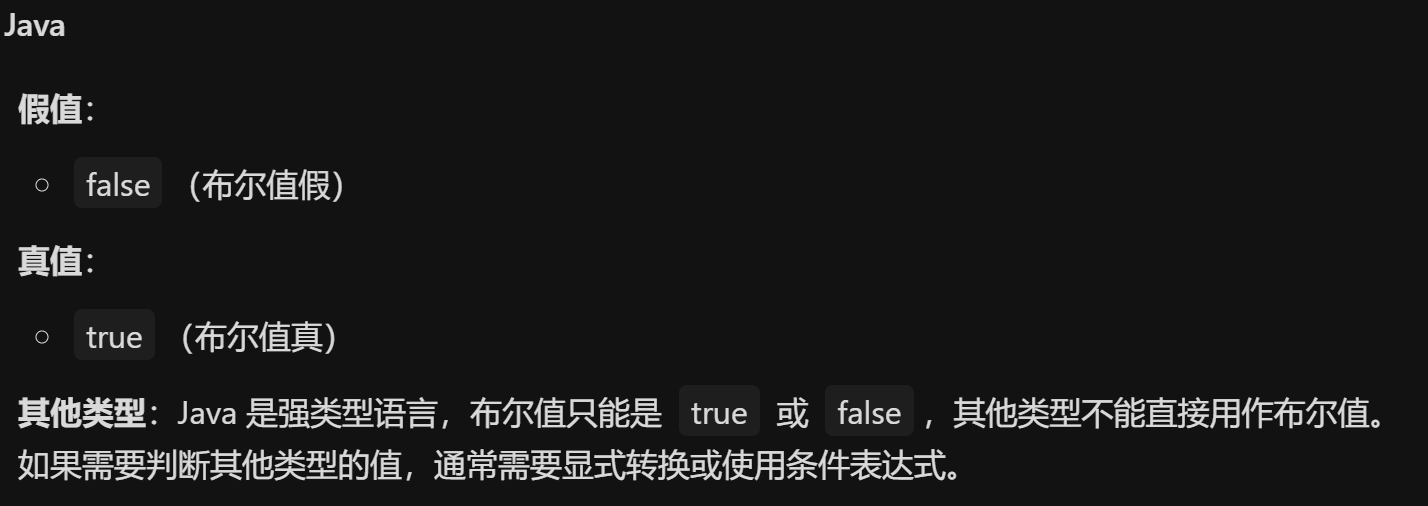
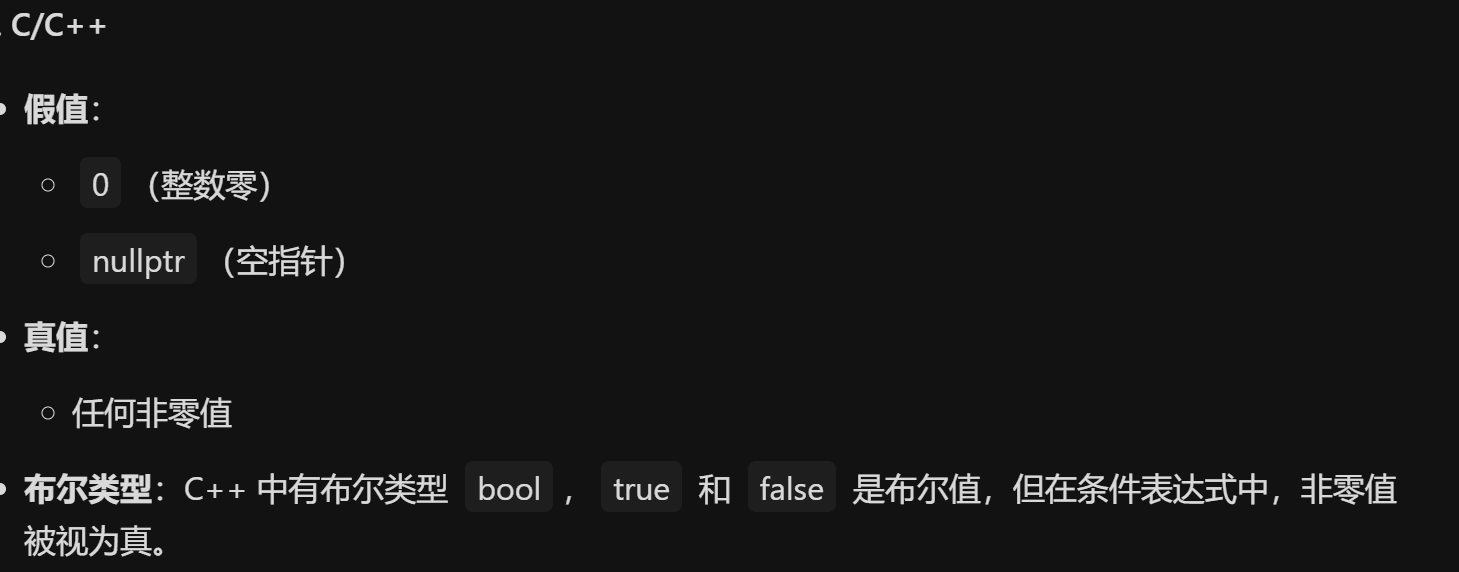
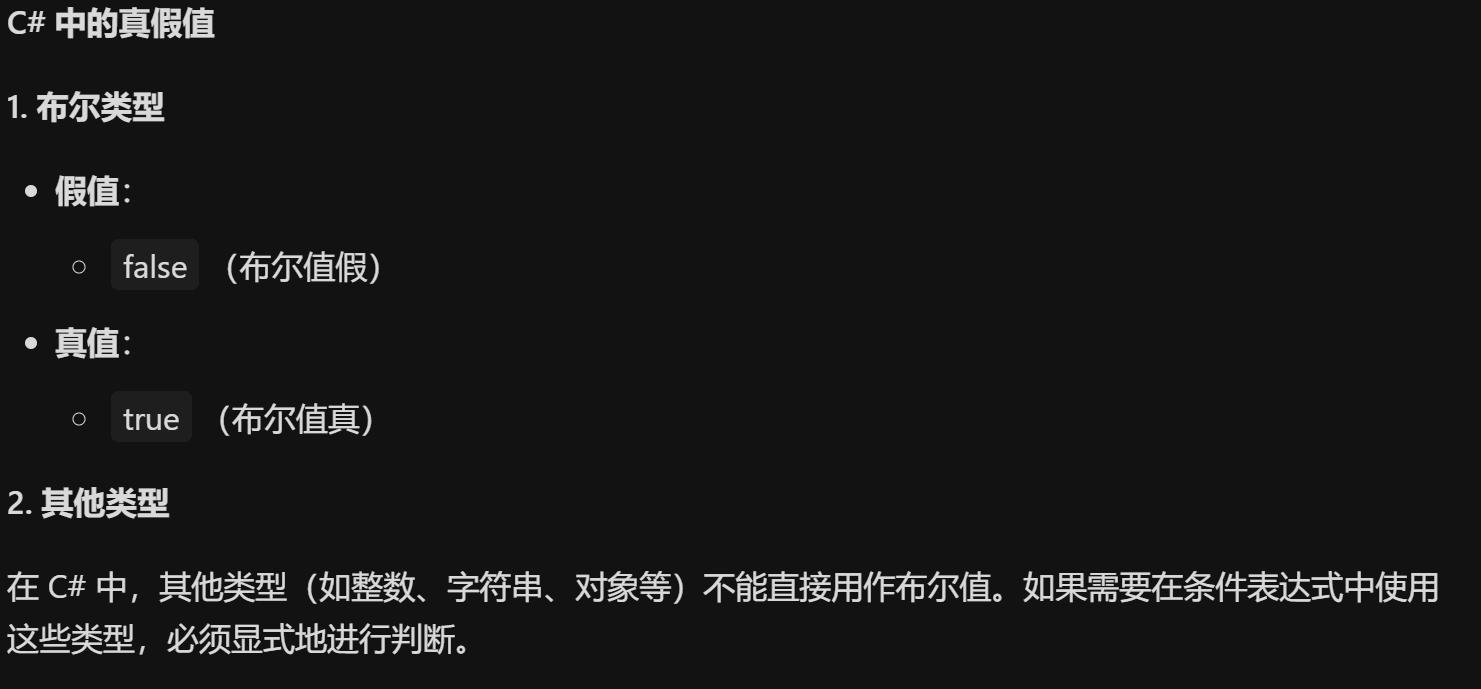
这里再扯一下其他语言中的情况(了解即可)

image-20251218222007218

image-20251218222038262

image-20251218222128775

image-20251218222218181

image-20251218222407529

可以看出这些语言除了Java 和C#是强类型语言外,其他的大多数把0当做false

number(数字)

1
2
3
4
5
6
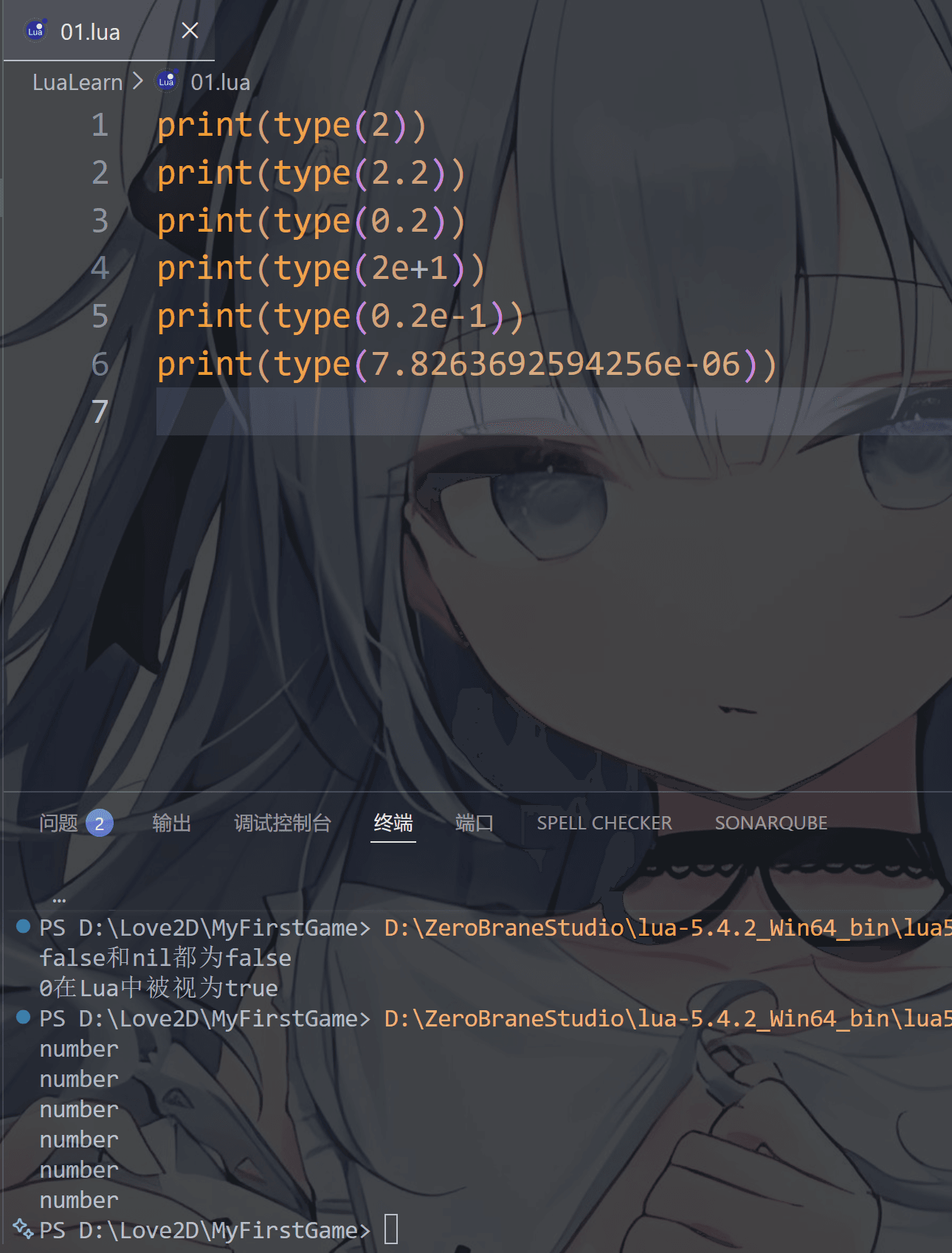
print(type(2))
print(type(2.2))
print(type(0.2))
print(type(2e+1))
print(type(0.2e-1))
print(type(7.8263692594256e-06))

image-20251218223512982

可以看到,无论是科学计数法还是整数小数都是表示number类型的

这和C#,C,C++等等语言不一样,比如C# 整型是int 单精度浮点float 双精度浮点double

string(字符串)

对了,lua的字符串拼接方式就是用两个点 ‘ .. ’,除了C和C++以外其他的语言大多数都可以用“ + ”号来拼接字符串的

1
2
3
4
string1 = "基"	--写法一
string2 = '泥' --写法二
string3 = [[苔煤]] --写法三
print(string1 .. string2 .. string3)

image-20251218225433463

哦,我们需要加一个local关键字将其设置为局部变量

这玩意作用就是:声明一个仅当前范围可见的变量,避免污染外层,大白话就是用local把变量设为局部私有
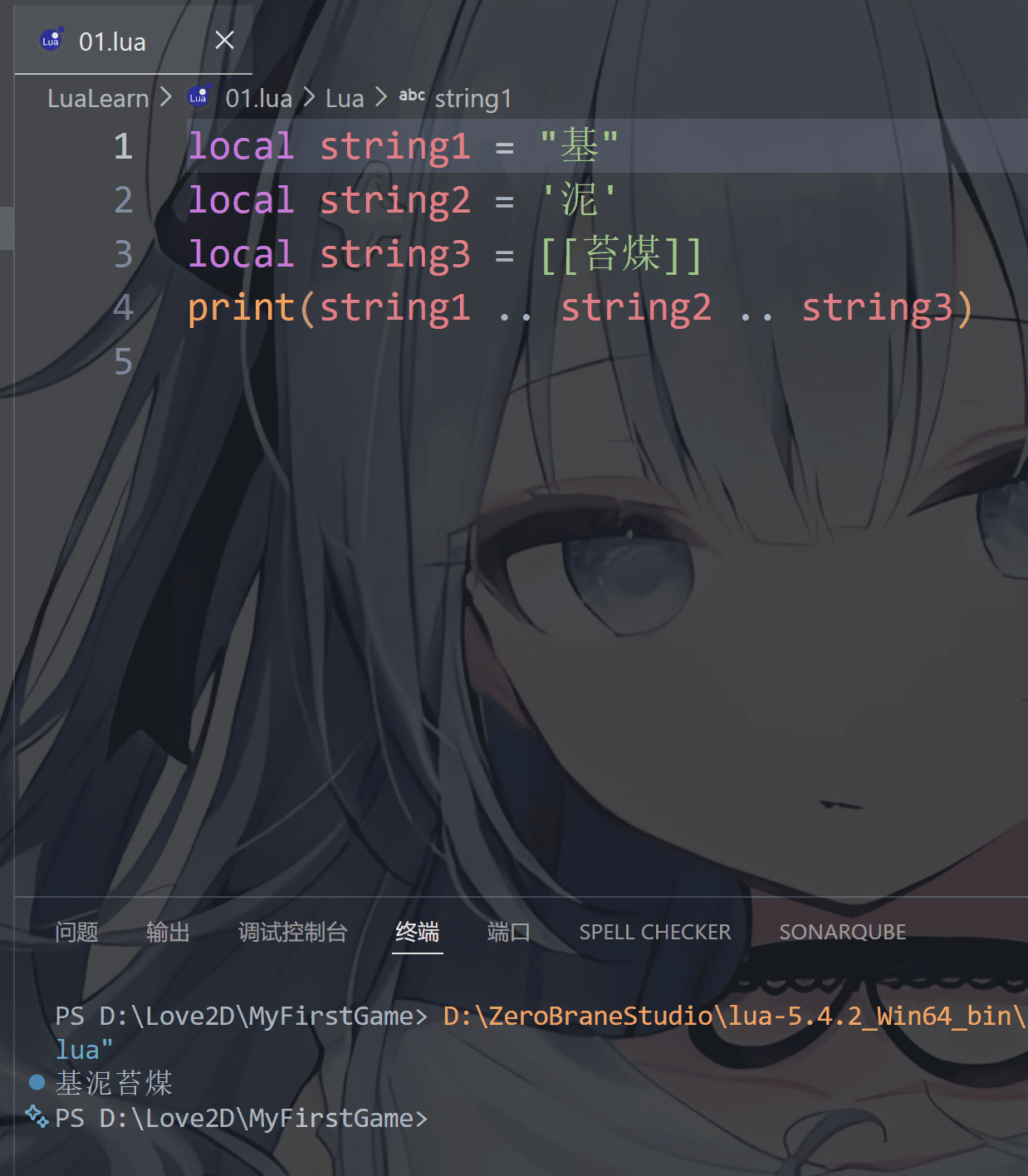
image-20251218233459562

对了,打印的方式我们也扯一下

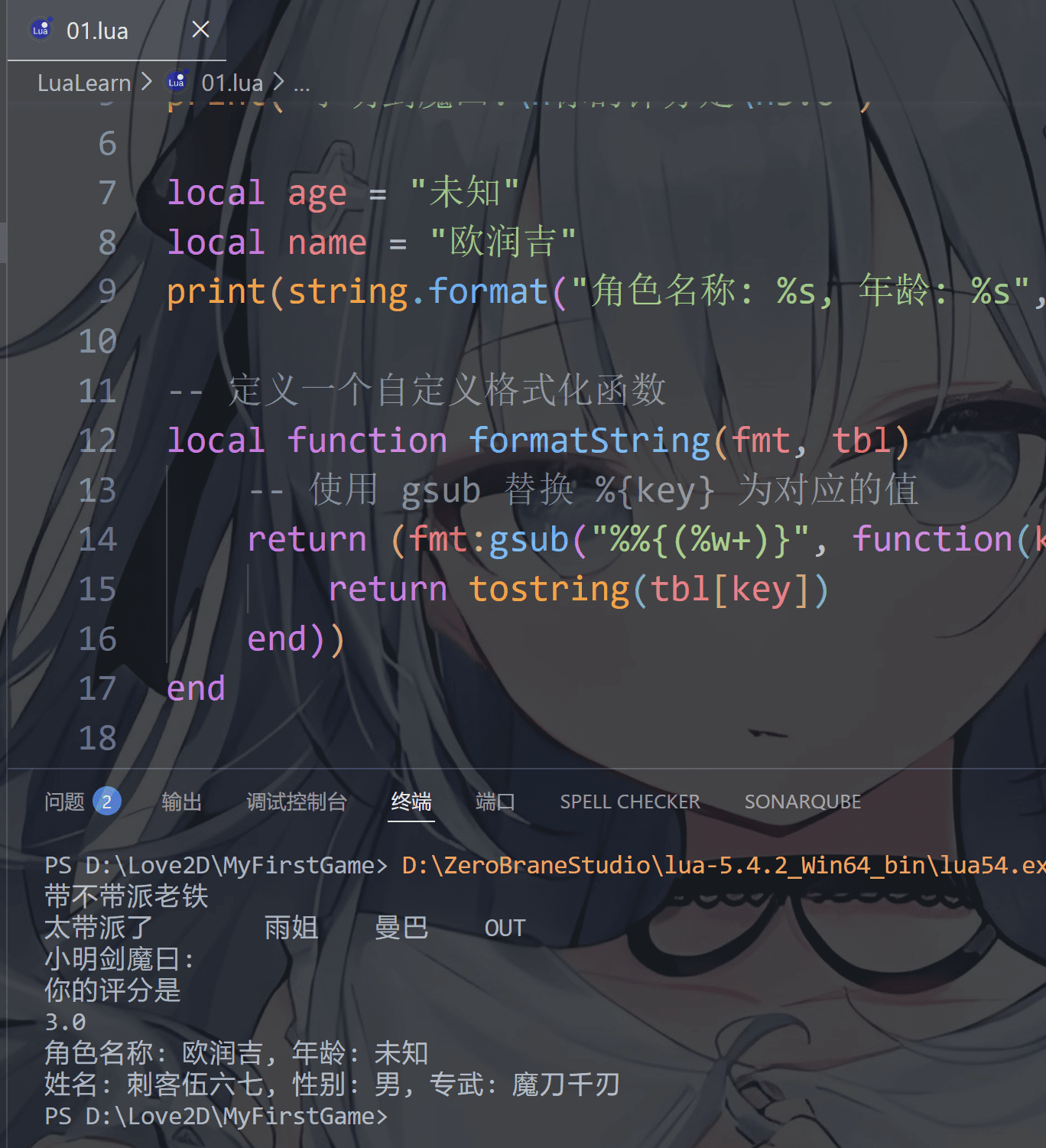
第一种:打印一句

1
print("带不带派老铁")

第二种:打印好几句

1
print("太带派了", "雨姐", "大东北", "是我的家乡")

第三种:换行打印

1
print("小明剑魔曰:\n你的评分是\n3.0")

第四种:自动字符串化(这个和python很像鹅)

1
2
local diamond = 10
print("玩家Steve开矿透挖到了:", diamond.."组钻石")

第五种:格式化打印,使用 string.format() 方法

这个需要了解一下这些符号,学过C 或者 C++的小伙伴绝对老熟悉了

  • %s: 字符串
  • %d%i: 有符号整数
  • %f: 浮点数 (默认精度为 6 位小数)
  • %c: ASCII 字符
  • %x / %X: 十六进制数 (小写/大写)
  • %%: 输出一个字面量百分号
1
2
3
local age = "未知"
local name = "欧润吉"
print(string.format("角色名称: %s, 年龄: %s", name, age))

第六种:更自由的格式化打印(其实是自己设定的规则啦,即正则表达式)———先不了解,目前也用不上,看看就行啦

这个有几种我喜欢用的,因为lua自带的格式化方法具有很多局限性

第一种如下(功能最少,但勉强能用)

1
2
3
4
5
6
7
8
9
10
11
12
13
14
15
16
17
-- 定义一个自定义格式化函数
local function formatString(fmt, tbl)
-- 使用 gsub 替换 %{key} 为对应的值
return (fmt:gsub("%%{(%w+)}", function(key)
return tostring(tbl[key])
end))
end

-- 使用自定义格式化函数
local data = {
name = "刺客伍六七",
gender = "男",
weapon = "魔刀千刃"
}

local formatted = formatString("姓名: %{name}, 性别: %{gender}, 专武: %{weapon}", data)
print(formatted)

image-20251221233542362

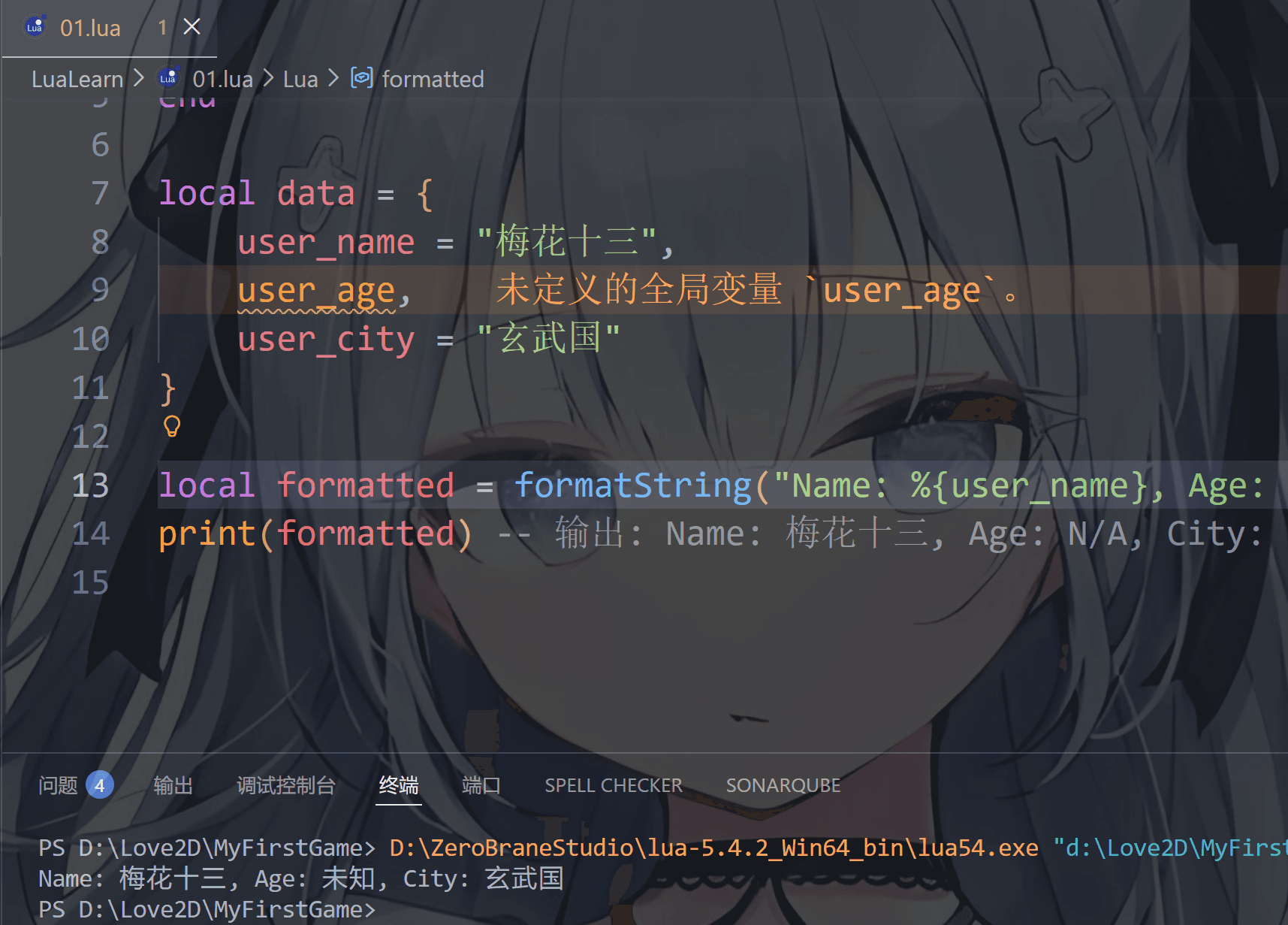
第二种如下(支持的功能增加一点,但是还是功能局限性)

1
2
3
4
5
6
7
8
9
10
11
12
13
14
local function formatString(fmt, tbl, default)
return (fmt:gsub("%%{([%w%-_]+)}", function(key)
return tostring(tbl[key] or default)
end))
end

local data = {
user_name = "梅花十三",
user_age = nil,
user_city = "玄武国"
}

local formatted = formatString("Name: %{user_name}, Age: %{user_age}, City: %{user_city}", data, "未知")
print(formatted)
image-20251221234845870

第三种(专业级别的模版)

1
2
3
4
5
6
7
8
9
10
11
12
13
14
15
16
17
18
19
20
21
22
23
24
25
26
27
28
29
30
31
32
33
34
35
36
37
38
39
40
41
42
43
44
45
46
47
48
49
50
51
52
53
54
55
56
57
58
59
60
61
62
63
64
65
66
67
68
69
70
71
72
73
74
75
76
77
78
79
80
81
82
83
84
85
86
87
88
89
90
91
92
93
94
95
96
97
98
99
100
101
102
103
104
105
106
107
108
109
110
111
112
113
114
115
116
117
118
119
120
121
122
123
124
125
126
127
128
129
130
131
132
133
134
135
136
--------------------------------------------------
-- 底层逻辑,负责字典格式化输出
--------------------------------------------------

local Template = {}

local function getByPath(root, path)
local current = root
for key in path:gmatch("[^%.]+") do
if type(current) ~= "table" then
return nil
end
local index = tonumber(key)
current = index and current[index] or current[key]
end
return current
end

function Template.format(text, context, options)
context = context or {}
options = options or {}
local default = options.default or ""

return (text:gsub("%%{([^}]+)}", function(path)
local value = getByPath(context, path)

if value == nil then
return tostring(default)
end

if type(value) == "function" then
local ok, result = pcall(value, context)
return ok and tostring(result) or tostring(default)
end

return tostring(value)
end))
end

--------------------------------------------------
-- 玩家数据
--------------------------------------------------

local data = {
weapons = {
weapon_01 = {
name = "魔刀千刃",
damage = 15000
},
weapon_02 = {
name = "激光炮",
damage = 8000
}
},

character = {
player_01 = {
name = "伍六七",
camp = "玄武国",
base_power = 100,
weapon = "weapon_01"
},

player_02 = {
name = "斯特国王子",
camp = "斯特国",
base_power = 100,
weapon = "weapon_02"
}
}
}

--------------------------------------------------
-- 角色信息注入
--------------------------------------------------

local function injectActor(actor, ctx)
return {
--角色名字
name = function()
return actor.name or "未知"
end,

--角色阵营
camp = function()
return actor.camp or "未知"
end,

--角色专武
weapon = function()
if actor.weapon then
local w = ctx.weapons[actor.weapon]
return w and w.name or "未知"
end
return "未知"
end,

--角色武力
power = function()
local weapon_damage = 0
if actor.weapon then
local w = ctx.weapons[actor.weapon]
weapon_damage = w and w.damage or 0
end
return ((actor.base_power or 0) + (weapon_damage or 0)) or "未知"
end
}
end

--------------------------------------------------
-- 我方和敌方
--------------------------------------------------

local context_ally = {
actor = injectActor(data.character.player_01, data)
}

local context_enemy = {
actor = injectActor(data.character.player_02, data)
}

--------------------------------------------------
-- 信息打印
--------------------------------------------------

-- 决战双方揭晓
print(Template.format(
"决战双方:%{character.player_01.name} VS %{character.player_02.name}\n",
data
))

--双方信息展示
local tpl = "角色:%{actor.name}\n阵营:%{actor.camp}\n武力:%{actor.power}\n专武:%{actor.weapon}\n\n"
print(Template.format(tpl, context_ally))
print(Template.format(tpl, context_enemy))

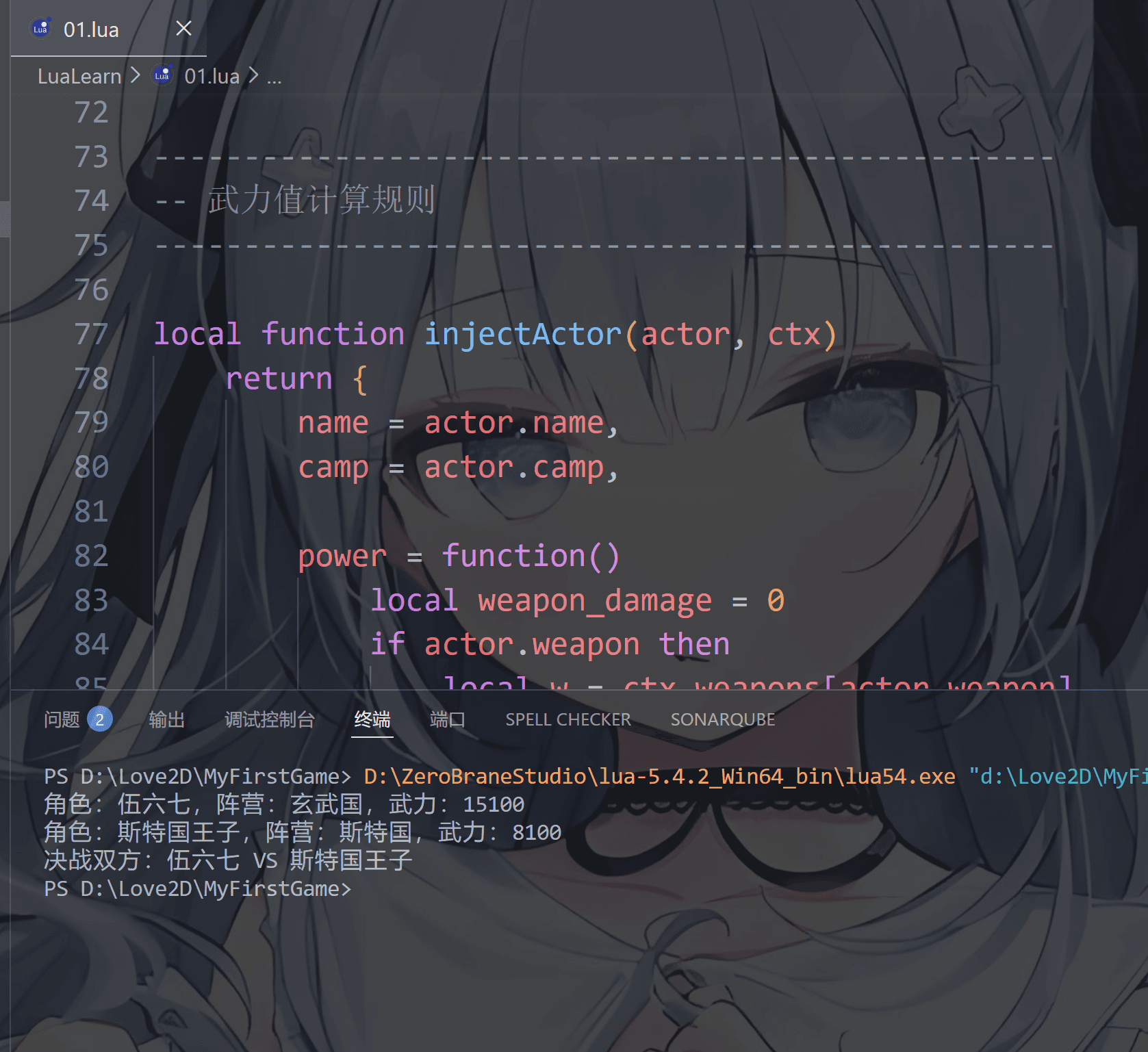
image-20251222203855065

咳咳咳,扯太远了

对了,如你所见,刚才这个” string1 = “基” ”字符串我只取名为变量名string1,没有显示声明这是字符串string类型,而是用local关键字

补充一下(变量的作用域):

  • 写在函数/方法/语句块体外全局(整个文件、整个程序可见)变量

  • 写在函数/方法/语句块体内局部(只在那个函数/块内部可见)变量

    最好的例子就是Java和C#里的public和private关键字

    这里我们就用 Unity 游戏引擎里的C#讲解一下吧

    1
    2
    3
    4
    5
    6
    7
    8
    9
    10
    11
    12
    13
    14
    15
    16
    17
    18
    19
    20
    //unity脚本
    using UnityEngine;

    public class PlayerLogic : MonoBehaviour
    {
    public int hp = 100; // 外部可访问,公开变量
    private int speed = 5; // 仅类内部使用,外部不可调用,private可以省略不写,私有变量

    void Start()
    {
    Debug.Log(hp);
    Debug.Log(speed);
    }

    //随便写一个方法
    public void Move()
    {
    Debug.Log("Move with speed " + speed);
    }
    }

    如你所见,public 可以让整个项目的所有脚本都可以获取这个变量,private只能让当前脚本使用这个变量

    我们的lua也是这样的,如果不给变量或者方法加local关键字,则默认就是全局公开的,这一点和unity的C#是相反的,C#不加关键字就是默认是局部私有的

    对了,.在C,java,C#,C++里都会给变量指定一个数据类型例如整型int 字符串string 浮点型float或double等等

1
2
int apple =2;
var banana =4;//仅局部变量可用var
1
2
int apple=2;
var banana =4;//仅局部变量可用var
1
2
int apple =2;
auto apple = 2; //全局局部都可以用auto
1
int apple =2;

对于某些则是可以指定也可以不指定,比如python和TypeScript还有godot的GDscript

1
apple: int = 2 #python可以直接写变量名,没有var或let这种关键字
1
let apple: number = 2;
1
2
#GDscript
var apple: int = 2

对于lua这种不需要写数据类型的,称之为“变量本身无类型,值自带类型”,其中和JavaScript最像,JS也是用let(曾经是var)来充当所有类型的,同样的不可以也没有途径来指定变量类型,全靠编辑器或游戏引擎自己 “猜” 这是什么类型

1
let apple = 2;//旧版是var apple =2;

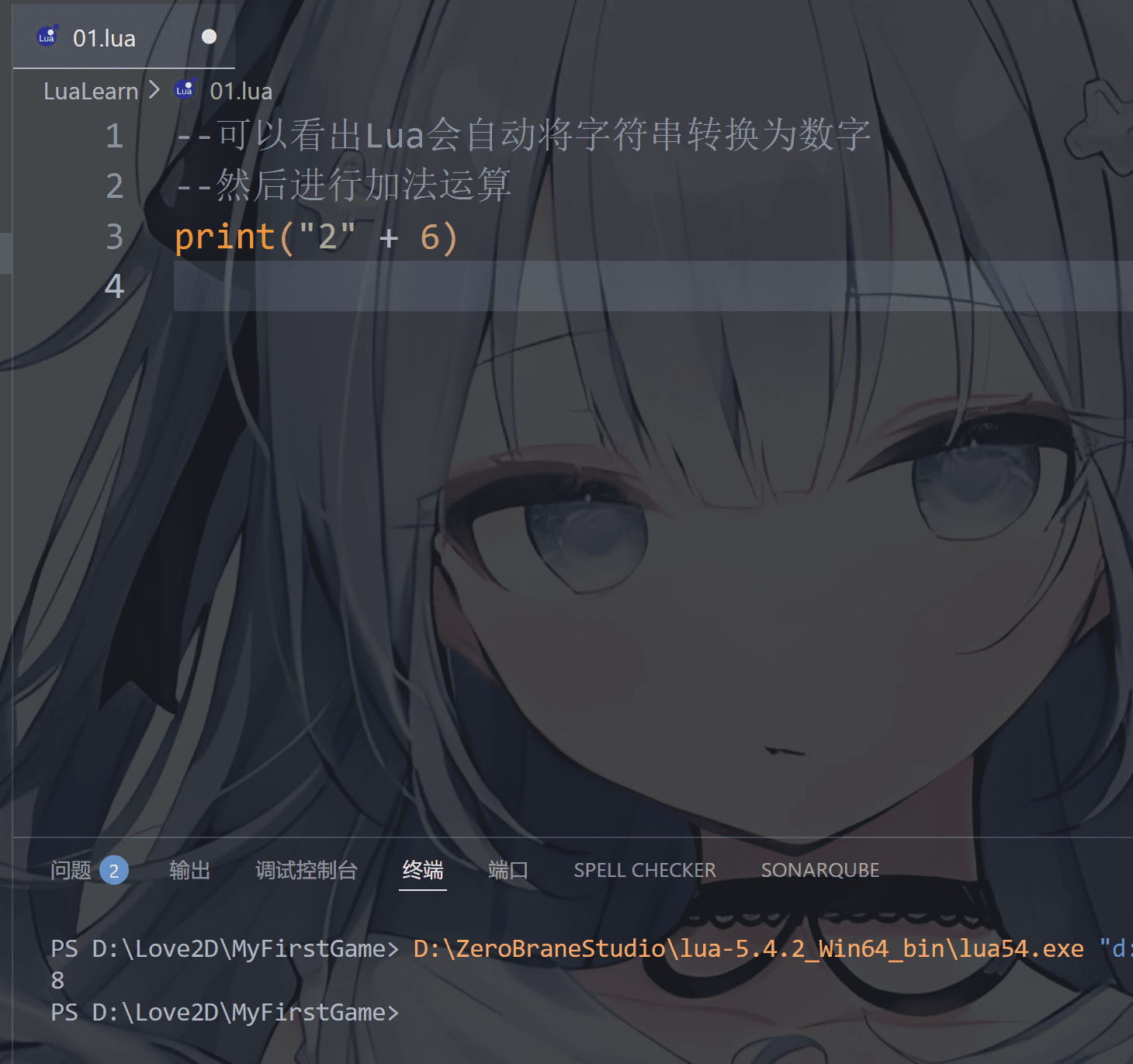
对了,由于数据类型之间存在隐式转换,这个在大多数语言之中都存在,就是我们常说的强制转换和隐式转换

这里我们就先举例字符串和数字类型的相加吧

1
2
3
--可以看出Lua会自动将字符串转换为数字,这称为隐式转换
--然后进行加法运算
print("2" + 6)

image-20251220185808133

同理,也可以字符串和字符串相加,不过在java和C#中字符串相加结果还是字符串

1
2
3
System.out.println("123" + 5);   // 输出 "1235"
System.out.println("123" + 5 + 5); // 输出 "12355"
System.out.println(5 + 5 + "123"); // 输出 "10123"(先算 5+5)
1
2
3
Console.WriteLine("123" + 5);   // 输出 "123"
Console.WriteLine("123" + 5 + 5); // 输出 "12355"
Console.WriteLine(5 + 5 + "123"); // 输出 "10123"

但是我们的Lua不是这样的,它只会先将字符串转换为数字,然后在进行数学运算,所以就有了如下结果

1
2
print("2" + "6") --输出 "8"
print("-2e2" * "6") --输出 "-1200.0"

但是我们都知道字符串不只有数字可以构成,还可以由各个国家的文字构成比如中文 英文 日文

所以lua自然无法将文字转换为数字(不过你可能听说过ASCII码表和Unicode字符表,每个文字或符号都有对应的数字编号),但字符串相加减在Lua中不允许的
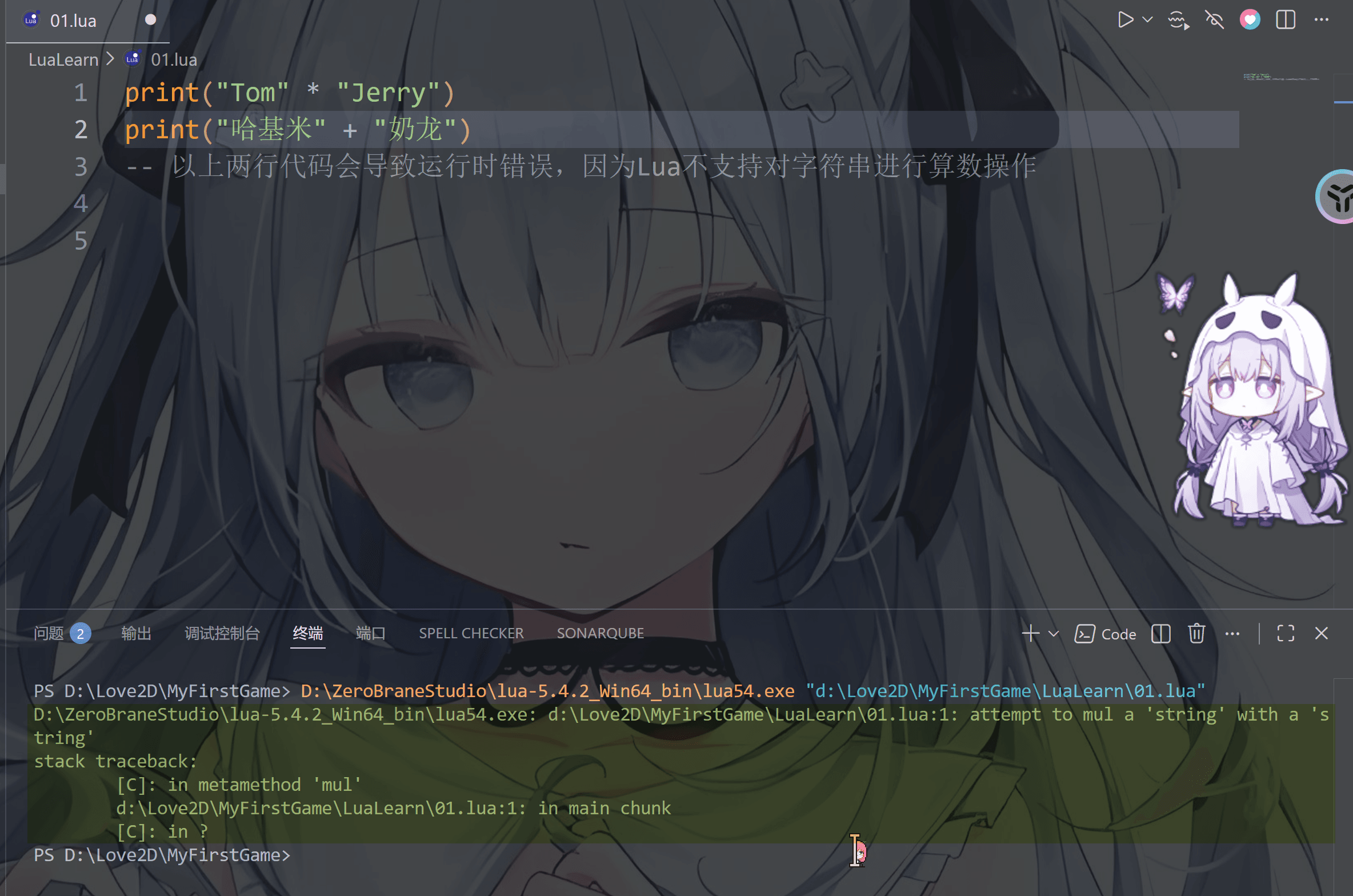
image-20251220191224658

可以看到,报错了

同样的,假如你学过C java JavaScript什么的,都知道字符串长度这个概念,即字符串字节长度,学过的小伙伴可以再看一下

其中字节我们需要了解一下
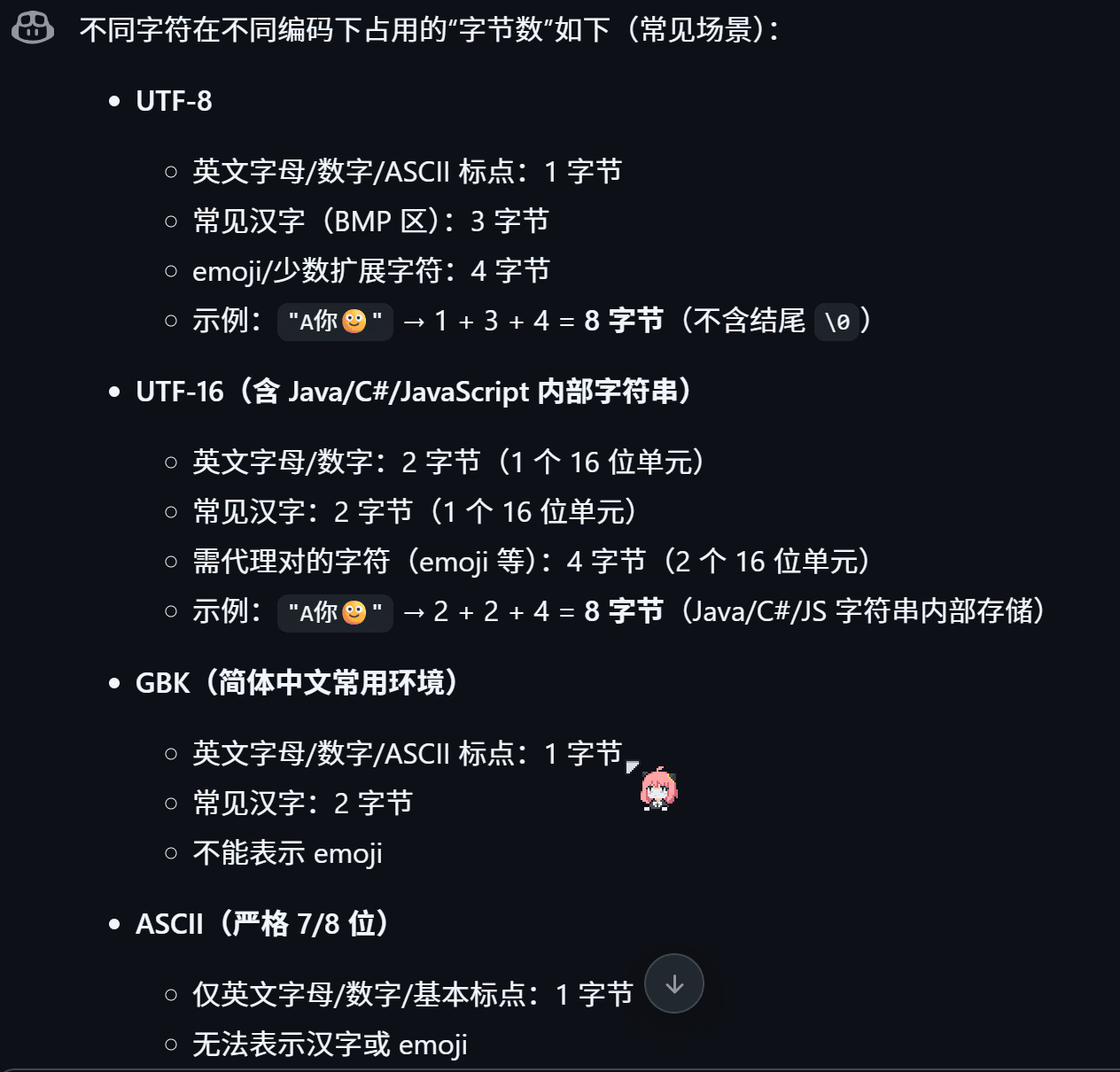
image-20251220203217551

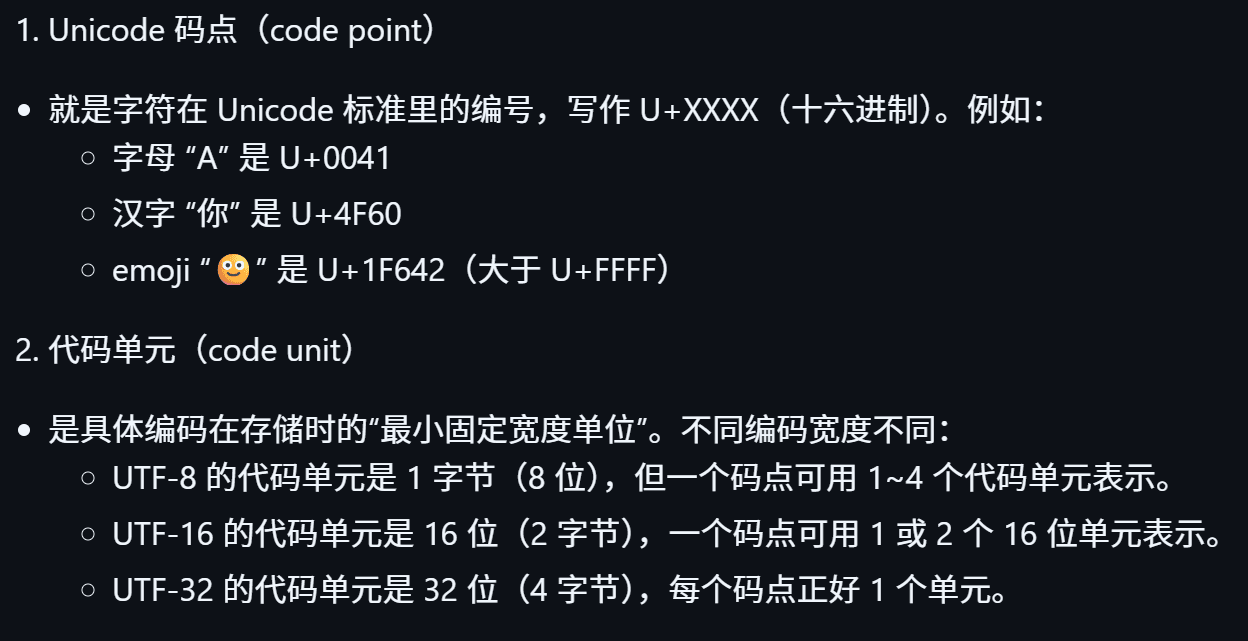
还有码点和单元的概念

image-20251220203803350

1
2
3
4
5
6
7
8
9
10
11
12
13
14
15
16
17
18
19
#include <stdio.h>
#include <string.h>

int main(void) {

// 情形 1:假设执行字符集是 GBK,源文件也用 GBK 保存
// 每个汉字占 2 字节,11 个汉字 -> 22 字节,加结尾 '\0' -> 23
char str_gbk[] = "芙宁娜喂你吃了一口蛋糕";
printf("[GBK] 字符串长度为 = %zu\n", sizeof(str_gbk)); // 23
printf("[GBK] 字符串长度为 = %zu\n", strlen(str_gbk)); // 22

// 情形 2:强制 UTF-8 字面量(u8 前缀),与源文件是否 UTF-8 无关
// 每个汉字 3 字节,11 个汉字 -> 33 字节,加结尾 '\0' -> 34
const char *s_utf8 = u8"芙宁娜喂你吃了一口蛋糕";
printf("[UTF-8] 字符串长度为 = %zu\n", strlen(s_utf8)); // 33
printf("[UTF-8] 字符串长度为 = %zu\n", sizeof u8"芙宁娜喂你吃了一口蛋糕"); // 34 (含 '\0')

return 0;
}
1
2
3
4
5
6
7
8
9
10
11
12
#include <string>
#include <iostream>

int main() {
// 情形 1:假设执行字符集是 GBK,源文件也用 GBK 保存
std::string s_gbk = "芙宁娜喂你吃了一口蛋糕";
std::cout <<"[GBK] 字符串长度为"<< s_gbk.size() << " \n"; //22字节

// 情形 2:强制 UTF-8 字面量(u8 前缀),与源文件是否 UTF-8 无关
std::string s_utf8 = u8"芙宁娜喂你吃了一口蛋糕";
std::cout <<"[UTF-8] 字符串长度为"<< s_utf8.size() << "\n"; // 33字节
}
1
2
3
4
//java伪代码
String s = "芙宁娜喂你吃了一口蛋糕";
int units = s.length();
System.out.println("字符串的长度为: " + units); // 11(UTF-16 代码单元),每个汉字一个单元,Java源码默认 UTF-8
1
2
3
4
//C#伪代码
string s = "芙宁娜喂你吃了一口蛋糕";
int units = s.Length;
Console.WriteLine($"字符串长度为= {units}"); // 11(UTF-16 代码单元),每个汉字一个单元,C#源码默认 UTF-8
1
2
3
const s = "芙宁娜喂你吃了一口蛋糕";
const len = s.length;
console.log(`字符串长度为 = ${len}`); // 11(UTF-16 代码单元),每个汉字一个单元,JS源码默认 UTF-8
1
2
3
s = "芙宁娜喂你吃了一口蛋糕"
ln = len(s)
print(f"字符串长度为 = {ln}") # 11 (Unicode 码点),每个汉字是一个码点,python源码默认 UTF-8,len函数返回码点数

ok ,现在再来看看我们的lua

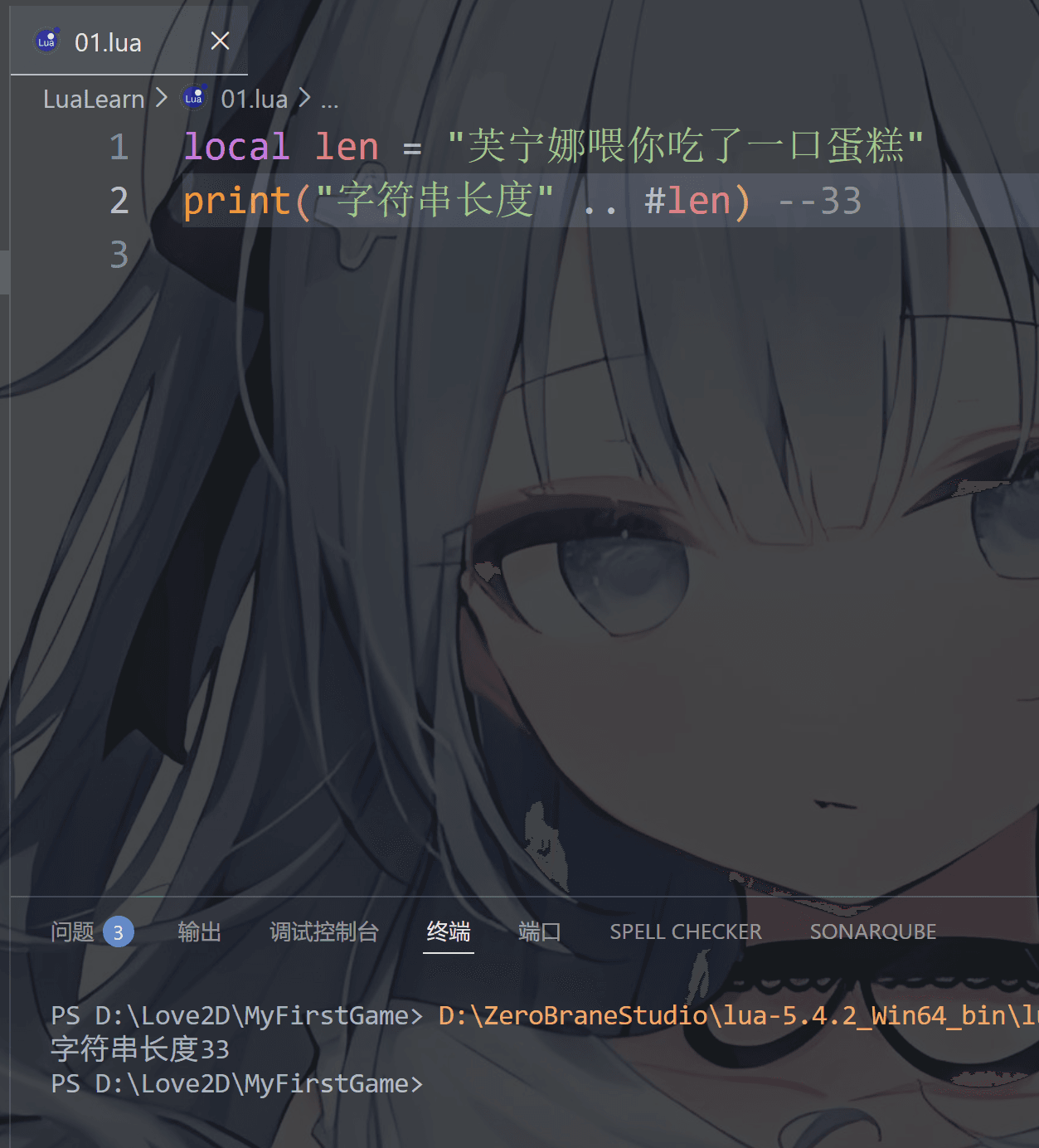
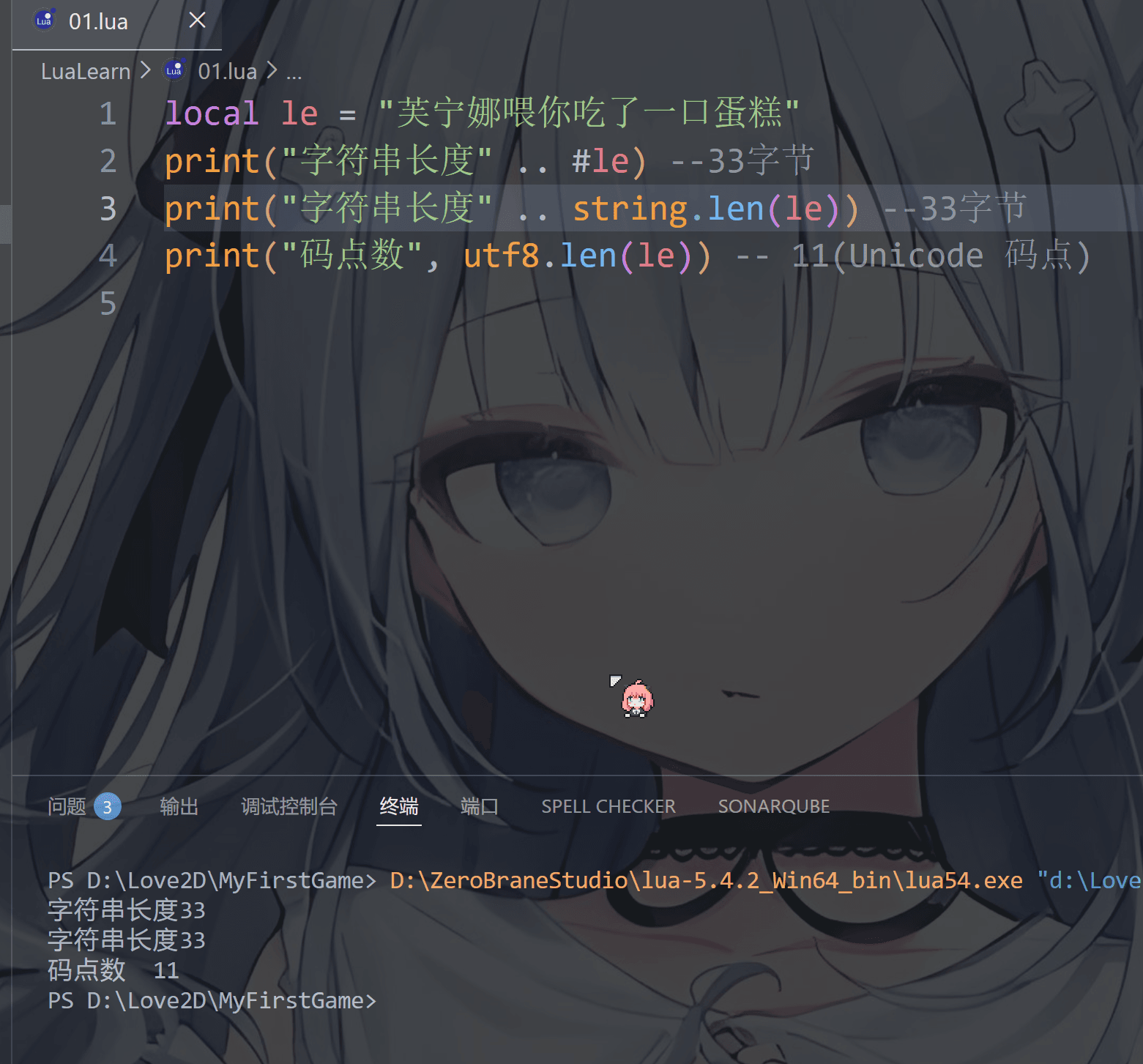
lua使用 # 来计算字符串的长度,放在字符串前面,或者使用 string.len() 来获取字符串的长度

1
2
3
4
5
6
local le = "芙宁娜喂你吃了一口蛋糕"

--注意,Lua 本身把字符串当作原始字节序列,不做任何编码/解码,所以字节取决于你当前文件的保存格式是UTF-8还是GBK
print("字符串长度" .. #le) --33字节 (UTF-8字节) 22(GBK字节)
print("字符串长度" ..string.len(le))--33字节 (UTF-8字节) 22(GBK字节)
print("码点数", utf8.len(le)) -- 11(Unicode 码点)
image-20251220211553480

image-20251220214021468

或者这样写,都是可以的

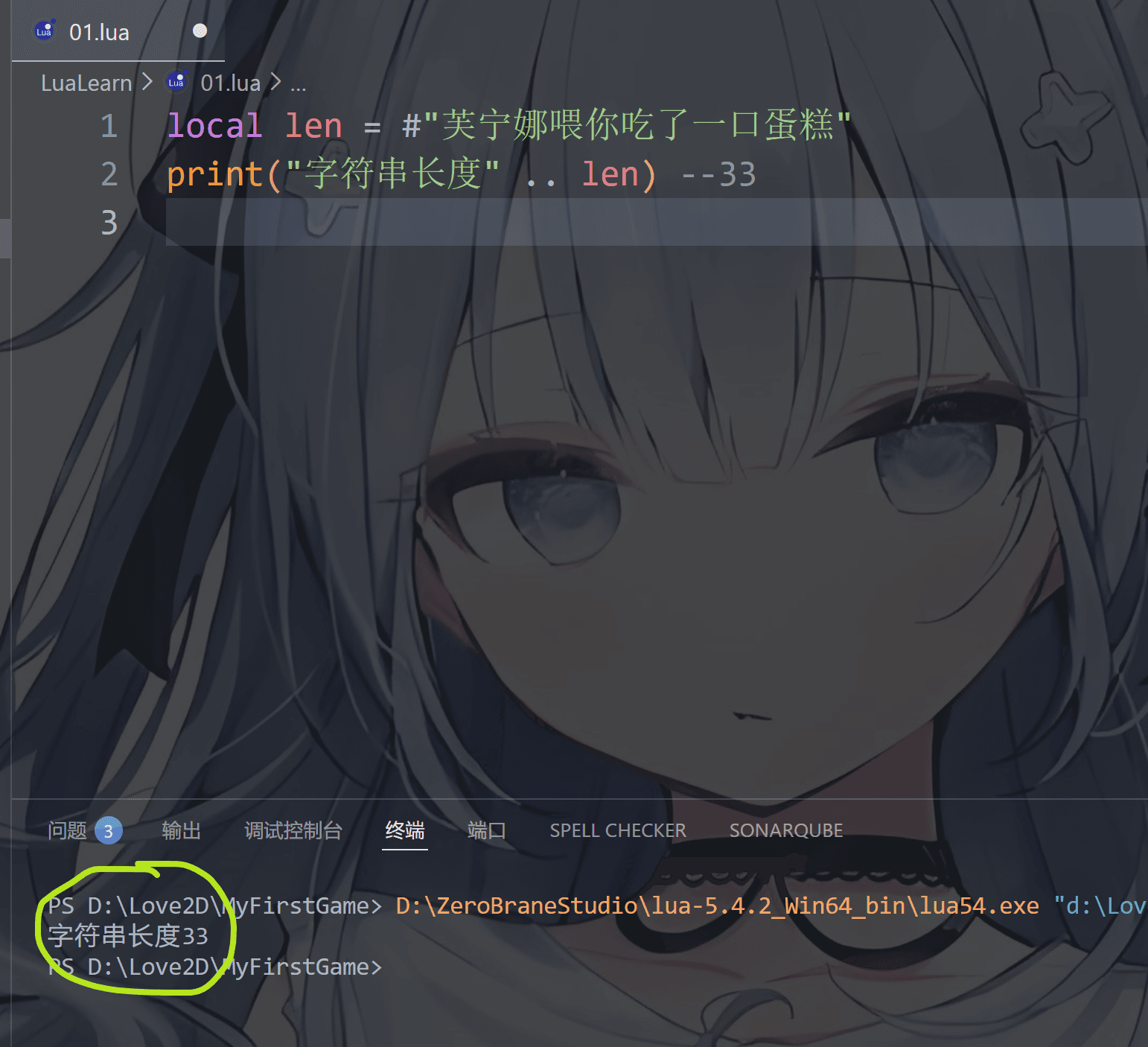
1
2
local len = #"芙宁娜喂你吃了一口蛋糕"
print("字符串长度" .. len)--33字节

image-20251220211507010

table(表)

这个和其他语言的数组非常类似,同样的也和JSON里面的字典非常像

所以同样的也存在索引键值对这个概念,数组的索引只能是数字或者是字符串,但是字典的键值对可以是数字、字符串、布尔值、函数,甚至是另一个 table

但是别的语言的索引是从0开始的,数组的第一个元素的位置就是0索引,但是在我们的lua中,不是这样的,而是第一个元素的位置是1索引

这里我们先用for循环遍历一下数组索引,可以看到的确是第一个索引位置是 1
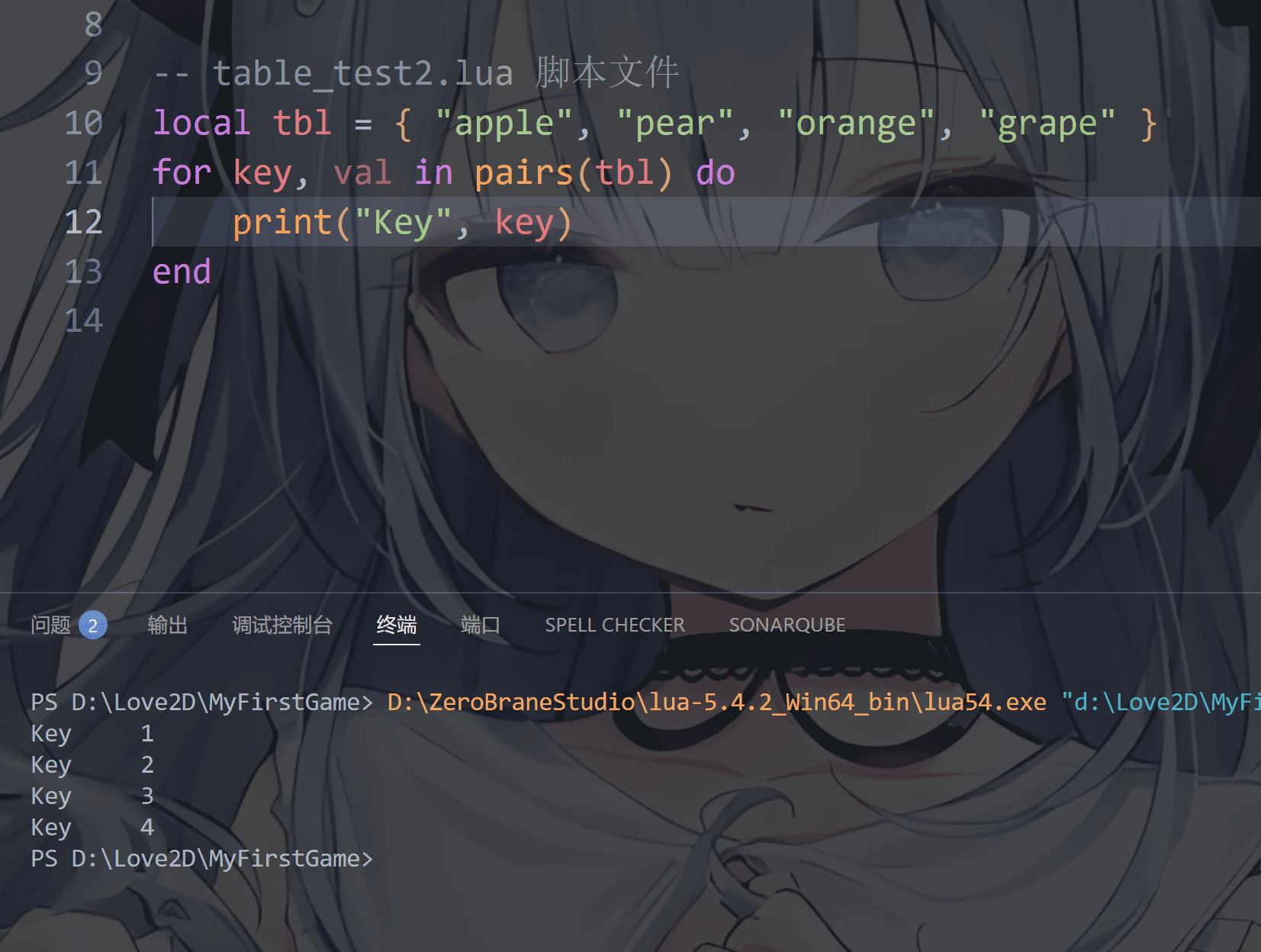
image-20251221190243229

1
2
3
4
local tbl = { "apple", "pear", "orange", "grape" }
for key, val in pairs(tbl) do
print("Key", key)
end

同样的,数组可以为空,然后为空数组的索引位置赋值,也可以在创建数组时就为数组赋值,这里可以直接对索引位置赋值或者使用插入函数

一:使用数组索引或者键值对赋值

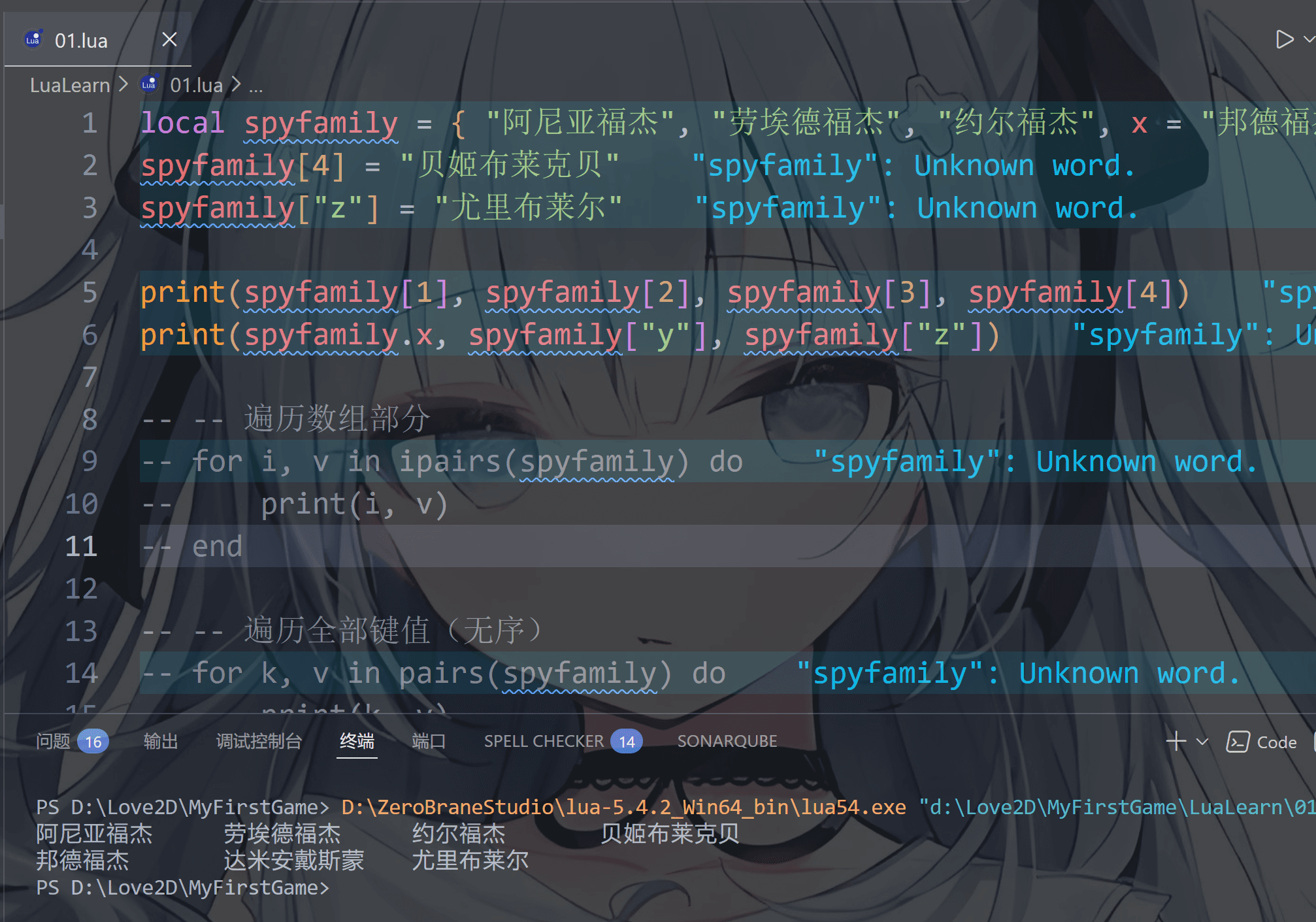
比如我可以直接在数组中添加元素,或者在指定索引位置添加元素,用索引获取数组元素用 数组名[ 数字(大于等于1) ]

但是你可以看到表里的“邦德福杰”和“达米安戴斯蒙”的写法是不是很熟悉(如果你学过字典的写法的话),没错,table还可以用于写字典

字典可以使用点符号“ . ”来访问字典中的属性比如 spyfamily.x 就是指“邦德福杰” 不过也可以不用这个点,第二种写法如你所见,但是不是很推荐就是了(因为麻烦,还得多打几个符号)

这个字典非常好用的,以后我们给游戏人物写属性时可以使用字典,不过你也看到了,数组和字典可以混用(不过不推荐这么干 ヾ(▼へ▼) NO!)

1
2
3
4
5
6
local spyfamily = { "阿尼亚福杰", "劳埃德福杰", "约尔福杰", x = "邦德福杰", y = "达米安戴斯蒙" } -- 1-based 索引
spyfamily[4] = "贝姬布莱克贝"
spyfamily["z"] = "尤里布莱尔"

print(spyfamily[1], spyfamily[2], spyfamily[3], spyfamily[4])
print(spyfamily.x, spyfamily["y"], spyfamily["z"])

image-20251221192607903

至于数组的遍历先不了解,因为涉及for循环,到时候讲到for循环时候再说更好理解,我们暂时还是用print一个一个的打印

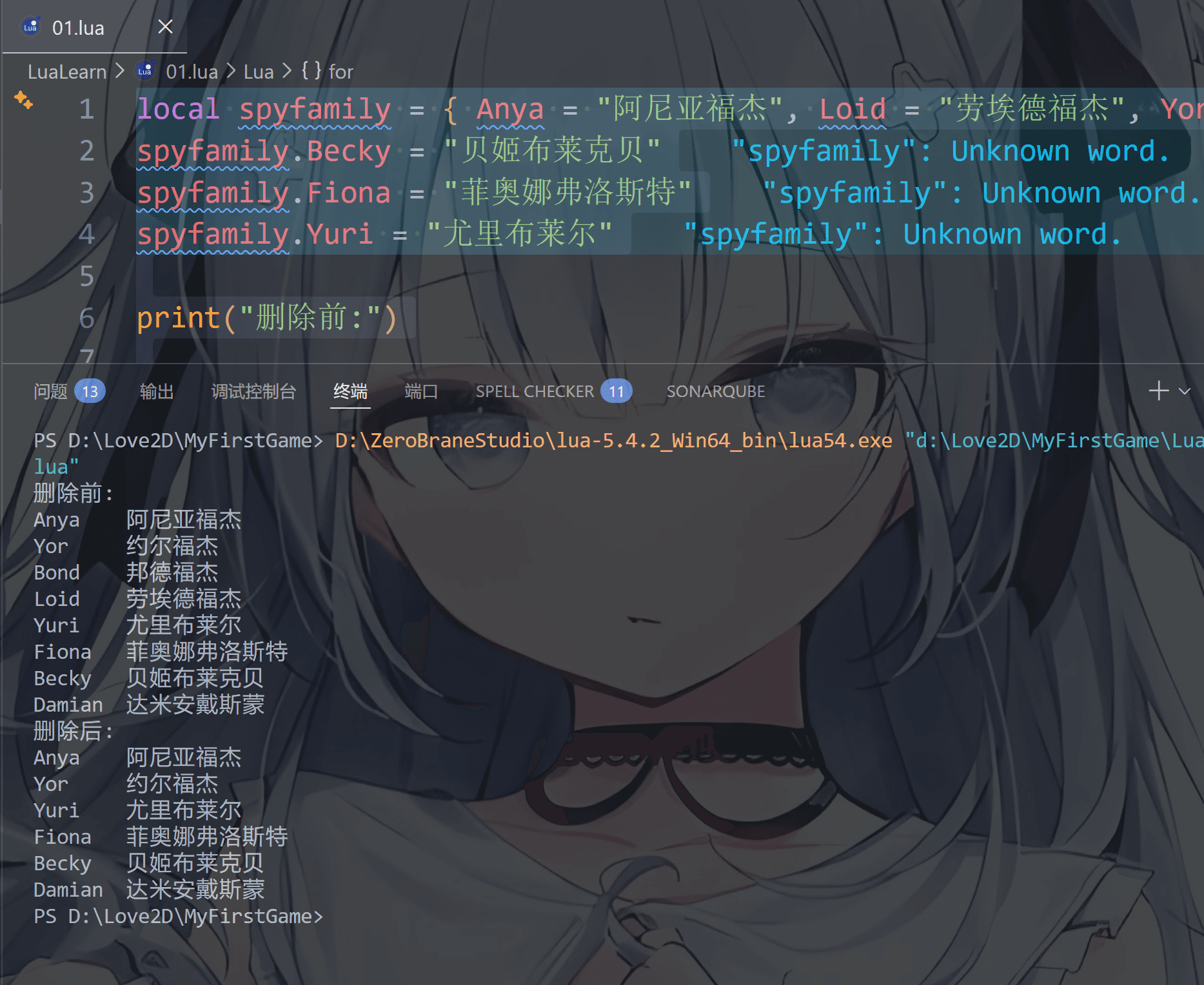
前面我们提到过 nil具有删除效果 我们来看一下吧

1
2
3
4
5
6
7
8
9
10
11
12
13
14
15
16
17
18
19
20
21
22
local spyfamily = { Anya = "阿尼亚福杰", Loid = "劳埃德福杰", Yor = "约尔福杰", Bond = "邦德福杰", Damian = "达米安戴斯蒙" } 
spyfamily.Becky = "贝姬布莱克贝"
spyfamily.Fiona = "菲奥娜弗洛斯特"
spyfamily.Yuri = "尤里布莱尔"

print("删除前:")

--遍历表
for k, v in pairs(spyfamily) do
print(k, v)
end

print("删除后:")

--比如我们要删除劳埃德和邦德
spyfamily.Loid = nil
spyfamily.Bond = nil

--遍历表
for k, v in pairs(spyfamily) do
print(k, v)
end

image-20251221200825641

可以看到 劳埃德和邦德没有了

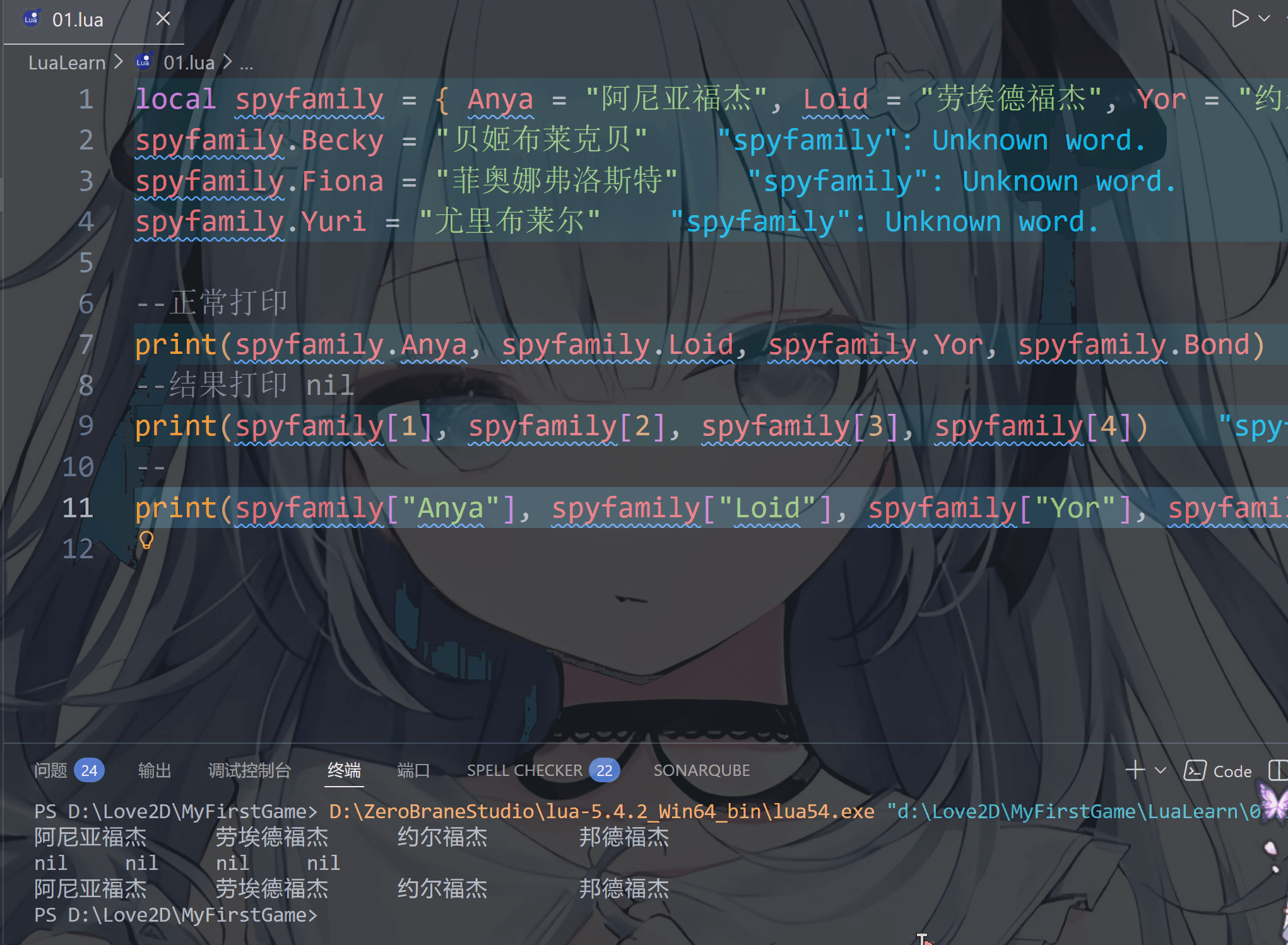
有些小伙伴可能会突发奇想——诶,假如我把table写成字典格式那还能不能使用索引访问呢

如图所示,不可以,只能用字典的两种访问形式(即点语法和键值对)

而且在 Lua 中,table数字索引键值对 是分开的。当表中只有字典的键值对时,数字索引部分是空的

1
2
3
4
5
6
7
8
9
10
11
12
local spyfamily = { Anya = "阿尼亚福杰", Loid = "劳埃德福杰", Yor = "约尔福杰", Bond = "邦德福杰", Damian = "达米安戴斯蒙" } 
spyfamily.Becky = "贝姬布莱克贝"
spyfamily.Fiona = "菲奥娜弗洛斯特"
spyfamily.Yuri = "尤里布莱尔"

--正常打印
print(spyfamily.Anya, spyfamily.Loid, spyfamily.Yor, spyfamily.Bond)
--结果打印 nil
print(spyfamily[1], spyfamily[2], spyfamily[3], spyfamily[4])
--正常打印
print(spyfamily["Anya"], spyfamily["Loid"], spyfamily["Yor"], spyfamily["Bond"])

image-20251221201716415

想必你也看到了,table 不会固定长度大小,有新数据添加时 table 长度会自动增长,没初始的 table 都是 nil

二:使用lua内置函数赋值

函数这个后面会说,这里我们先介绍一下table相关的一些函数

1
2
3
4
5
6
7
8
9
10
11
12
13
14
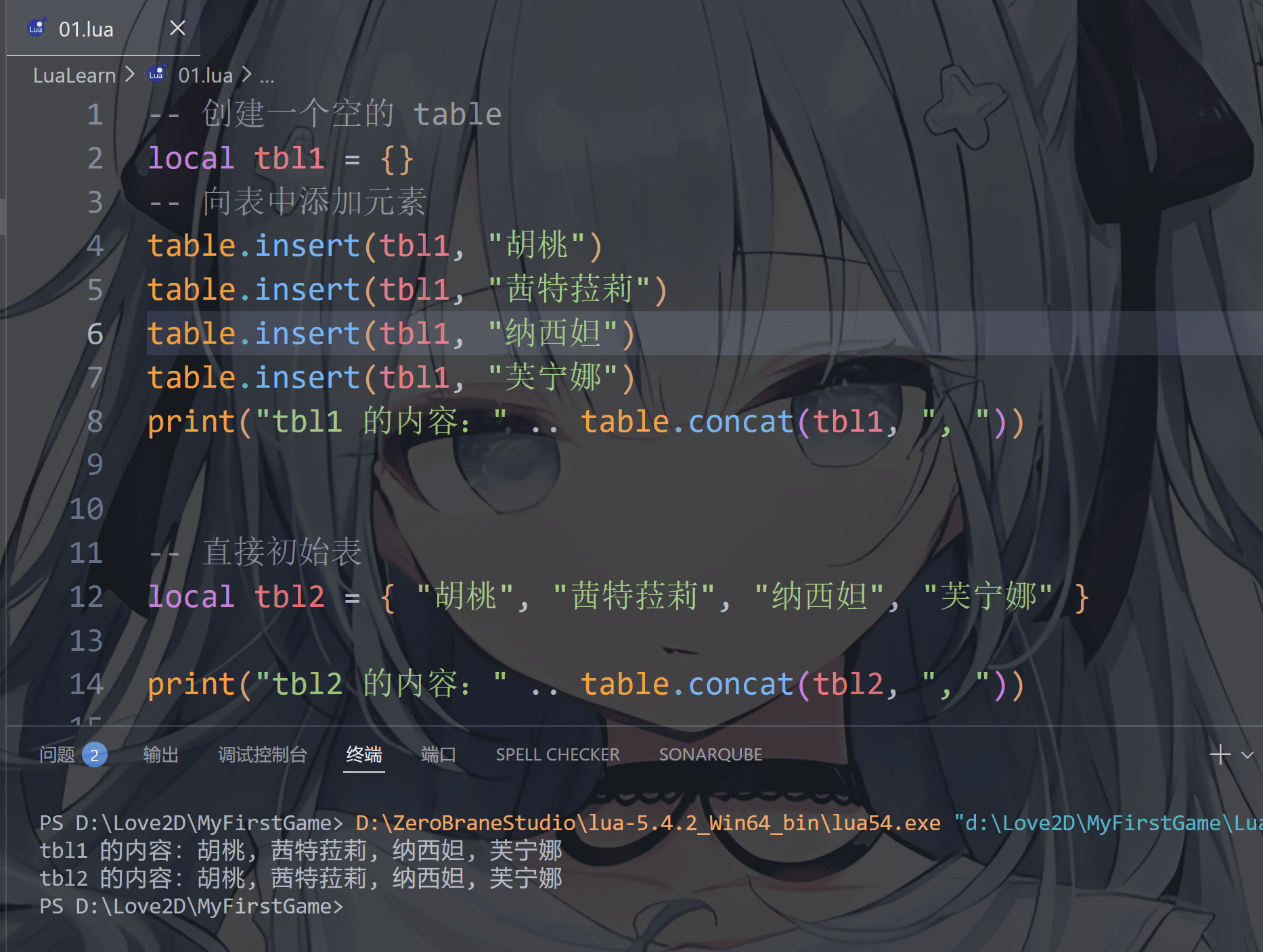
-- 创建一个空的 table
local tbl1 = {}
-- 向表中添加元素
table.insert(tbl1, "胡桃")
table.insert(tbl1, "茜特菈莉")
table.insert(tbl1, "纳西妲")
table.insert(tbl1, "芙宁娜")
print("tbl1 的内容:" .. table.concat(tbl1, ", "))


-- 直接初始表
local tbl2 = { "胡桃", "茜特菈莉", "纳西妲", "芙宁娜" }

print("tbl2 的内容:" .. table.concat(tbl2, ", "))

image-20251221190833186

函数 作用
table.insert 向表中插入元素
table.remove 从表中删除元素
table.concat 将表中的元素连接成字符串
table.sort 对表中的元素进行排序
table.pack 将多个值打包成一个表
table.unpack 将表中的值解包成多个值

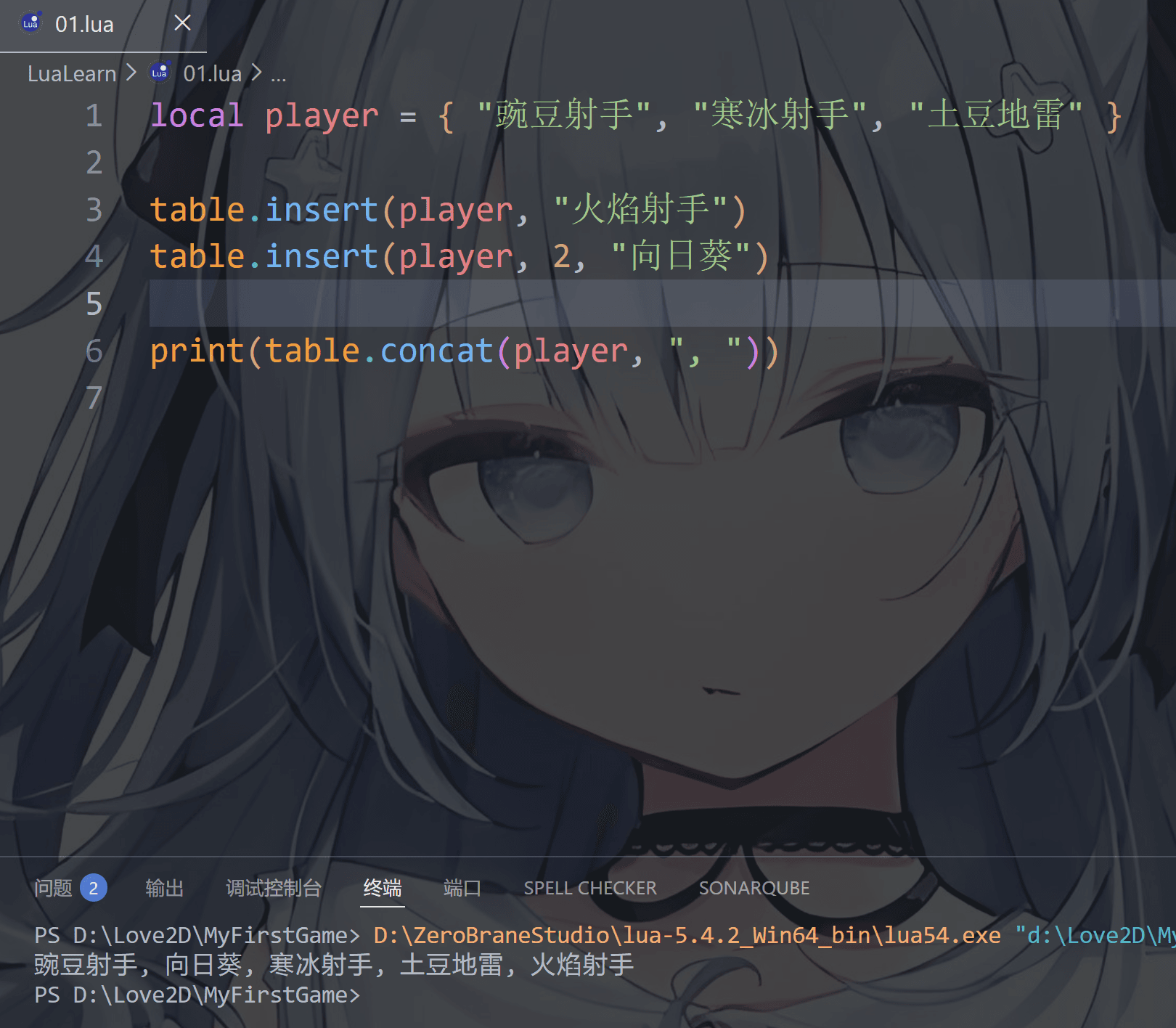
第一个: table.insert

  • 语法table.insert(表名, 插入位置, 插入值)
  • 其中插入位置可写可不写,不写的话默认插入到表的末尾
1
2
3
4
5
6
local player = { "豌豆射手", "寒冰射手", "土豆地雷" }

table.insert(player, "火焰射手")
table.insert(player, 2, "向日葵")

print(table.concat(player, ", "))

image-20251221215101801

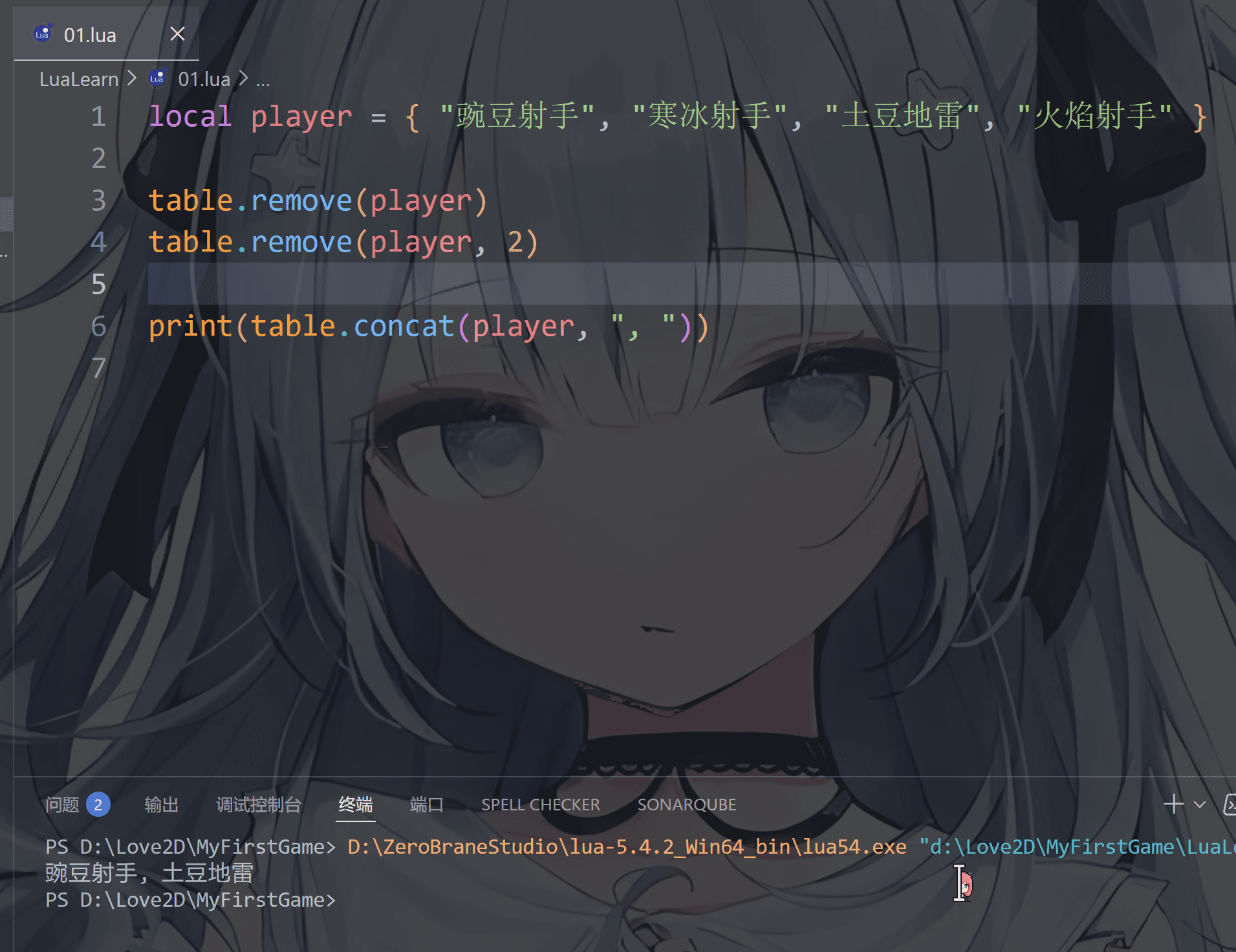
第二个: table.remove

  • 语法table.insert(表名, 删除位置)
  • 其中删除位置可写可不写,不写的话默认删除表的末尾元素
1
2
3
4
5
6
local player = { "豌豆射手", "寒冰射手", "土豆地雷", "火焰射手" }

table.remove(player)
table.remove(player, 2)

print(table.concat(player, ", "))

image-20251221215823550

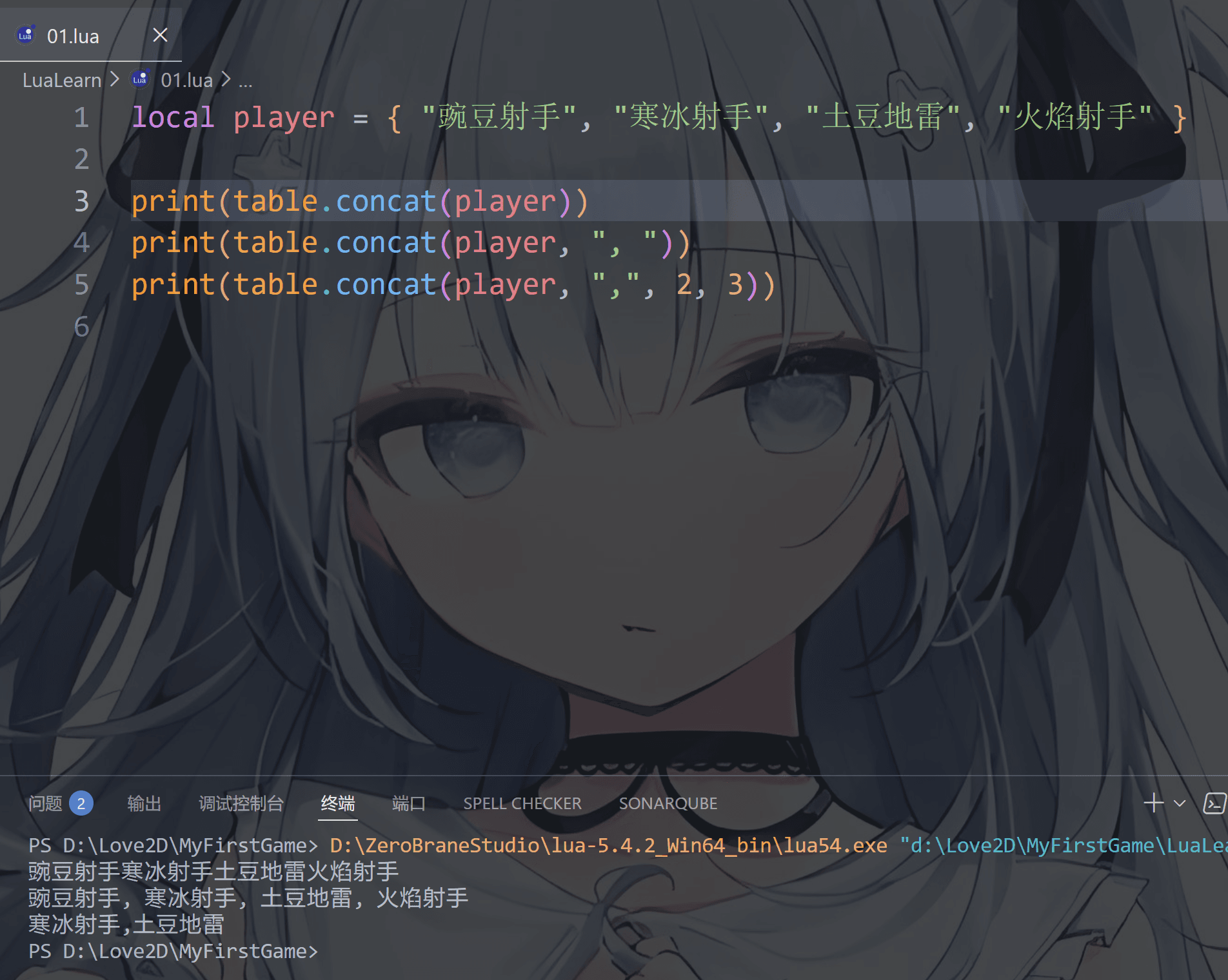
第三个: table.concat

  • 语法table.concat(表名, 连接符, 开始索引, 结束索引)
  • 其中连接符默认为空字符串,连接符一般是逗号或者空格
  • 开始索引和结束索引表示遍历的范围,不写的话默认是遍历整个表
1
2
3
4
5
local player = { "豌豆射手", "寒冰射手", "土豆地雷", "火焰射手" }

print(table.concat(player))
print(table.concat(player, ", "))
print(table.concat(player, ",", 2, 3))

image-20251221221157964

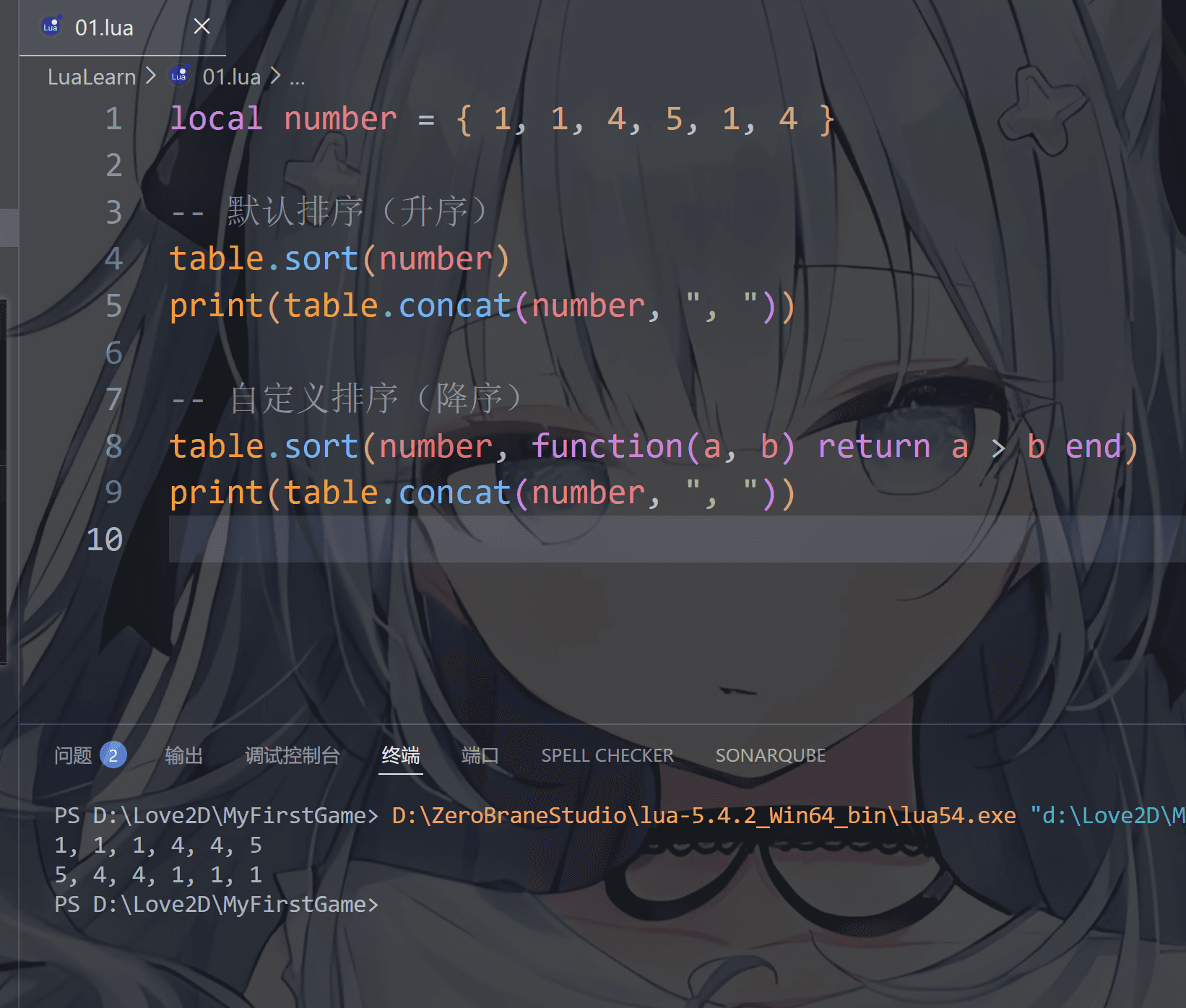
第四个: table.sort

  • 语法table.sort(表名, 排序函数)
  • 比较函数,默认按升序排序
1
2
3
4
5
6
7
8
9
local number = { 1, 1, 4, 5, 1, 4 }

-- 默认排序(升序)
table.sort(number)
print(table.concat(number, ", "))

-- 自定义排序(降序)
table.sort(number, function(a, b) return a > b end)
print(table.concat(number, ", "))

image-20251222222825992

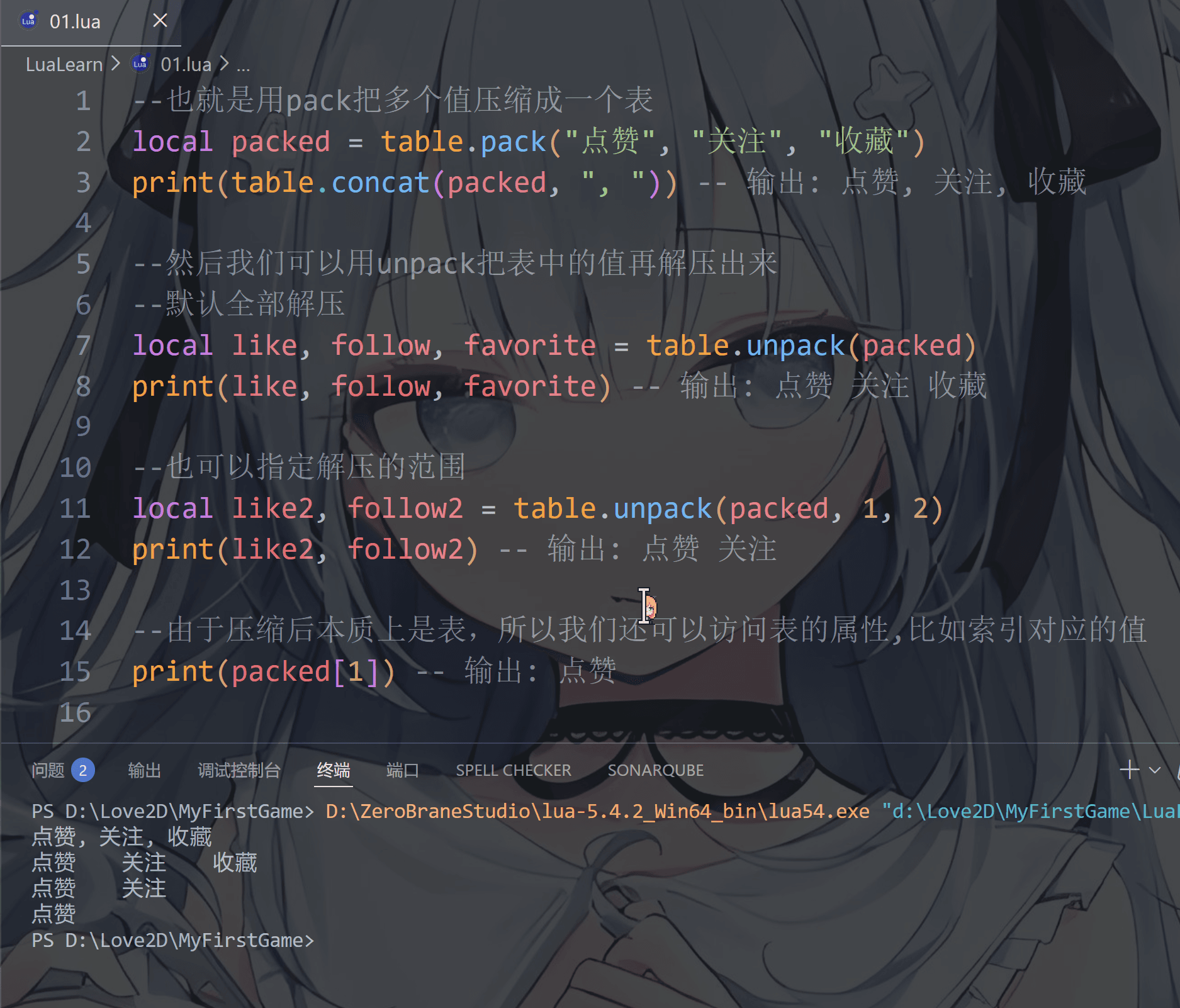
第五个和第六个: table.pack table.unpack

  • 语法table.pack(....)
  • 语法table.unpack(压缩的包名,开始索引,结束索引)
  • **注意啦:**这两个只处理数组,不处理字典的键值对
1
2
3
4
5
6
7
8
9
10
11
12
13
14
15
--也就是用pack把多个值压缩成一个表
local packed = table.pack("点赞", "关注", "收藏")
print(table.concat(packed, ", ")) -- 输出: 点赞, 关注, 收藏

--然后我们可以用unpack把表中的值再解压出来
--默认全部解压
local like, follow, favorite = table.unpack(packed)
print(like, follow, favorite) -- 输出: 点赞 关注 收藏

--也可以指定解压的范围
local like2, follow2 = table.unpack(packed, 1, 2)
print(like2, follow2) -- 输出: 点赞 关注

--由于压缩后本质上是表,所以我们还可以访问表的属性,比如索引对应的值
print(packed[1]) -- 输出: 点赞

image-20251221224942807

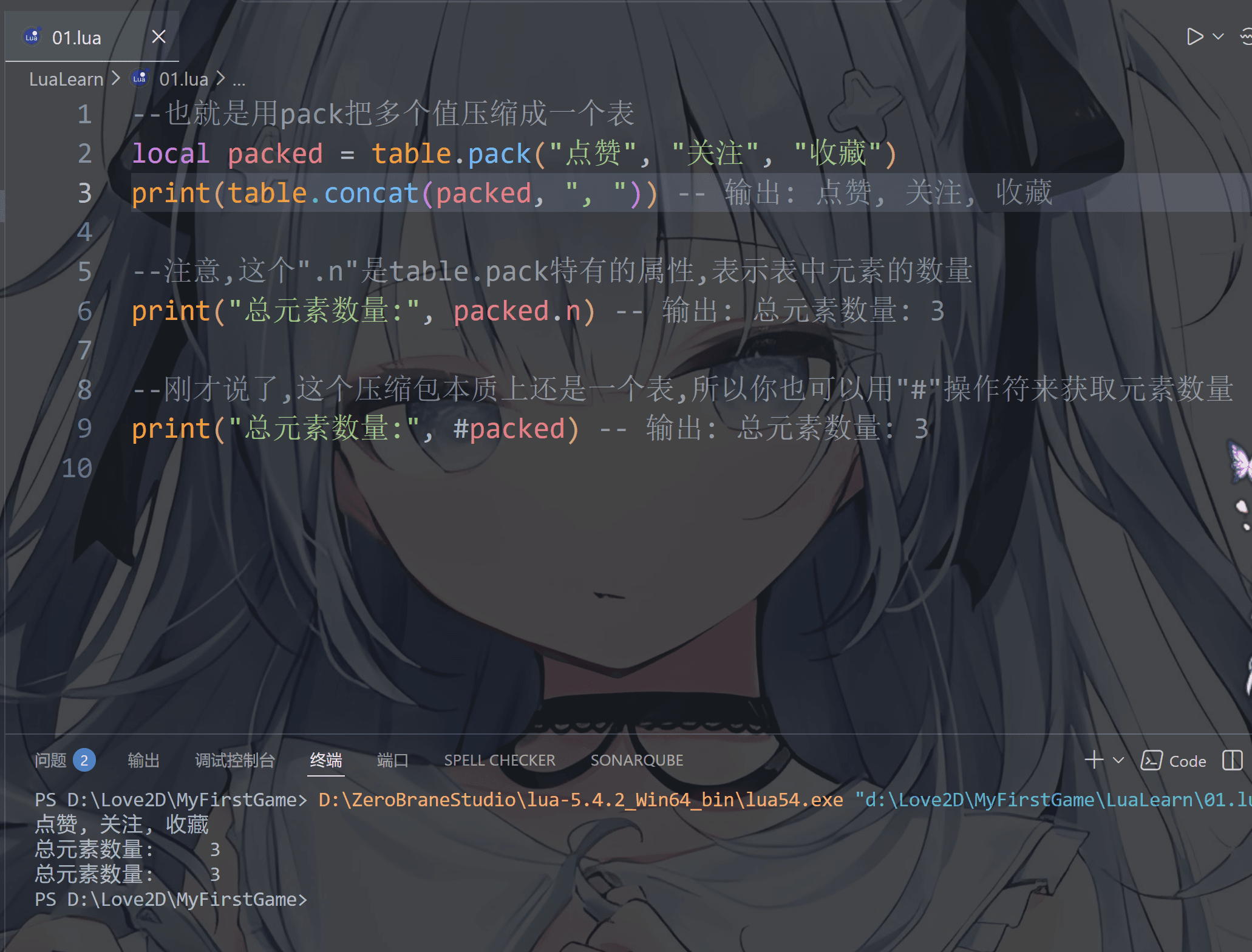
对了,还有一些可以补充的

比如”#”操作符不仅可以用于获取字符串的长度,还可以用于获取表的长度

1
2
3
4
5
6
7
8
9
--也就是用pack把多个值压缩成一个表
local packed = table.pack("点赞", "关注", "收藏")
print(table.concat(packed, ", ")) -- 输出: 点赞, 关注, 收藏

--注意,这个".n"是table.pack特有的属性,表示表中元素的数量
print("总元素数量:", packed.n) -- 输出: 总元素数量: 3

--刚才说了,这个压缩包本质上还是一个表,所以你也可以用"#"操作符来获取元素数量
print("总元素数量:", #packed) -- 输出: 总元素数量: 3

image-20251221225822879

function(函数)

学过JavaScript的小伙伴绝对老熟悉了,因为JavaScript的函数返回值类型也是用function来代替,而在其他语言中函数前面基本上就是函数的返回值类型比如 int 或void等等,对于没学过JS的小伙伴也可以看看这两个语言有多相似

但所有主流语言的函数基本上逻辑差不多,lua自然也有有参函数,无参函数或匿名函数等等区别

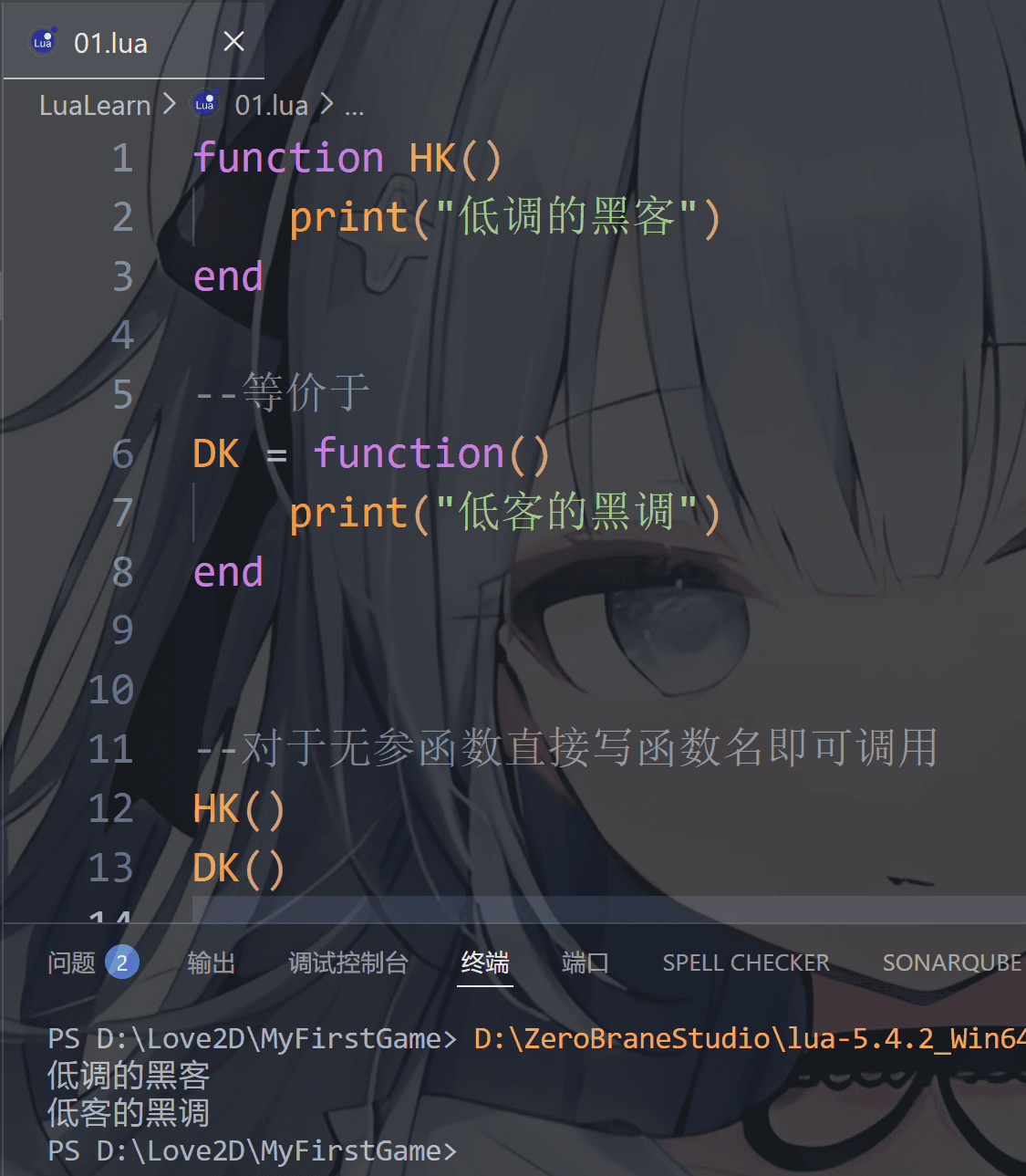
一,无参函数

  • 语法function 函数名()...end函数名 = function()...end
  • 注意:在其他语言中是用{ }花括号来规定函数的作用域的,但是lua这种缩进式语言需要 end 这种关键字来指定函数结束位置
  • local关键字可写可不写,要写都写,要不写都不写这样比较好看一些
  • 匿名函数在lua中也十分常用的,匿名函数可以不写函数名直接使用整个函数即可,一般可以在return返回值用匿名函数来节省代码长度
1
2
3
4
5
6
7
8
9
10
11
12
13
local function HK()
print("低调的黑客")
end

--等价于(匿名函数)
local DK = function()
print("低客的黑调")
end


--对于无参函数直接写函数名即可调用
HK()
DK()

image-20251222220743297

你可以对比一下JS语言,是不是豁然开朗了

1
2
3
4
5
6
7
8
9
10
function HK() {
console.log("低调的黑客");
}
// 等价于(匿名函数)
let DK = function () {
console.log("低客的黑调");
}

HK();
DK();

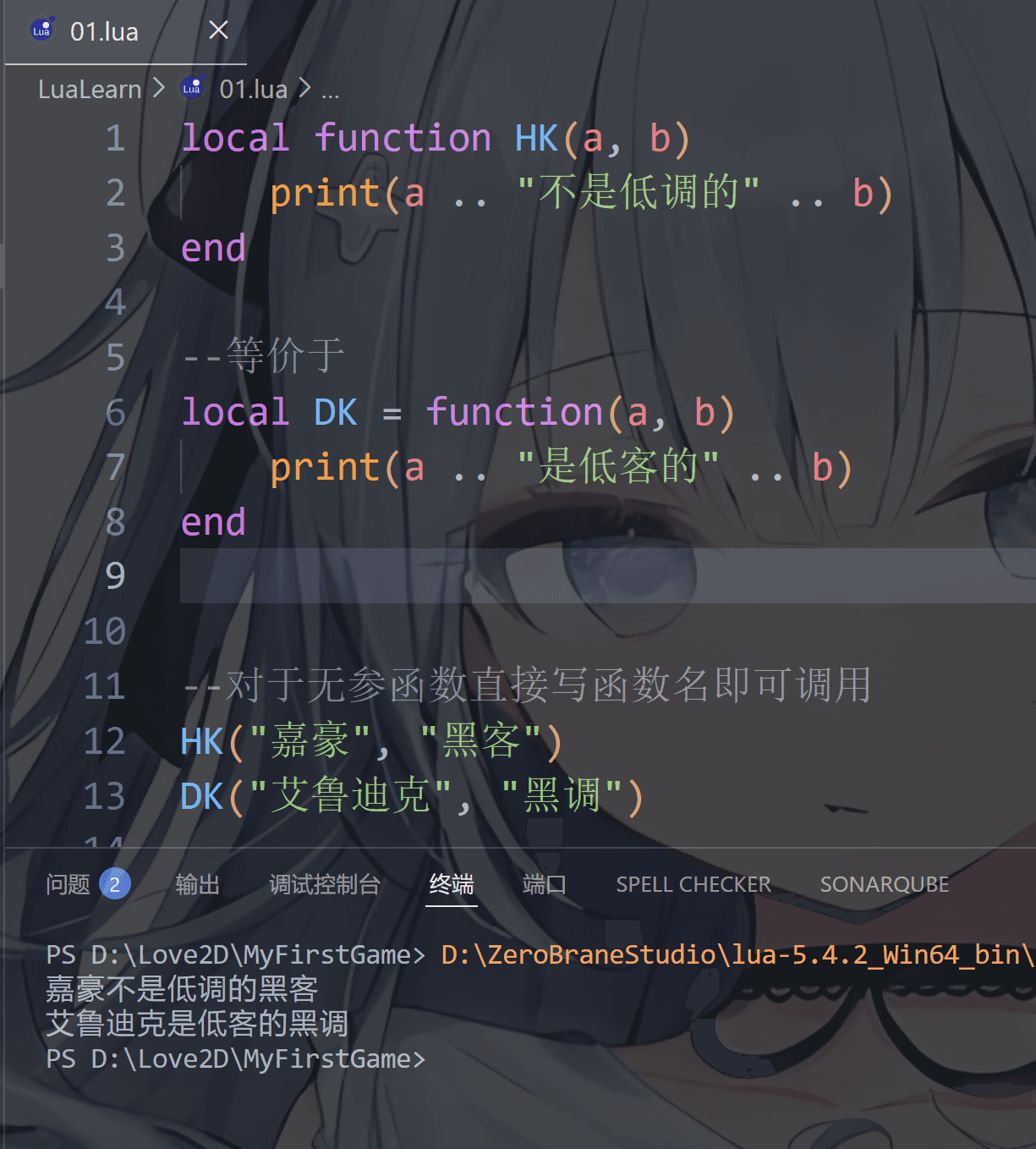
二,有参无返回值函数

  • 语法function 函数名(参数A,参数B...)...end函数名 = function(参数A,参数B...)...end
  • 函数调用: 函数名(参数A,参数B...)
1
2
3
4
5
6
7
8
9
10
11
12
13
local function HK(a, b)
print(a .. "不是低调的" .. b)
end

--等价于(匿名函数)
local DK = function(a, b)
print(a .. "是低客的" .. b)
end


--对于有参函数需要写参数值,但需要和定义的位置对应
HK("嘉豪", "黑客")
DK("艾鲁迪克", "黑调")

image-20251222222254607

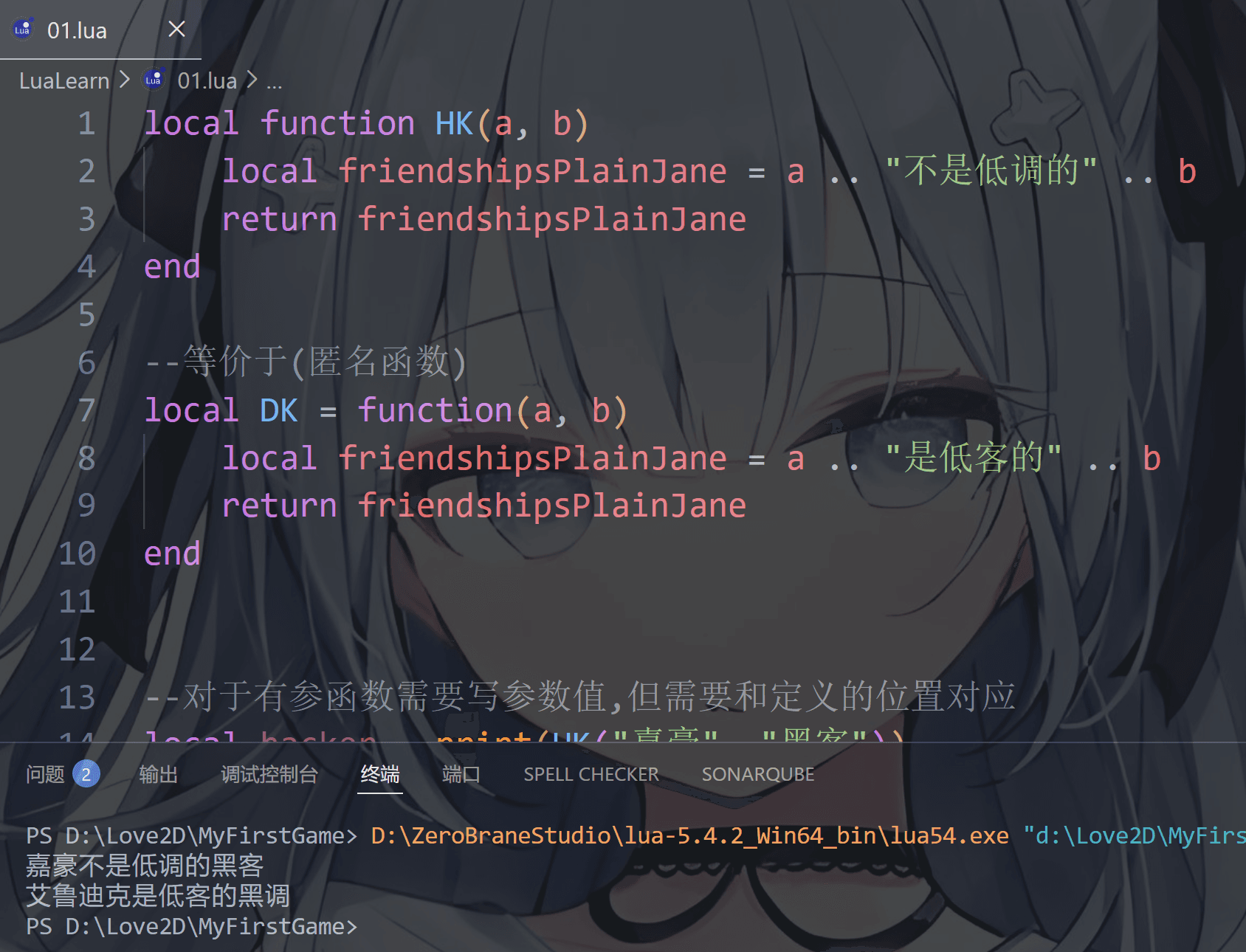
三,有参有返回值函数

这个分为单个返回值和多个返回值

第一:单个返回值

  • 语法function 函数名(参数A,参数B...)...return 返回值 end函数名 = function(参数A,参数B...)...return 返回值 end
  • 函数调用: 变量名 = 函数名(参数A,参数B...) 注意,调用形式相对自由,我只说这一种最简格式
  • 关键字注意: return 关键字是函数的返回值的类型 不过lua函数返回值相当宽松,不会像其他语言那样函数的类型和返回值类型之间锁死,返回值类型非常广泛甚至可以是另一个函数或匿名函数
1
2
3
4
5
6
7
8
9
10
11
12
13
14
15
16
17
local function HK(a, b)
local friendshipsPlainJane = a .. "不是低调的" .. b
return friendshipsPlainJane
end

--等价于(匿名函数)
local DK = function(a, b)
local friendshipsPlainJane = a .. "是低客的" .. b
return friendshipsPlainJane
end


--对于有参函数需要写参数值,但需要和定义的位置对应
local hacker = HK("嘉豪", "黑客")
local dicker = DK("艾鲁迪克", "黑调")
print(hacker)
print(dicker)

image-20251223113241497

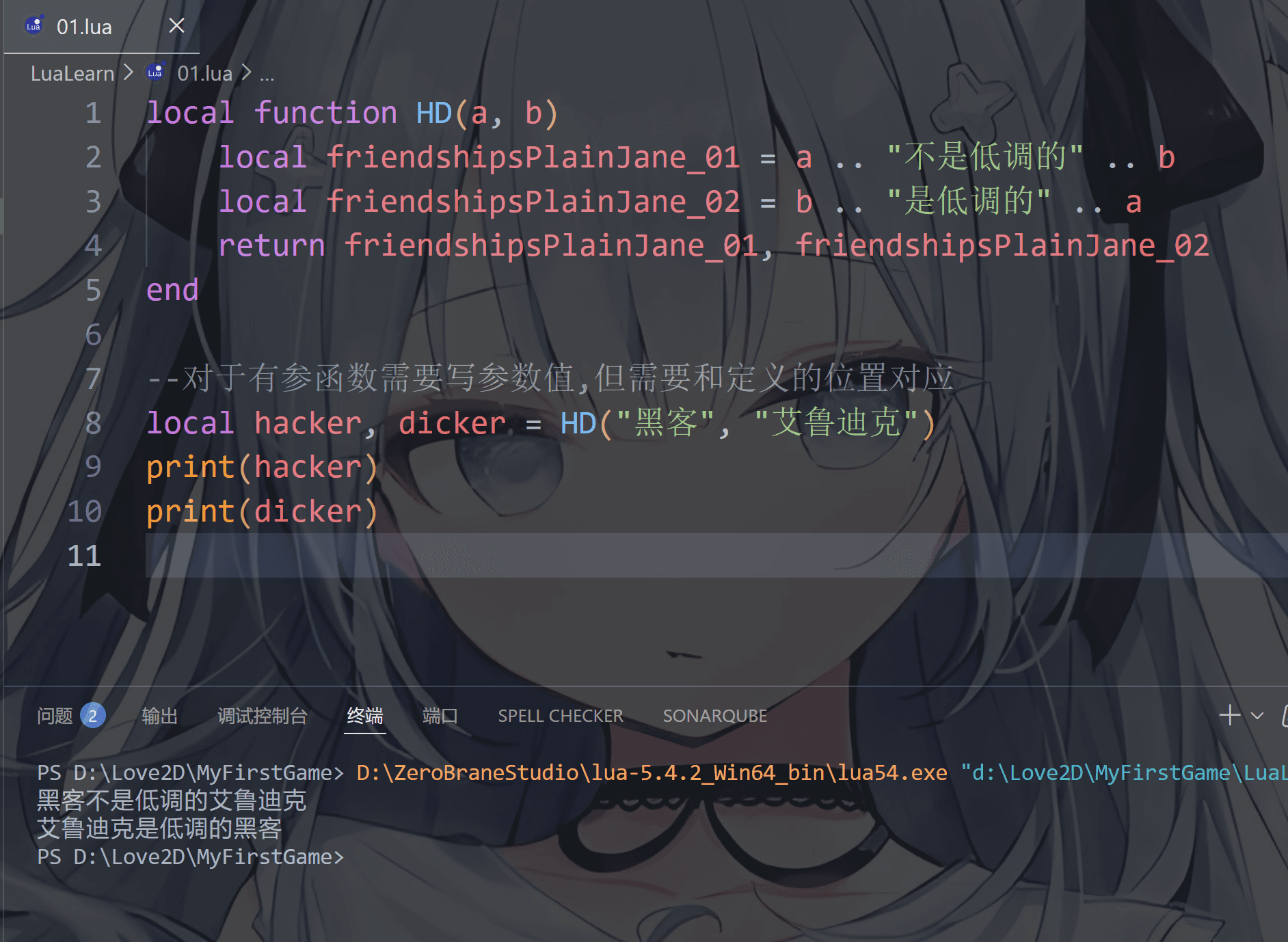
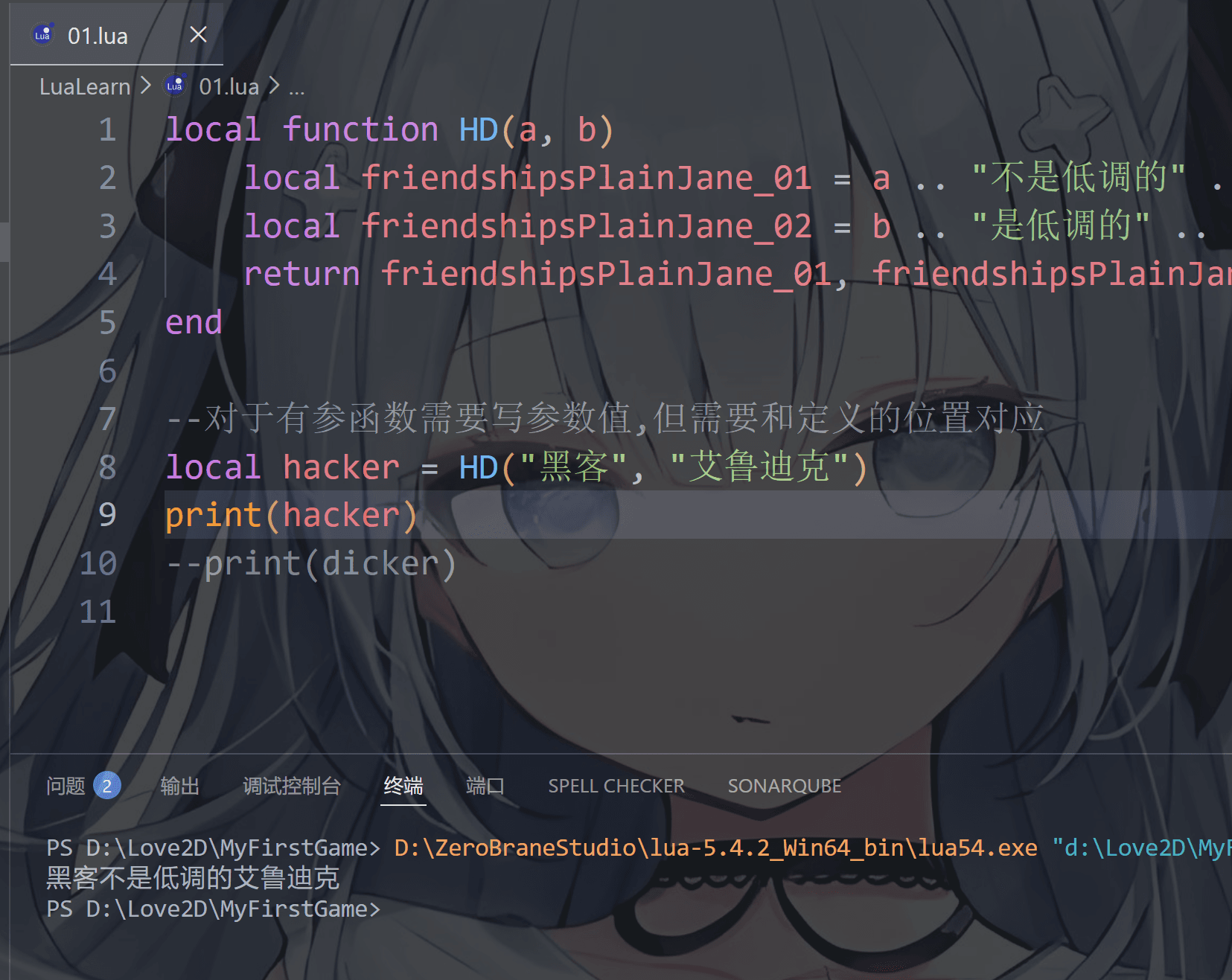
第二:多个返回值

  • 语法function 函数名(参数A,参数B...)...return 返回值1,返回值2... end函数名 = function(参数A,参数B...)...return 返回值1,返回值2... end
  • 函数调用: 变量名A,变量名B... = 函数名(参数A,参数B...) 注意,调用形式相对自由,我只说这一种最简格式
1
2
3
4
5
6
7
8
9
10
local function HD(a, b)
local friendshipsPlainJane_01 = a .. "不是低调的" .. b
local friendshipsPlainJane_02 = b .. "是低调的" .. a
return friendshipsPlainJane_01, friendshipsPlainJane_02
end

--对于有参函数需要写参数值,但需要和定义的位置对应
local hacker, dicker = HD("黑客", "艾鲁迪克")
print(hacker)
print(dicker)

image-20251223115913725

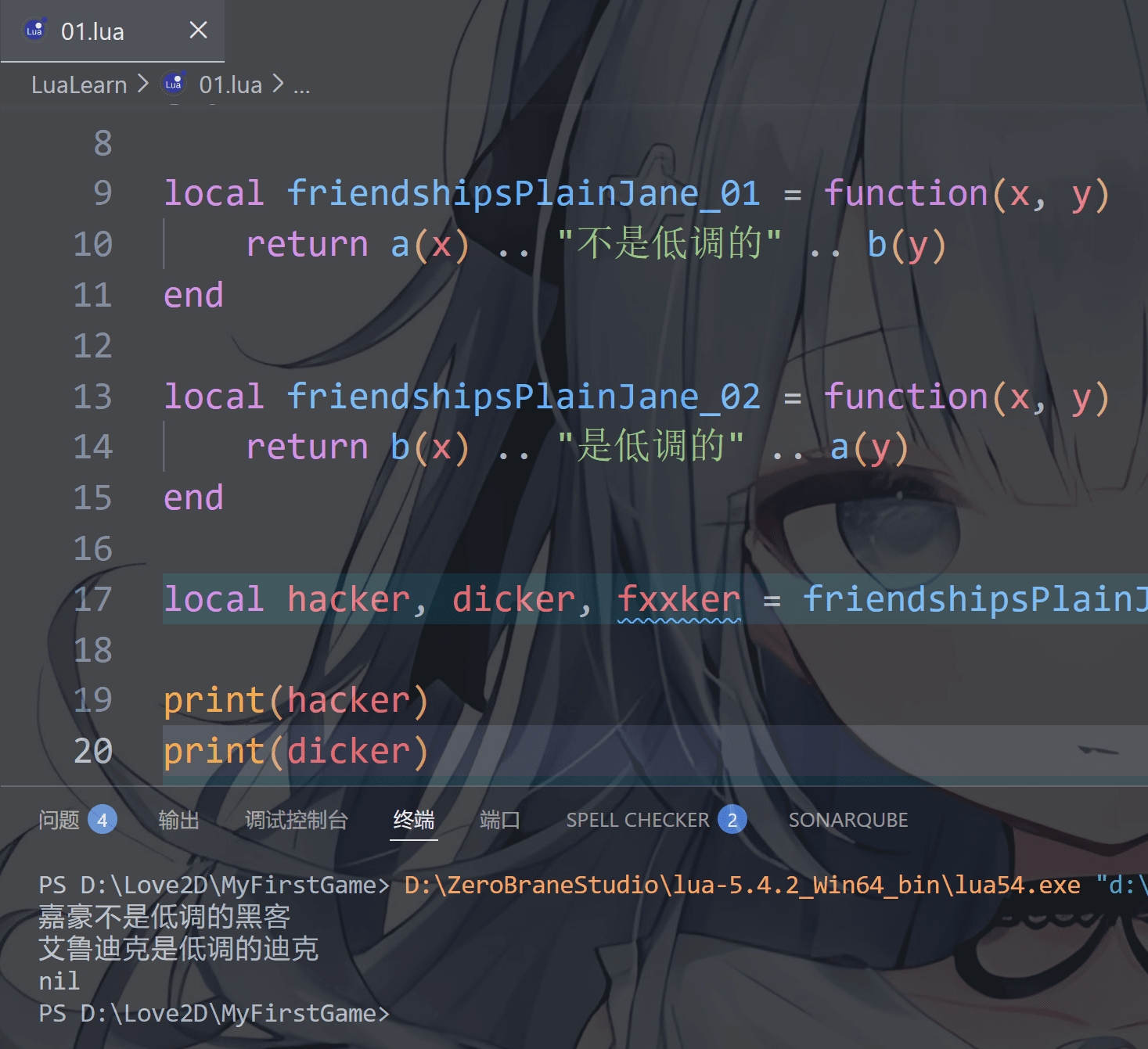
哦,对了,提起多个变量接收返回值的就得提一下lua变量的某些性质了——比如变量和值的个数不一致的情况

第一种:

变量个数 > 值的个数 按变量个数补足nil

1
2
3
4
5
6
7
8
9
10
11
12
13
14
15
16
17
18
19
20
21
local a = function(name)
return name
end

local b = function(name)
return name
end

local friendshipsPlainJane_01 = function(x, y)
return a(x) .. "不是低调的" .. b(y)
end

local friendshipsPlainJane_02 = function(x, y)
return b(x) .. "是低调的" .. a(y)
end

local hacker, dicker, fxxker = friendshipsPlainJane_01("嘉豪", "黑客"), friendshipsPlainJane_02("艾鲁迪克", "迪克")

print(hacker)
print(dicker)
print(fxxker)
image-20251224103930019

第二种:

变量个数 < 值的个数 多余的值会被忽略

image-20251224102019857

thread(线程)

线程可以同时多个运行,而协程任意时刻只能运行一个,并且处于运行状态的协程只有被挂起(suspend)时才会暂停

知道即可,目前没必要了解这个,等讲到协程时再说更好理解

userdata(自定义类型)

一些小伙伴呢可能听说过甚至使用过 Raylib库 做过游戏,而userdata作用也是一样的,这么讲你应该可以瞬间理解吧

userdata 就是 Lua 与 C/C++ 之间的“透明快递箱”——脚本层面只负责传递,真正的内容、行为、生命周期全由 C或者C++ 定义,通过元表让 Lua 看起来像普通对象

说人话就是C或C++写外部库,lua用userdata类型调用这个库

目前的话用不上,了解即可