
OK呀,今天开始学组件通信,我没有听说过这个概念,所以先了解一下吧
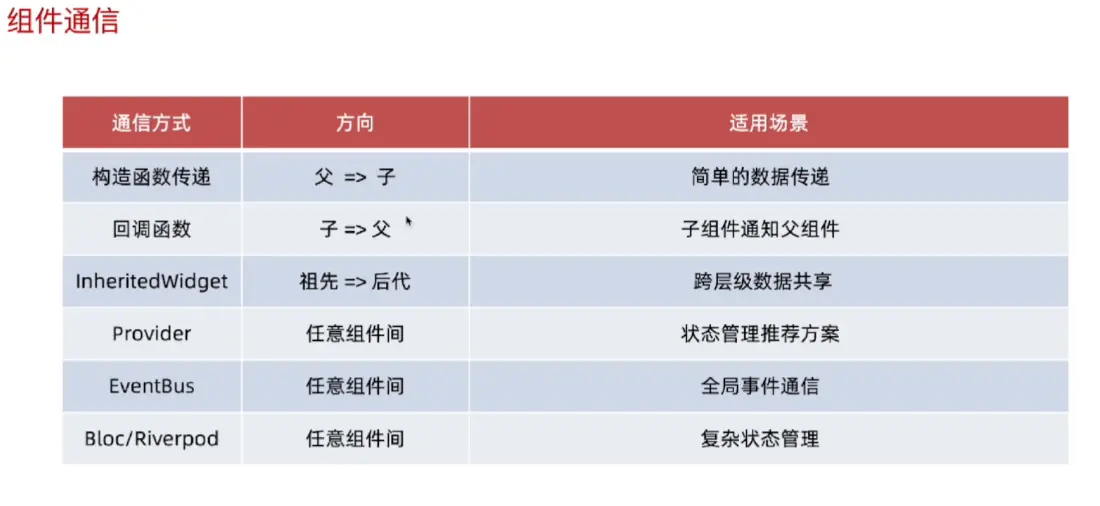
构造函数传递(父传子)
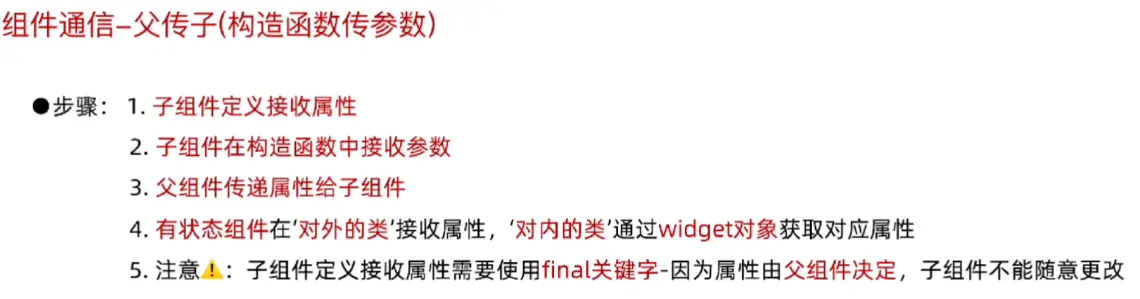
子组件属性如果没有初始值,需要在构造函数中用required来接收属性
无状态组件子组件
DART已复制
import 'package:flutter/material.dart';
void main() {
runApp(MainPage());
}
class MainPage extends StatelessWidget {
const MainPage({super.key});
Widget build(BuildContext context) {
return MaterialApp(
title: "终末地AI群聊",
home: Scaffold(
appBar: AppBar(centerTitle: true, title: Text("终末地AI群聊")),
body: Container(
alignment: Alignment.center,
child: Column(
children: [
Text(
"终末地AI群聊",
style: TextStyle(fontSize: 20, color: Colors.red),
),
Child(name: "终末地AI群聊"),
],
),
),
bottomNavigationBar: BottomAppBar(
child: Container(
height: 50,
child: Center(child: Text("Copyright © 2024 终末地AI群聊")),
),
),
),
);
}
}
class Child extends StatelessWidget {
final String name;
const Child({super.key, required this.name}); //使用命名参数来传递name参数
Widget build(BuildContext context) {
return Container(
child: Text(
name,
style: TextStyle(fontSize: 20, color: Colors.cyanAccent),
),
);
}
}
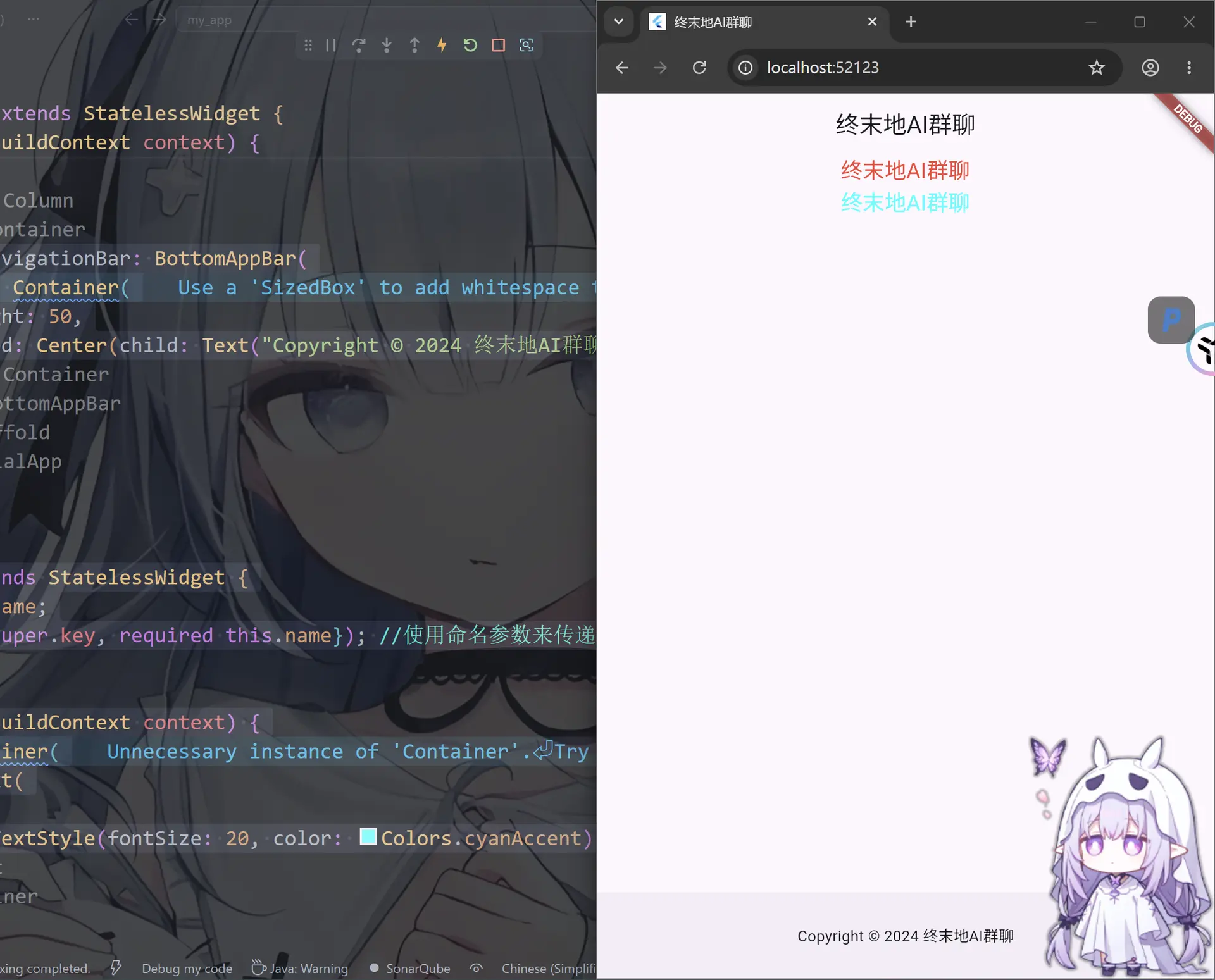
有状态组件子组件
DART已复制
import 'package:flutter/material.dart';
void main() {
runApp(MainPage());
}
class MainPage extends StatelessWidget {
const MainPage({super.key});
Widget build(BuildContext context) {
return MaterialApp(
title: "终末地AI群聊",
home: Scaffold(
appBar: AppBar(centerTitle: true, title: Text("终末地AI群聊")),
body: Container(
alignment: Alignment.center,
child: Column(
children: [
Text(
"终末地AI群聊",
style: TextStyle(fontSize: 20, color: Colors.blueAccent),
),
Child(message: "Hello World"), // 传递参数给子组件
],
),
),
bottomNavigationBar: BottomAppBar(
child: Container(
height: 50,
child: Center(child: Text("Copyright © 2024 终末地AI群聊")),
),
),
),
);
}
}
class Child extends StatefulWidget {
final String message; // 定义一个参数,用于接收父组件传递的数据
const Child({super.key, required this.message}); // 通过构造函数接收父组件传递的参数
State<Child> createState() => _ChildState();
}
class _ChildState extends State<Child> {
Widget build(BuildContext context) {
return Container(
child: Text(
"子组件${widget.message}", // 通过 widget.message 获取父组件传递的参数
style: TextStyle(fontSize: 20, color: Colors.red),
),
);
}
}
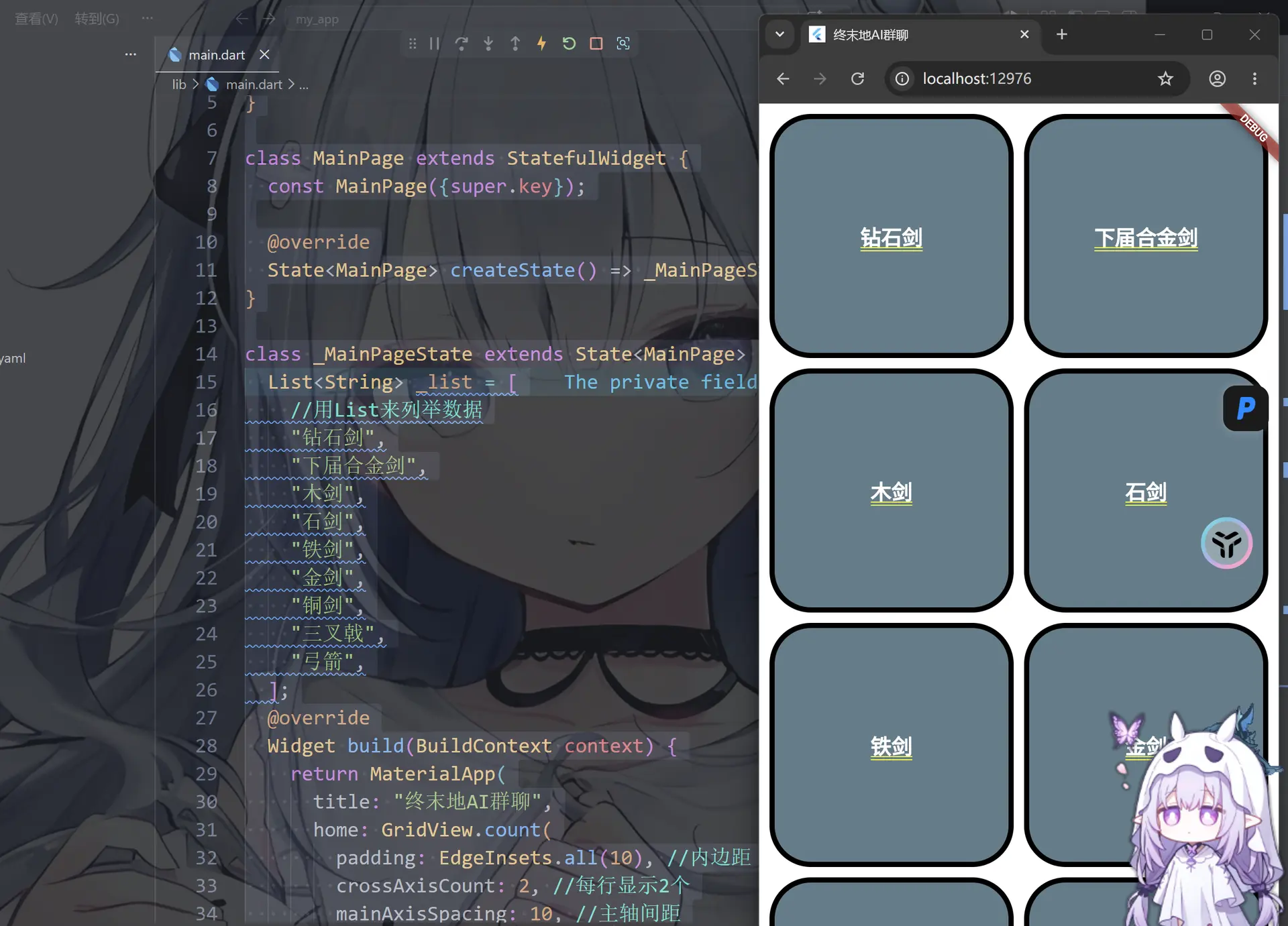
这里可以尝试用List来实现子组件的生成
DART已复制
import 'package:flutter/material.dart';
void main() {
runApp(MainPage());
}
class MainPage extends StatefulWidget {
const MainPage({super.key});
State<MainPage> createState() => _MainPageState();
}
class _MainPageState extends State<MainPage> {
List<String> _list = [
//用List来列举数据
"钻石剑",
"下届合金剑",
"木剑",
"石剑",
"铁剑",
"金剑",
"铜剑",
"三叉戟",
"弓箭",
];
Widget build(BuildContext context) {
return MaterialApp(
title: "终末地AI群聊",
home: GridView.count(
padding: EdgeInsets.all(10), //内边距
crossAxisCount: 2, //每行显示2个
mainAxisSpacing: 10, //主轴间距
crossAxisSpacing: 10, //交叉轴间距
//生成List的长度个Child
children: List.generate(_list.length, (int index) {
return Child(weaponname: _list[index]);
}),
),
);
}
}
class Child extends StatefulWidget {
final String weaponname;
const Child({super.key, required this.weaponname});
State<Child> createState() => _ChildState();
}
class _ChildState extends State<Child> {
Widget build(BuildContext context) {
return Container(
alignment: Alignment.center, //子组件居中对齐
decoration: BoxDecoration(
border: Border.all(color: Colors.black, width: 5),
color: Colors.blueGrey,
borderRadius: BorderRadius.all(Radius.circular(40)),
), //边框和背景颜色
child: Text(
widget.weaponname,
style: TextStyle(
fontSize: 20,
color: Colors.white,
fontWeight: FontWeight.bold,
),
), //子组件显示的文本
);
}
}
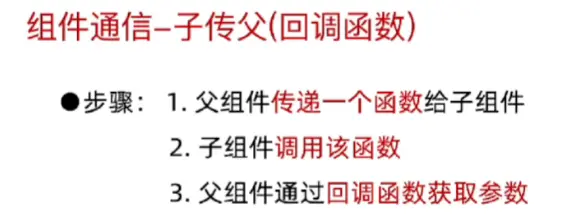
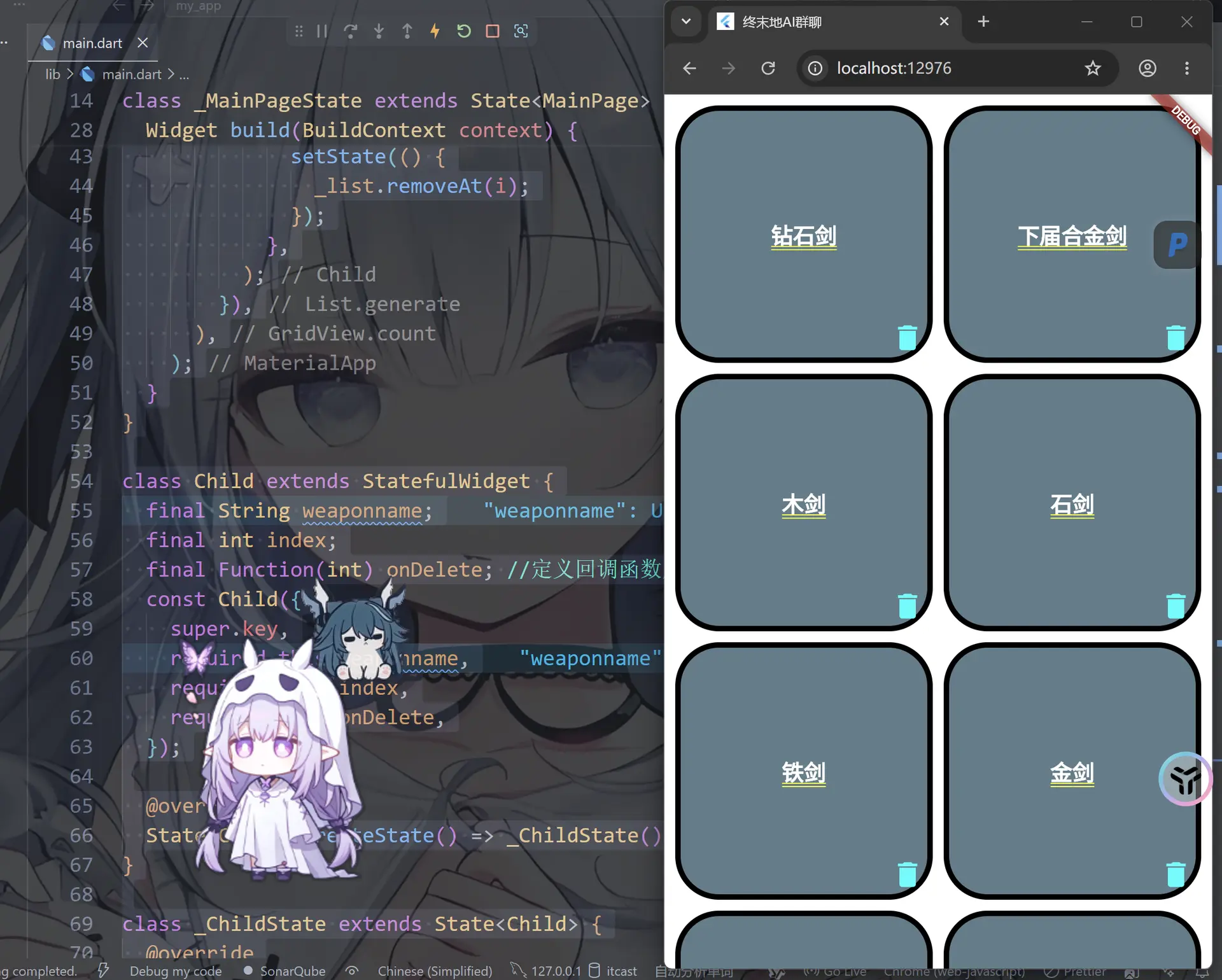
回调函数传递(子传父)
DART已复制
import 'package:flutter/material.dart';
void main() {
runApp(MainPage());
}
class MainPage extends StatefulWidget {
const MainPage({super.key});
State<MainPage> createState() => _MainPageState();
}
class _MainPageState extends State<MainPage> {
List<String> _list = [
//用List来列举数据
"钻石剑",
"下届合金剑",
"木剑",
"石剑",
"铁剑",
"金剑",
"铜剑",
"三叉戟",
"弓箭",
];
Widget build(BuildContext context) {
return MaterialApp(
title: "终末地AI群聊",
home: GridView.count(
padding: EdgeInsets.all(10), //内边距
crossAxisCount: 2, //每行显示2个
mainAxisSpacing: 10, //主轴间距
crossAxisSpacing: 10, //交叉轴间距
//生成List的长度个Child
children: List.generate(_list.length, (int index) {
return Child(
weaponname: _list[index],
index: index,
onDelete: (int i) {
//删除回调函数
setState(() {
_list.removeAt(i);
});
},
);
}),
),
);
}
}
class Child extends StatefulWidget {
final String weaponname;
final int index;
final Function(int) onDelete; //定义回调函数用于删除操作
const Child({
super.key,
required this.weaponname,
required this.index,
required this.onDelete,
});
State<Child> createState() => _ChildState();
}
class _ChildState extends State<Child> {
Widget build(BuildContext context) {
return Stack(
alignment: Alignment.bottomRight,
children: [
Container(
alignment: Alignment.center, //子组件居中对齐
decoration: BoxDecoration(
border: Border.all(color: Colors.black, width: 5),
color: Colors.blueGrey,
borderRadius: BorderRadius.all(Radius.circular(40)),
), //边框和背景颜色
child: Text(
widget.weaponname,
style: TextStyle(
fontSize: 20,
color: Colors.white,
fontWeight: FontWeight.bold,
),
), //子组件显示的文本
),
IconButton(
onPressed: () {
widget.onDelete(widget.index); //调用回调函数删除当前子组件
},
icon: Icon(Icons.delete, color: Colors.cyanAccent, size: 30),
), //删除按钮,点击删除子组件
],
);
}
}

评论区