
BBDown是一个很厉害的哔哩哔哩下载软件,可惜是命令行工具
而我最讨厌命令行,只要看到重复性执行的命令行我就想用bat脚本偷懒
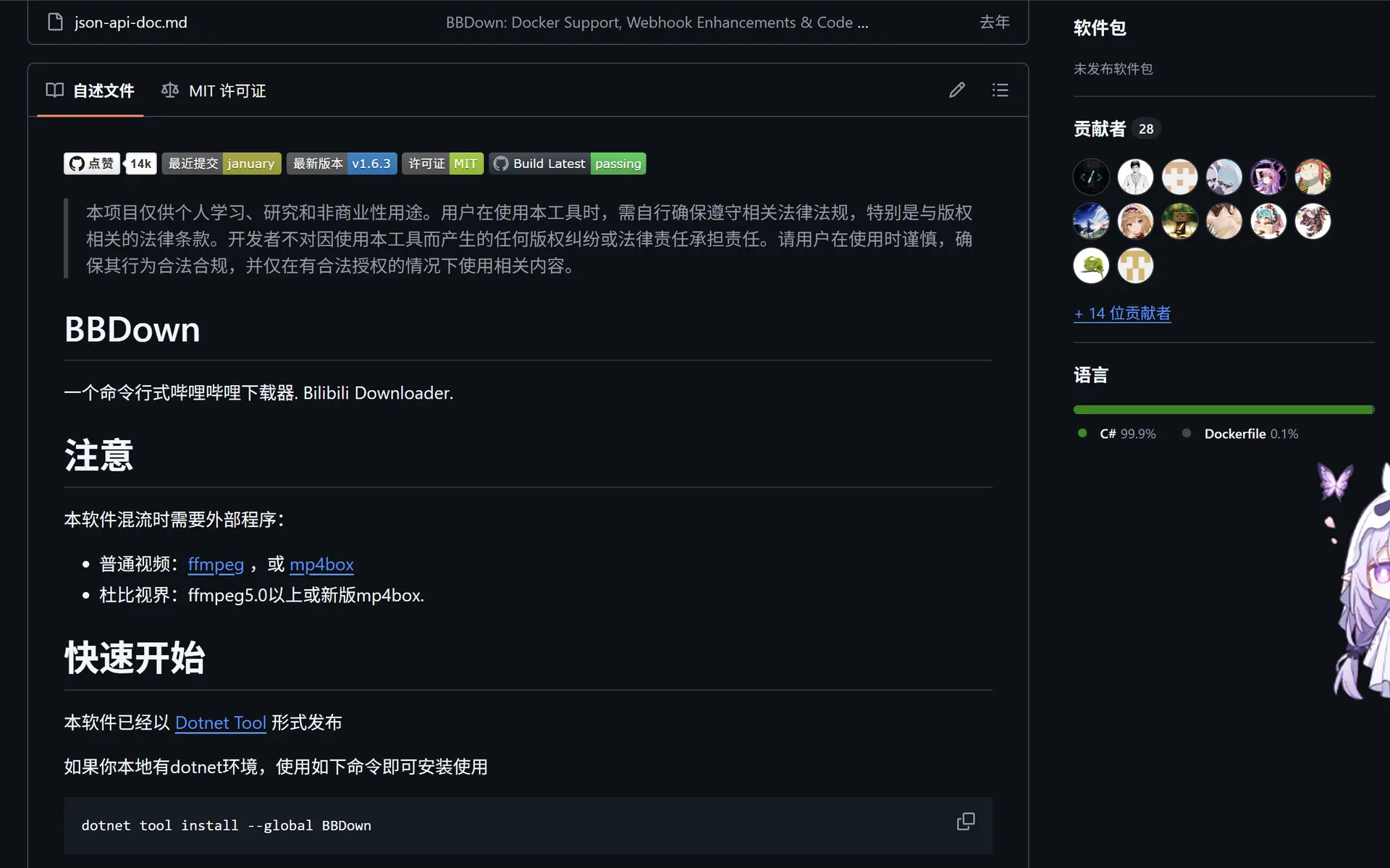
我让ai给我写的powershell脚本如下
保存ps1格式
POWERSHELL已复制
param(
[string]$ScriptDir = $PWD.Path
)
$ScriptDir = $ScriptDir.Trim("'", '"', ' ')
[Console]::OutputEncoding = [System.Text.Encoding]::UTF8
$host.ui.RawUI.WindowTitle = "BBDown 工具箱 全功能加强版 v3.7 - 终极无死角版"
# ===== 默认配置区 =====
$BBDownPath = Join-Path $ScriptDir "BBDown.exe"
$WorkDir = Join-Path $ScriptDir "downloads"
$UseAria2 = $false
$VideoEncoder = "" # 可选: hevc, av1, avc
# ==================
Set-Location -Path $ScriptDir
if (!(Test-Path $BBDownPath)) {
Write-Host "【错误】找不到核心程序:$BBDownPath" -ForegroundColor Red
Pause
exit
}
# FFmpeg 缺失检测 (.vclip 问题的罪魁祸首)
$ffmpegExists = (Test-Path (Join-Path $ScriptDir "ffmpeg.exe")) -or (Get-Command "ffmpeg" -ErrorAction SilentlyContinue)
if (-not $ffmpegExists) {
Write-Host "`n╔════════════════════════════════════════════════════════════════╗" -ForegroundColor Red
Write-Host "║ 【严重警告】未检测到 ffmpeg 工具! ║" -ForegroundColor Red
Write-Host "║ ║" -ForegroundColor Red
Write-Host "║ 导致问题:下载出来的文件全是 .vclip 和独立音频,无法合并为MP4!║" -ForegroundColor Red
Write-Host "║ 解决方案:请下载 ffmpeg.exe 并将其放在与 BBDown.exe 同一目录下 ║" -ForegroundColor Red
Write-Host "╚═════════════════════════════════════════════════════ ══════════╝`n" -ForegroundColor Red
Pause
}
if (!(Test-Path $WorkDir)) {
New-Item -ItemType Directory -Force -Path $WorkDir | Out-Null
}
function Get-Url {
Write-Host "▶ 请输入视频链接、BV号、ep/ss号或用户空间/收藏夹链接: " -ForegroundColor Cyan -NoNewline
$url = Read-Host
if ([string]::IsNullOrWhiteSpace($url)) {
Write-Host "输入不能为空!" -ForegroundColor Red
return $null
}
return $url.Trim('"', "'", " ")
}
function Pause-Script {
Write-Host "`n按任意键返回主菜单..." -ForegroundColor DarkGray
$null = $Host.UI.RawUI.ReadKey("NoEcho,IncludeKeyDown")
}
function Invoke-BBDown {
param(
[string]$TargetName,
[array]$Arguments
)
$beforeFiles = @(Get-ChildItem -Path $WorkDir -File -ErrorAction SilentlyContinue | Select-Object -ExpandProperty FullName)
Write-Host "`n[+] 正在准备获取 [$TargetName]..." -ForegroundColor Yellow
$fullArgs = @("--work-dir", $WorkDir)
if ($UseAria2) { $fullArgs += "--use-aria2c" }
if ($VideoEncoder -ne "") { $fullArgs += @("-e", $VideoEncoder) }
$fullArgs += $Arguments
Write-Host "[>] 执行命令: BBDown $($fullArgs -join ' ')" -ForegroundColor DarkGray
Write-Host ("─" * 66) -ForegroundColor DarkCyan
# 第一次正常执行 BBDown
& $BBDownPath $fullArgs
Write-Host ("─" * 66) -ForegroundColor DarkCyan
$afterFiles = @(Get-ChildItem -Path $WorkDir -File -ErrorAction SilentlyContinue | Select-Object -ExpandProperty FullName)
$newFiles = @()
if ($beforeFiles.Count -ne $afterFiles.Count -or $afterFiles.Count -gt 0) {
$newFiles = @(Compare-Object -ReferenceObject $beforeFiles -DifferenceObject $afterFiles |
Where-Object SideIndicator -eq '=>' |
Select-Object -ExpandProperty InputObject)
}
# === 全局智能字幕回退逻辑 ===
# 判断当前是否是仅下载无声视频流、音频流、封面的操作
$isPartial = ($Arguments -contains "--video-only") -or ($Arguments -contains "--audio-only") -or ($Arguments -contains "--cover-only") -or ($Arguments -contains "--danmaku-only")
# 如果明确跳过了字幕,也不去抓取
$isSkipSub = ($Arguments -contains "--skip-subtitle")
# 判断新下载的文件里有没有真正的字幕文件 (.srt 或 .bcc)
$hasSubtitles = $false
foreach ($f in $newFiles) {
if ($f -match '\.(srt|bcc)$') {
$hasSubtitles = $true
break
}
}
# 如果没有找到普通字幕,且当前属于需要字幕的任务,则触发 AI 字幕捕获
if (-not $hasSubtitles -and -not $isPartial -and -not $isSkipSub) {
Write-Host "[-] 未检测到普通人工字幕 (.srt),正在尝试补充获取 AI 机器字幕..." -ForegroundColor DarkGray
# 继承所有参数,但剔除交互式参数 -ia,防止静默补抓时卡住
$cleanArgs = $Arguments | Where-Object { $_ -ne "-ia" }
$aiSubArgs = @("--work-dir", $WorkDir)
if ($UseAria2) { $aiSubArgs += "--use-aria2c" }
$aiSubArgs += $cleanArgs
if ($aiSubArgs -notcontains "--sub-only") { $aiSubArgs += "--sub-only" }
$aiSubArgs += @("--skip-ai", "false")
# 静默执行 AI 字幕抓取
& $BBDownPath $aiSubArgs *>$null
$afterAiFiles = @(Get-ChildItem -Path $WorkDir -File -ErrorAction SilentlyContinue | Select-Object -ExpandProperty FullName)
$newAiSubFiles = @()
if ($afterFiles.Count -ne $afterAiFiles.Count -or $afterAiFiles.Count -gt 0) {
$newAiSubFiles = @(Compare-Object -ReferenceObject $afterFiles -DifferenceObject $afterAiFiles |
Where-Object SideIndicator -eq '=>' |
Select-Object -ExpandProperty InputObject)
}
if ($newAiSubFiles.Count -gt 0) {
Write-Host "【成功】已成功补充下载 AI 机器识别字幕!" -ForegroundColor Green
$newFiles += $newAiSubFiles
}
else {
Write-Host "【提示】该视频既没有普通字幕,也没有 AI 字幕!" -ForegroundColor Red
}
}
# ==========================
if ($newFiles.Count -eq 0) {
Write-Host "【提示】未检测到新文件生成。文件可能已存在、合并失败(.vclip)、或需要更高权限。" -ForegroundColor Yellow
}
else {
Write-Host "【成功】当前任务已产出以下文件:" -ForegroundColor Green
foreach ($file in $newFiles) { Write-Host " => $(Split-Path $file -Leaf)" -ForegroundColor White }
}
}
# 自动计算中英文排版宽度的核心函数
function Write-MenuLine {
param([string]$Text, [string]$Color)
$TotalInnerWidth = 64
$len = 0
foreach ($c in $Text.ToCharArray()) {
if ([int]$c -gt 255) { $len += 2 } else { $len += 1 }
}
$pad = $TotalInnerWidth - $len
if ($pad -lt 0) { $pad = 0 }
Write-Host "║ " -ForegroundColor Cyan -NoNewline
Write-Host $Text -ForegroundColor $Color -NoNewline
Write-Host (" " * $pad) -NoNewline
Write-Host " ║" -ForegroundColor Cyan
}
function Write-SettingsLine {
$ariaStr = if ($UseAria2) { "开" } else { "关" }
$ariaColor = if ($UseAria2) { "Green" } else { "Red" }
$encStr = if ($VideoEncoder) { $VideoEncoder } else { "默认" }
$encColor = if ($VideoEncoder) { "Green" } else { "DarkGray" }
$rawText = " 11. 全局设置 (Aria2: $ariaStr | 编码: $encStr)"
$len = 0
foreach ($c in $rawText.ToCharArray()) {
if ([int]$c -gt 255) { $len += 2 } else { $len += 1 }
}
$pad = 64 - $len
if ($pad -lt 0) { $pad = 0 }
Write-Host "║ " -ForegroundColor Cyan -NoNewline
Write-Host " 11. 全局设置 (Aria2: " -ForegroundColor White -NoNewline
Write-Host $ariaStr -ForegroundColor $ariaColor -NoNewline
Write-Host " | 编码: " -ForegroundColor White -NoNewline
Write-Host $encStr -ForegroundColor $encColor -NoNewline
Write-Host ")" -ForegroundColor White -NoNewline
Write-Host (" " * $pad) -NoNewline
Write-Host " ║" -ForegroundColor Cyan
}
function Show-Menu {
Clear-Host
Write-Host ("╔" + ("═" * 66) + "╗") -ForegroundColor Cyan
Write-MenuLine " BBDown 工具箱 完美AI字幕与合并修复版 " "Green"
Write-Host ("╠" + ("═" * 66) + "╣") -ForegroundColor Cyan
Write-MenuLine " [ 基础下载 ]" "Yellow"
Write-MenuLine " 1. 完整视频下载 (默认自动获取最高画质+弹幕+字幕)" "White"
Write-MenuLine " 2. 交互式下载 (手动选择 画质/音质/指定语言字幕)" "White"
Write-MenuLine " [ 批量与分P下载 ]" "Yellow"
Write-MenuLine " 3. 下载全部分P / 合集 / 收藏夹全部内容" "White"
Write-MenuLine " 4. 下载指定分P或范围 (如: 1,2,3 或 3-10 或 LATEST)" "White"
Write-MenuLine " [ 提取与分离 ]" "Yellow"
Write-MenuLine " 5. 仅下载单体 (有声视频 / 无声视频流 / 字幕 / 弹幕等)" "White"
Write-MenuLine " 6. 查看视频解析信息 (仅输出不下载)" "DarkGray"
Write-MenuLine " [ 高级接口 ]" "Magenta"
Write-MenuLine " 7. TV 端接口下载 (无水印 / 部分突破限制)" "White"
Write-MenuLine " 8. APP 端接口下载 (支持部分番剧)" "White"
Write-MenuLine " 9. 国际版 (东南亚) 接口下载" "White"
Write-MenuLine " [ 账号与设置 ]" "Green"
Write-MenuLine " 10. 登录账号 (WEB 端 / TV 端扫码)" "White"
Write-SettingsLine
Write-MenuLine " 12. 自定义命令行参数 (高级玩家专属)" "DarkGray"
Write-Host ("╠" + ("═" * 66) + "╣") -ForegroundColor Cyan
Write-MenuLine " 0. 退出程序" "Red"
Write-Host ("╚" + ("═" * 66) + "╝") -ForegroundColor Cyan
}
while ($true) {
Show-Menu
Write-Host "`n▶ 请输入选项 [0-12]: " -ForegroundColor Cyan -NoNewline
$choice = Read-Host
if ($choice -eq '0') { break }
if ($choice -eq '10') {
Clear-Host
Write-Host "╔══════════════════════════════════════════════════════════╗" -ForegroundColor Yellow
Write-Host "║ 【登录扫描二维码提示】 ║" -ForegroundColor Yellow
Write-Host "║ 1. 若二维码太大,请按住 [Ctrl] 键向下滚动 [鼠标滚轮]缩小 ║" -ForegroundColor White
Write-Host "║ 2. 若扫码失败,请复制上方的 [登录链接] 在浏览器中打开 ║" -ForegroundColor White
Write-Host "╚══════════════════════════════════════════════════════════╝" -ForegroundColor Yellow
Write-Host "`n请选择登录平台:"
Write-Host " 1. WEB端 (常用,获取普通1080P/4K/8K/大会员权限)"
Write-Host " 2. TV端 (获取电视端高画质权限/无水印)"
$logChoice = Read-Host "输入 (1 或 2)"
Write-Host "`n[准备生成二维码,请准备好手机客户端扫码...]`n" -ForegroundColor Green
Start-Sleep -Seconds 1
if ($logChoice -eq '1') { & $BBDownPath login }
elseif ($logChoice -eq '2') { & $BBDownPath logintv }
Pause-Script
continue
}
if ($choice -eq '11') {
Write-Host "`n[ 全局设置 ]" -ForegroundColor Yellow
$s1 = Read-Host "是否开启 Aria2 多线程加速? (y开启 / n关闭 / 留空跳过)"
if ($s1 -eq 'y') { $UseAria2 = $true } elseif ($s1 -eq 'n') { $UseAria2 = $false }
$s2 = Read-Host "设置视频编码优先级 (输入 hevc 或 av1 或 avc / 留空不改)"
if (-not [string]::IsNullOrWhiteSpace($s2)) { $VideoEncoder = $s2 }
Write-Host "✔ 设置已临时保存生效!" -ForegroundColor Green
Pause-Script
continue
}
if ($choice -eq '12') {
$url = Get-Url
if ($null -eq $url) { Pause-Script; continue }
Write-Host "请输入附加的 BBDown 参数 (如: --skip-mux -F '<videoTitle>')" -ForegroundColor Yellow
$customArgs = Read-Host ">"
$argsArray = @($url) + (-split $customArgs)
Invoke-BBDown -TargetName "自定义下载" -Arguments $argsArray
Pause-Script
continue
}
if ($choice -match '^[1-9]$') {
# 选项 3 界面说明
if ($choice -eq '3') {
Clear-Host
Write-Host "╔══════════════════════════════════════════════════════════╗" -ForegroundColor Cyan
Write-Host "║ 【批量下载:全部分P / 合集】 ║" -ForegroundColor Cyan
Write-Host "║ ║" -ForegroundColor Cyan
Write-Host "║ 说明:输入包含多个分P的视频、合集或收藏夹的链接,程序将 ║" -ForegroundColor White
Write-Host "║ 自动解析并逐个下载所有内容。 ║" -ForegroundColor White
Write-Host "║ 注意:为防止被B站服务器拉黑断开连接(导致下载报错/中断), ║" -ForegroundColor Yellow
Write-Host "║ 已自动在每个视频之间增加 2 秒的强制安全延时。 ║" -ForegroundColor Yellow
Write-Host "╚══════════════════════════════════════════════════════════╝" -ForegroundColor Cyan
Write-Host ""
}
# 选项 4 界面说明
elseif ($choice -eq '4') {
Clear-Host
Write-Host "╔══════════════════════════════════════════════════════════╗" -ForegroundColor Cyan
Write-Host "║ 【批量下载:指定分P 或 选定范围】 ║" -ForegroundColor Cyan
Write-Host "║ ║" -ForegroundColor Cyan
Write-Host "║ 说明:用于只下载多P视频中的某几集。 ║" -ForegroundColor White
Write-Host "║ 支持的格式: ║" -ForegroundColor White
Write-Host "║ - 单个:输入 1 (只下第1集) ║" -ForegroundColor White
Write-Host "║ - 多个:输入 1,3,5 (只下第1、3、5集) ║" -ForegroundColor White
Write-Host "║ - 范围:输入 3-10 (下载第3到第10集) ║" -ForegroundColor White
Write-Host "║ - 最新:输入 LATEST (只下合集里的最新一集) ║" -ForegroundColor White
Write-Host "╚══════════════════════════════════════════════════════════╝" -ForegroundColor Cyan
Write-Host ""
}
$url = Get-Url
if ($null -eq $url) { Pause-Script; continue }
switch ($choice) {
'1' { Invoke-BBDown -TargetName "完整视频" -Arguments @($url, "-dd") }
'2' {
Write-Host "`n[交互式高级下载] 顺序:视频流 -> 音频流 -> 字幕" -ForegroundColor Green
Write-Host "已自动关闭多线程,避免服务器不支持多线程导致报错。" -ForegroundColor DarkGray
Write-Host "已默认关闭自动合并,保留分离流文件(避免只剩一个MP4)。" -ForegroundColor DarkGray
Write-Host "`n正在解析视频信息与字幕列表,请稍候..." -ForegroundColor Cyan
$infoOutput = & $BBDownPath $url -info --multi-thread false | Out-String
$subLines = $infoOutput -split "`n" | Where-Object {
$_ -match '^\s*-\s*([a-zA-Z0-9\-]+)\s*\((.+)\)'
}
# 核心:-ia 交互 + 关多线程 + 跳过自动合并 + 不跳过AI字幕
$extraArgs = @("-ia", "--multi-thread", "false", "--skip-mux", "--skip-ai", "false")
if ($subLines.Count -gt 0) {
Write-Host "`n检测到可用字幕:" -ForegroundColor Yellow
$idx = 1
foreach ($line in $subLines) {
Write-Host (" [{0}] {1}" -f $idx, $line.Trim()) -ForegroundColor White
$idx++
}
Write-Host "`n请输入要下载的字幕序号(可多选,如 1,3); 直接回车=不指定:" -ForegroundColor Cyan -NoNewline
$pick = Read-Host
if (-not [string]::IsNullOrWhiteSpace($pick)) {
$parts = $pick -split ',' | ForEach-Object { $_.Trim() } | Where-Object { $_ -match '^\d+$' }
$langs = @()
foreach ($p in $parts) {
$i = [int]$p
if ($i -ge 1 -and $i -le $subLines.Count) {
$line = $subLines[$i - 1]
if ($line -match '^\s*-\s*([a-zA-Z0-9\-]+)\s*\(') {
$langs += $matches[1]
}
}
}
$langs = $langs | Select-Object -Unique
if ($langs.Count -gt 0) {
$langArg = ($langs -join ',')
$extraArgs += @("--sub-lang", $langArg)
Write-Host "已选择字幕语言代码:$langArg" -ForegroundColor Green
}
else {
Write-Host "未解析到有效字幕语言代码,将 用默认字幕策略。" -ForegroundColor Yellow
}
}
}
else {
Write-Host "未识别到明确字幕列表,将继续交互流程。" -ForegroundColor Yellow
}
Write-Host "`n即将进入交互下载,请按提示依次选择视频/音频/字幕..." -ForegroundColor Magenta
Invoke-BBDown -TargetName "交互式下载(流选择+字幕选择)" -Arguments (@($url) + $extraArgs)
}
'3' { Invoke-BBDown -TargetName "全部分P/合集" -Arguments @($url, "-p", "ALL", "-dd", "--delay-per-page", "2") }
'4' {
Write-Host "▶ 请输入要下载的分P范围 (如 1,3 或 2-5 或 LATEST): " -ForegroundColor Yellow -NoNewline
$page = Read-Host
Invoke-BBDown -TargetName "指定分P视频" -Arguments @($url, "-p", $page, "-dd", "--delay-per-page", "2")
}
'5' {
Write-Host "`n[提取与分离模式]" -ForegroundColor Green
Write-Host " 1=有声视频(自动合并音视频)" -ForegroundColor White
Write-Host " 2=无声视频流 (.vclip 原画视频)" -ForegroundColor Cyan
Write-Host " 3=音频流 (.m4a/.mp3 纯音频)" -ForegroundColor Cyan
Write-Host " 4=提取字幕 (可手动选择单个/多个字幕)" -ForegroundColor Cyan
Write-Host " 5=弹幕文件 (.ass)" -ForegroundColor Cyan
Write-Host " 6=视频封面 (.jpg/.png)" -ForegroundColor Cyan
Write-Host "▶ 请选择提取类型 (1-6): " -ForegroundColor Yellow -NoNewline
$sub = Read-Host
if ($sub -eq '1') {
# 修复点:不再使用老版本不支持的 --skip-danmaku / --skip-cover
# 仅关闭多线程,避免服务器兼容问题
Write-Host "正在下载有声视频(已关闭多线程)..." -ForegroundColor Green
Invoke-BBDown -TargetName "有声纯视频" -Arguments @(
$url,
"--multi-thread", "false"
)
}
elseif ($sub -eq '2') {
Invoke-BBDown -TargetName "无声视频流" -Arguments @($url, "--video-only", "--multi-thread", "false")
}
elseif ($sub -eq '3') {
Invoke-BBDown -TargetName "音频流" -Arguments @($url, "--audio-only", "--multi-thread", "false")
}
elseif ($sub -eq '4') {
Write-Host "`n正在读取字幕列表..." -ForegroundColor Cyan
$infoOutput = & $BBDownPath $url -info --multi-thread false | Out-String
$subLines = $infoOutput -split "`n" | Where-Object { $_ -match '^\s*-\s*([a-zA-Z0-9\-]+)\s*\((.+)\)' }
if ($subLines.Count -gt 0) {
Write-Host "检测到以下字幕:" -ForegroundColor Yellow
$idx = 1
foreach ($line in $subLines) {
Write-Host (" [{0}] {1}" -f $idx, $line.Trim()) -ForegroundColor White
$idx++
}
Write-Host "`n输入要下载的字幕序号(可多选,如 1,2): " -ForegroundColor Cyan -NoNewline
$pick = Read-Host
$parts = $pick -split ',' | ForEach-Object { $_.Trim() } | Where-Object { $_ -match '^\d+$' }
$langs = @()
foreach ($p in $parts) {
$i = [int]$p
if ($i -ge 1 -and $i -le $subLines.Count) {
$line = $subLines[$i - 1]
if ($line -match '^\s*-\s*([a-zA-Z0-9\-]+)\s*\(') {
$langs += $matches[1]
}
}
}
$langs = $langs | Select-Object -Unique
if ($langs.Count -gt 0) {
$langArg = ($langs -join ',')
Write-Host "准备下载字幕语言:$langArg" -ForegroundColor Green
Invoke-BBDown -TargetName "字幕(手动选择)" -Arguments @(
$url,
"--sub-only",
"--skip-ai", "false",
"--sub-lang", $langArg,
"--multi-thread", "false"
)
}
else {
Write-Host "未输入有效序号,取消字幕下载。" -ForegroundColor Yellow
}
}
else {
Write-Host "未读取到可选字幕列表,尝试默认字幕抓取(含AI)。" -ForegroundColor Yellow
Invoke-BBDown -TargetName "字幕(默认尝试)" -Arguments @(
$url,
"--sub-only",
"--skip-ai", "false",
"--multi-thread", "false"
)
}
}
elseif ($sub -eq '5') {
Invoke-BBDown -TargetName "弹幕" -Arguments @($url, "--danmaku-only", "--multi-thread", "false")
}
elseif ($sub -eq '6') {
Invoke-BBDown -TargetName "封面" -Arguments @($url, "--cover-only", "--multi-thread", "false")
}
}
'6' { & $BBDownPath $url -info }
'7' { Invoke-BBDown -TargetName "TV端接口下载" -Arguments @($url, "-tv", "-dd") }
'8' { Invoke-BBDown -TargetName "APP端接口下载" -Arguments @($url, "-app", "-dd") }
'9' { Invoke-BBDown -TargetName "国际版接口下载" -Arguments @($url, "-intl", "-dd") }
}
Pause-Script
}
}
bat脚本如下
POWERSHELL已复制
@echo off
chcp 65001 >nul
:: 将当前目录路径传递给 PowerShell 脚本,实现真正的即插即用
powershell.exe -NoProfile -ExecutionPolicy Bypass -Command "& ([ScriptBlock]::Create((Get-Content -LiteralPath '%~dp0BBDown.ps1' -Encoding UTF8 -Raw))) -ScriptDir '%~dp0\'"
echo.
echo [程序已结束]
pause
或者你可以去我的仓库下载
原本我只是想用这个提取出视频里的英文字幕,结果是做出一个小应用了,无妨,独乐乐不如众乐乐

评论区