
之前花了3天时间美化了我的Blog,然后把一些改动PR给了forever218大佬
也算是兑现了我之前的想法:双语言主题,美化about界面,数学公式支持等等等等
感觉和AI沟通的时候,我变得就甲方一样,一直想让AI实现“五彩斑斓的黑”,而自己懂得只有鸡毛蒜皮,好不容易AI改完后,我又想要第一版了,所以多和AI聊你就知道甲方是什么心理了,站在对立面思考属于是
在我之前的想法里有一个就是桌宠
当然这个桌宠不是我做的,是一个制作独立游戏的UP制作的,感谢大佬做出这样的萌物 ( ≧ ∇ ≦ ) ノ
没错就是这个小家伙
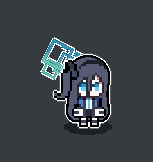
你可以对比一下她的实际大小,只有鼠标指针那么大
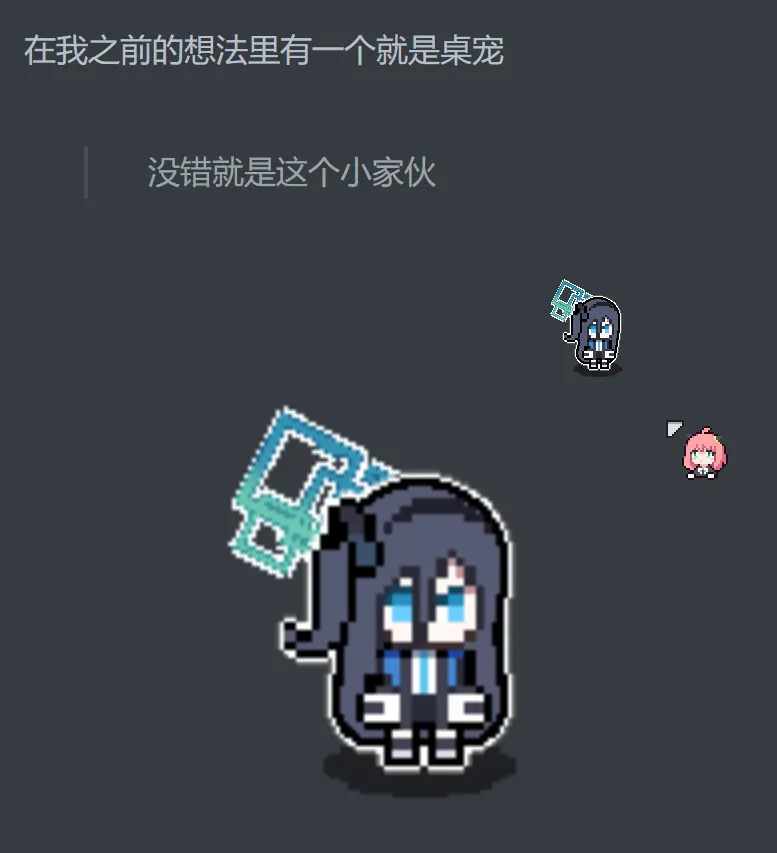
而这个是由godot游戏引擎制作的软件(也就是说,这个小玩意的逻辑就是游戏里的那一套)
桌宠具有几个特点:
这里就用Gif动图表示吧

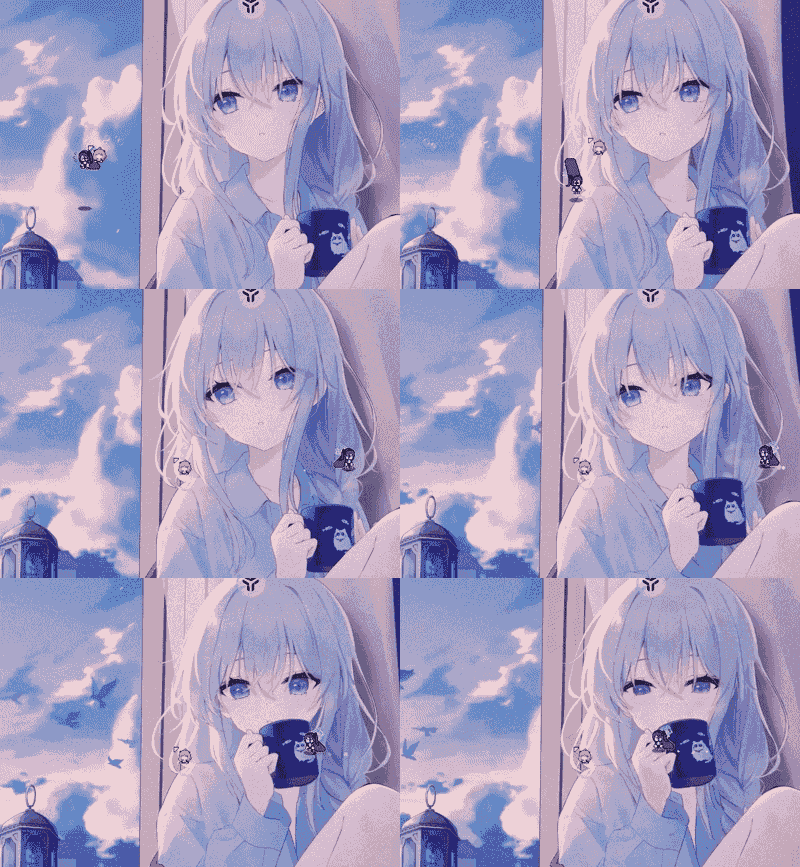

但是我尝试将这个制作成hexo里内置的桌宠出现了很多问题
首先这个可是游戏引擎制作的,要想模拟角色的动画非常不容易,虽然godot可以导出html版本的游戏,但是导出的是“游戏”,点开甚至有启动动画,无法作为像看板娘那样的插件
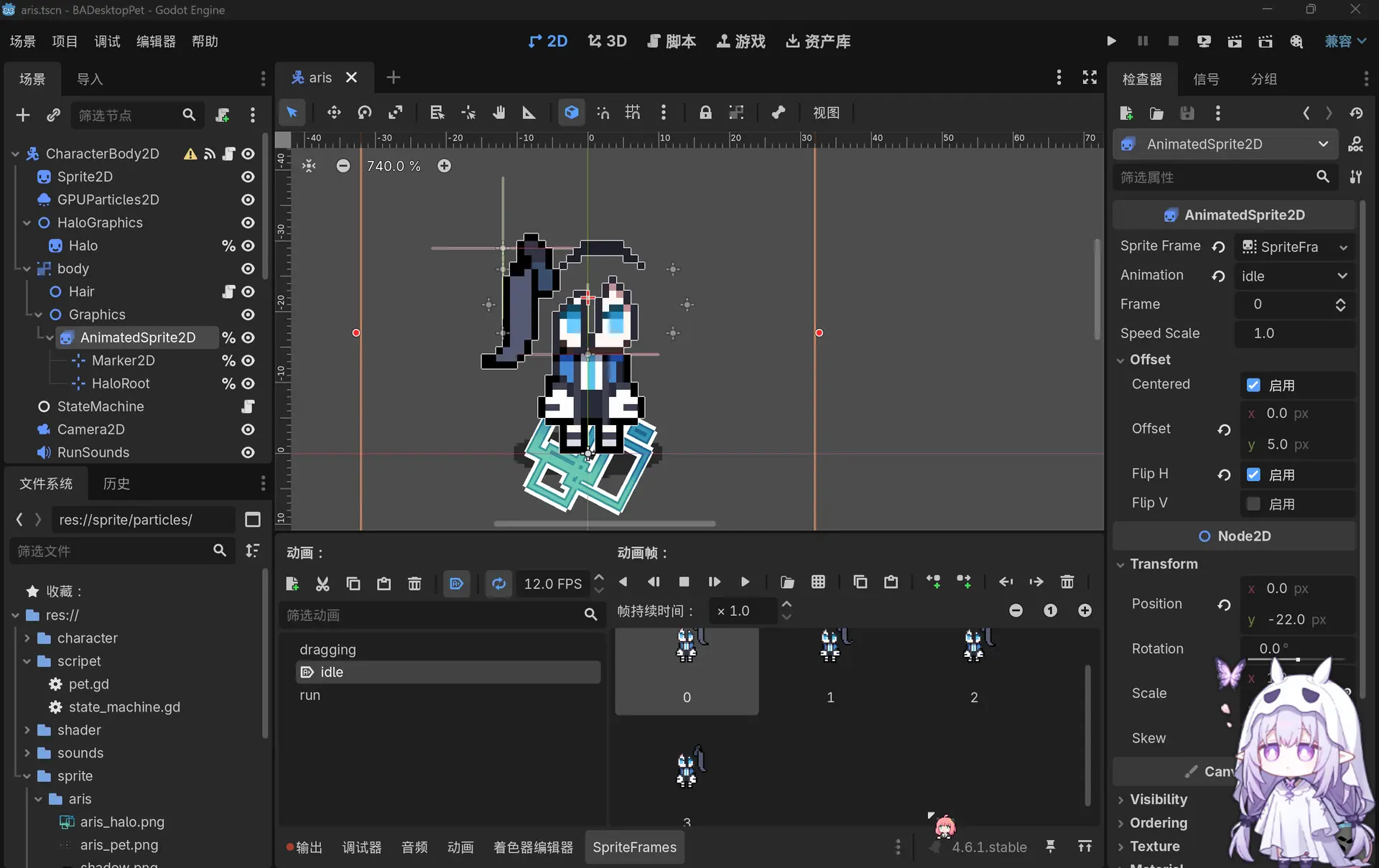
我反编译了这个桌宠提取了源码和资源也无从下手,最后Chatgpt的建议是重新写一个关于桌宠的pug文件,在layout.pug中输入以下代码启用这个桌宠模块
!= partial('_partial/pet')
而桌宠的脚本为
//- _partial/pet.pug

style.
  /* 基础容器 */
  #pet-root {
    position: fixed;
    z-index: 9999;
    top: 0; left: 0;
    width: 0; height: 0;
    pointer-events: none;
    will-change: transform;
  }

  /* 核心内部容器 */
  .pet-inner {
    position: absolute;
    top: 0; left: 0;
    /* 强力描边,让轮廓清晰 */
    filter:
      drop-shadow(2px 0 0 #fff)
      drop-shadow(-2px 0 0 #fff)
      drop-shadow(0 2px 0 #fff)
      drop-shadow(0 -2px 0 #fff);
    transform-origin: bottom center;
    pointer-events: auto;
    cursor: grab;
    touch-action: none;
  }
  .pet-inner:active { cursor: grabbing; }

  /* 人物 */
  .pet-sprite {
    position: absolute;
    z-index: 30;
    top: 0; left: 0;
    width: 100%; height: 100%;
    background-repeat: no-repeat;
    background-size: contain;
    background-position: bottom center;
    image-rendering: pixelated;
  }

  /* 头发 */
  #pet-hair-canvas {
    position: absolute;
    z-index: 20;
    top: 0; left: 0;
    pointer-events: none;
    /* 保持像素化风格,或者根据喜好去掉这行使其平滑 */
    image-rendering: pixelated;
  }

  /* 光环 */
  .pet-halo {
    position: absolute;
    z-index: 10;
    background-image: url('/images/pet/halo.png');
    background-size: contain;
    background-repeat: no-repeat;
    background-position: center;
    pointer-events: none;
    image-rendering: pixelated;
    animation: halo-float 2s ease-in-out infinite;
  }

  /* 影子 */
  .pet-shadow {
    position: absolute;
    z-index: -1;
    background-image: url('/images/pet/shadow.png');
    background-size: contain;
    background-repeat: no-repeat;
    background-position: center;
    opacity: 0.5;
    image-rendering: pixelated;
    pointer-events: none;
  }

  /* 粒子 */
  #pet-sweat-container {
    position: absolute;
    z-index: 5;
    pointer-events: none;
    width: 0;
    height: 0;
  }

  .sweat-particle {
    position: absolute;
    background-size: contain;
    background-repeat: no-repeat;
    background-position: center;
    image-rendering: pixelated;
    opacity: 0;
    animation: sweat-anim 0.6s ease-out forwards;
  }

  @keyframes halo-float {
    0%, 100% { transform: translateY(0); }
    50% { transform: translateY(-5px); }
  }

  @keyframes sweat-anim {
    0% { opacity: 1; transform: translate(0, 0) scale(0.5); }
    50% { opacity: 1; transform: translate(var(--dir-x), -20px) scale(1.2); }
    100% { opacity: 0; transform: translate(var(--dir-x), 10px) scale(0.8); }
  }

div#pet-root
  div.pet-shadow#pet-shadow
  div.pet-inner#pet-inner
    div.pet-halo#pet-halo
    canvas#pet-hair-canvas
    div.pet-sprite#pet-sprite
  div#pet-sweat-container

script.
  (function() {
    const CONFIG = {
      IMG_PATH: '/images/pet/',
      IMG_EXT: '.png',

      RAW_W: 32, RAW_H: 32, SCALE: 4,

      // --- 物理参数 ---
      STOP_DISTANCE: 60,
      MAX_SPEED: 180,
      ACCELERATION: 800,
      DRAG_DAMPING: 10,
      SWING_DAMPING: 0.85,

      // --- 头发外观 ---
      HAIR_AMOUNT: 5,  // 节点数
      HAIR_COLOR: '#565a73',
      HAIR_OUTLINE: '#000000',
      HAIR_START_R: 12,
      HAIR_END_R: 10,

      // --- 头发物理 ---
      HAIR_RIGID_NODES: 2,
      HAIR_K: 0.4,     // 软硬度
      INERTIA_SCALE: 40, // 惯性大小 (越大甩得越远)

      // 居中摆放
      HAIR_CONFIGS: [
        { x0: -5, y0: -14, dx: 0, dy: 4 }, // 左
        { x0: 0,  y0: -14, dx: 0, dy: 4 }, // 中
        { x0: 5,  y0: -14, dx: 0, dy: 4 }, // 右
      ],

      // --- 光环 ---
      HALO_SIZE: 16,
      HALO_OFFSET_X: 60,
      HALO_OFFSET_Y: -35,

      // 资源
      SWEAT_IMG: '/images/pet/sweat.png',
      SWEAT_SIZE: 16,
      SWEAT_OFFSET_Y: -40,
      FRAME_RATE: 15
    };

    // --- Utils ---
    const lerp = (a, b, t) => a + (b - a) * t;
    const clamp = (num, min, max) => Math.min(Math.max(num, min), max);

    // --- Init ---
    const W = CONFIG.RAW_W * CONFIG.SCALE;
    const H = CONFIG.RAW_H * CONFIG.SCALE;

    const elRoot = document.getElementById('pet-root');
    const elInner = document.getElementById('pet-inner');
    const elSprite = document.getElementById('pet-sprite');
    const elShadow = document.getElementById('pet-shadow');
    const elHalo = document.getElementById('pet-halo');
    const elSweat = document.getElementById('pet-sweat-container');
    const elCanvas = document.getElementById('pet-hair-canvas');
    const ctx = elCanvas.getContext('2d');

    // Layout
    elInner.style.width = W + 'px';
    elInner.style.height = H + 'px';
    elInner.style.left = -W / 2 + 'px';
    elInner.style.top = -H + 'px';

    // 画布设置
    const CW = W * 6;
    const CH = H * 6;
    elCanvas.width = CW;
    elCanvas.height = CH;
    elCanvas.style.width = CW + 'px';
    elCanvas.style.height = CH + 'px';
    elCanvas.style.left = -(CW - W) / 2 + 'px';
    elCanvas.style.top = -(CH - H) / 2 + 'px';
    ctx.translate(CW / 2, CH / 2);

    // Halo & Shadow
    const haloScaled = CONFIG.HALO_SIZE * CONFIG.SCALE;
    elHalo.style.width = haloScaled + 'px';
    elHalo.style.height = haloScaled + 'px';

    const shadowW = W * 0.8;
    elShadow.style.width = shadowW + 'px';
    elShadow.style.height = (shadowW * 0.3) + 'px';
    elShadow.style.left = -shadowW / 2 + 'px';
    elShadow.style.top = '-5px';

    // Preload
    const preloadCache = [];
    for(let i=1; i<=12; i++) {
      const img = new Image();
      img.src = `${CONFIG.IMG_PATH}${String(i).padStart(2, '0')}${CONFIG.IMG_EXT}`;
      preloadCache.push(img.src);
    }
    const firstImg = new Image();
    firstImg.onload = () => { elSprite.style.backgroundImage = `url('${preloadCache[0]}')`; };
    firstImg.src = preloadCache[0];

    // --- State ---
    const State = { IDLE: 0, RUNNING: 1, DRAGGING: 2 };
    let currentState = State.IDLE;

    let pos = {
      x: window.innerWidth - 100 > 0 ? window.innerWidth - 100 : 100,
      y: window.innerHeight - 50 > 0 ? window.innerHeight - 50 : 100
    };
    let velocity = { x: 0, y: 0 };
    let mousePos = { x: pos.x, y: pos.y };

    let isDragging = false;
    let isFlipped = false;
    let currentRotation = 0;
    let rotationVelocity = 0;
    let animTimer = 0;
    let currentFrame = 0;
    let sweatTimer = 0;
    let timeMsec = 0;
    let spriteY = 0;

    // --- Hair Logic ---
    class HairStrand {
      constructor(config) {
        this.config = config;
        this.points = [];
        for(let i=0; i<CONFIG.HAIR_AMOUNT; i++) {
          this.points.push({ x: 0, y: 0 });
        }
      }

      update(dt, spriteOffsetY, velocityNorm) {
        const scale = CONFIG.SCALE;

        // --- 1. 根部绑定 ---
        // 彻底删除翻转和旋转的数学计算,直接写死,与人物头顶同步
        let rootX = this.config.x0 * scale;
        let rootY = (this.config.y0 * scale) + spriteOffsetY;

        this.points[0].x = rootX;
        this.points[0].y = rootY;

        // --- 2. 节点迭代 ---
        for(let i=1; i < CONFIG.HAIR_AMOUNT; i++) {
            let prev = this.points[i-1];
            let curr = this.points[i];

            let offX = this.config.dx * scale;
            let offY = this.config.dy * scale;

            if (i <= CONFIG.HAIR_RIGID_NODES) {
                curr.x = prev.x + offX;
                curr.y = prev.y + offY;
            }
            else {
                let targetX = prev.x + offX;
                let targetY = prev.y + offY;

                let sway = 0.1 * Math.sin(timeMsec * 0.005 + i);
                targetX += sway;

                let k = CONFIG.HAIR_K + 0.5 / (i * i);

                // --- 惯性修正核心 ---
                // A. 抵消父容器的旋转
                let cos = Math.cos(-currentRotation);
                let sin = Math.sin(-currentRotation);
                let unrotVelX = velocityNorm.x * cos - velocityNorm.y * sin;
                let unrotVelY = velocityNorm.x * sin + velocityNorm.y * cos;

                // B. 抵消父容器的翻转 (scaleX(-1))
                let localVelX = unrotVelX * (isFlipped ? -1 : 1);
                let localVelY = unrotVelY;

                // C. 惯性方向永远和本地速度方向相反
                let inertiaX = -localVelX * CONFIG.INERTIA_SCALE;
                let inertiaY = -localVelY * CONFIG.INERTIA_SCALE;

                let vx = (targetX + inertiaX - curr.x) * k;
                let vy = (targetY + inertiaY - curr.y) * k;

                curr.x += vx;
                curr.y += vy;

                // 地面碰撞
                if (curr.y > 18 * scale) curr.y = 18 * scale;
            }
        }
      }
    }

    let hairs = [];
    CONFIG.HAIR_CONFIGS.forEach(conf => hairs.push(new HairStrand(conf)));

    // --- Draw: Smooth Joint Segment ---
    function drawCircle(ctx, x, y, r, color) {
        ctx.beginPath();
        ctx.arc(x, y, r, 0, Math.PI * 2);
        ctx.fillStyle = color;
        ctx.fill();
    }

    // 绘制两个圆之间的平滑连接体(贝塞尔曲线腰身)
    function drawSmoothConnector(ctx, p1, p2, r1, r2, color) {
        let dx = p2.x - p1.x;
        let dy = p2.y - p1.y;
        let d = Math.sqrt(dx*dx + dy*dy);
        if (d === 0) return;

        let angle = Math.atan2(dy, dx);
        let cos = Math.cos(angle + Math.PI/2);
        let sin = Math.sin(angle + Math.PI/2);

        // 四个切点
        let p1_L = { x: p1.x + cos * r1, y: p1.y + sin * r1 };
        let p1_R = { x: p1.x - cos * r1, y: p1.y - sin * r1 };
        let p2_L = { x: p2.x + cos * r2, y: p2.y + sin * r2 };
        let p2_R = { x: p2.x - cos * r2, y: p2.y - sin * r2 };

        // 控制点设在两圆中心的中点位置
        let cx = (p1.x + p2.x) / 2;
        let cy = (p1.y + p2.y) / 2;
        let cr = (r1 + r2) / 2;

        // 计算贝塞尔控制点:向外侧扩展
        let ctrl_L = { x: cx + cos * cr * 0.9, y: cy + sin * cr * 0.9 };
        let ctrl_R = { x: cx - cos * cr * 0.9, y: cy - sin * cr * 0.9 };

        ctx.beginPath();
        ctx.moveTo(p1_L.x, p1_L.y);

        // 用二次贝塞尔曲线连接侧边
        ctx.quadraticCurveTo(ctrl_L.x, ctrl_L.y, p2_L.x, p2_L.y);
        ctx.lineTo(p2_R.x, p2_R.y); // 底部
        ctx.quadraticCurveTo(ctrl_R.x, ctrl_R.y, p1_R.x, p1_R.y); // 回到顶部

        ctx.closePath();
        ctx.fillStyle = color;
        ctx.fill();
    }

    function drawHairBatch(isOutline) {
        const color = isOutline ? CONFIG.HAIR_OUTLINE : CONFIG.HAIR_COLOR;
        const radiusOffset = isOutline ? 1.5 : 0;
        const startR = (CONFIG.HAIR_START_R * CONFIG.SCALE / 3) + radiusOffset;
        const endR = (CONFIG.HAIR_END_R * CONFIG.SCALE / 3) + radiusOffset;

        hairs.forEach(h => {
            // 先画所有节点圆
            for(let i=0; i < h.points.length; i++) {
                let r = lerp(startR, endR, i/(CONFIG.HAIR_AMOUNT-1));
                drawCircle(ctx, h.points[i].x, h.points[i].y, r, color);
            }

            // 再画连接体
            for(let i=1; i < h.points.length; i++) {
                let p1 = h.points[i-1];
                let p2 = h.points[i];
                let r1 = lerp(startR, endR, (i-1)/(CONFIG.HAIR_AMOUNT-1));
                let r2 = lerp(startR, endR, i/(CONFIG.HAIR_AMOUNT-1));

                drawSmoothConnector(ctx, p1, p2, r1, r2, color);
            }
        });
    }

    // --- Main Loop ---
    let lastTime = 0;
    function tick(timestamp) {
      if (!lastTime) lastTime = timestamp;
      const dt = Math.min((timestamp - lastTime) / 1000, 0.05);
      lastTime = timestamp;
      timeMsec = timestamp;

      const dist = Math.hypot(mousePos.x - pos.x, mousePos.y - pos.y);

      if (isDragging) {
        currentState = State.DRAGGING;
      } else {
        if (dist > CONFIG.STOP_DISTANCE) {
          currentState = State.RUNNING;
        } else {
          currentState = State.IDLE;
        }
      }

      if (currentState === State.DRAGGING) {
        const dx = mousePos.x - pos.x;
        const dy = mousePos.y - pos.y;

        velocity.x = dx * CONFIG.DRAG_DAMPING;
        velocity.y = dy * CONFIG.DRAG_DAMPING;
        let targetRot = -velocity.x * 0.003;
        targetRot = clamp(targetRot, -0.8, 0.8);
        rotationVelocity += (targetRot - currentRotation) * 10 * dt;
        rotationVelocity *= CONFIG.SWING_DAMPING;
        currentRotation += rotationVelocity * dt;

        spriteY = lerp(spriteY, 0, 10 * dt);
        spawnSweat(dt);
      } else {
        rotationVelocity += (0 - currentRotation) * 10 * dt;
        rotationVelocity *= 0.8;
        currentRotation += rotationVelocity * dt;

        if (currentState === State.RUNNING) {
          const dx = mousePos.x - pos.x;
          const dy = mousePos.y - pos.y;
          const angle = Math.atan2(dy, dx);
          const targetVx = Math.cos(angle) * CONFIG.MAX_SPEED;
          const targetVy = Math.sin(angle) * CONFIG.MAX_SPEED;

          velocity.x += (targetVx - velocity.x) * 5 * dt;
          velocity.y += (targetVy - velocity.y) * 5 * dt;

          // 移除了跑步时的 Math.sin 上下颠簸逻辑,直接归 0 保持平滑
          spriteY = 0;
        } else {
          velocity.x = lerp(velocity.x, 0, 10 * dt);
          velocity.y = lerp(velocity.y, 0, 10 * dt);
          spriteY = 0;
        }
      }

      pos.x += velocity.x * dt;
      pos.y += velocity.y * dt;
      pos.x = clamp(pos.x, 0, window.innerWidth);
      pos.y = clamp(pos.y, 0, window.innerHeight);

      let velNorm = { x: 0, y: 0 };
      let speed = Math.hypot(velocity.x, velocity.y);
      if (speed > 1) {
          velNorm.x = velocity.x / speed;
          velNorm.y = velocity.y / speed;
          velNorm.x *= Math.min(speed / CONFIG.MAX_SPEED, 1.0);
          velNorm.y *= Math.min(speed / CONFIG.MAX_SPEED, 1.0);
      }

      hairs.forEach(h => h.update(dt, spriteY, velNorm));

      ctx.clearRect(-CW/2, -CH/2, CW, CH);
      // 先画描边,再画填充,层级才正确
      drawHairBatch(true);
      drawHairBatch(false);

      updateVisuals(dt);
      requestAnimationFrame(tick);
    }

    function updateVisuals(dt) {
      elRoot.style.transform = `translate(${pos.x}px, ${pos.y}px)`;
      if (Math.abs(velocity.x) > 10 && currentState !== State.DRAGGING) {
        isFlipped = velocity.x > 0;
      }

      const scaleX = isFlipped ? -1 : 1;
      animTimer += dt;
      if (animTimer >= 1 / CONFIG.FRAME_RATE) {
        animTimer = 0;
        currentFrame = (currentFrame + 1) % 4;
        const stateOffset = currentState === State.DRAGGING ? State.DRAGGING : currentState;
        const imgIndex = (stateOffset * 4) + currentFrame + 1;
        if (preloadCache[imgIndex - 1]) {
           elSprite.style.backgroundImage = `url('${preloadCache[imgIndex - 1]}')`;
        }
      }

      elSprite.style.transform = `translateY(${spriteY}px)`;
      elInner.style.transform = `scaleX(${scaleX}) rotate(${currentRotation}rad)`;

      const haloX = CONFIG.HALO_OFFSET_X * CONFIG.SCALE;
      const haloY = CONFIG.HALO_OFFSET_Y * CONFIG.SCALE;
      elHalo.style.left = (-CONFIG.HALO_SIZE*CONFIG.SCALE / 2) + 'px';
      elHalo.style.top = (-CONFIG.HALO_SIZE*CONFIG.SCALE / 2) + 'px';
      elHalo.style.transform = `translate(${haloX}px, ${haloY + spriteY}px)`;
    }

    function spawnSweat(dt) {
      sweatTimer += dt;
      if (sweatTimer > 0.15) {
        sweatTimer = 0;
        const p = document.createElement('div');
        p.className = 'sweat-particle';
        if (CONFIG.SWEAT_IMG) {
          p.style.backgroundImage = `url('${CONFIG.SWEAT_IMG}')`;
        }

        const sideX = isFlipped ? 15 : -15;
        const dirX = (Math.random() - 0.5) * 20 + (isFlipped ? 10 : -10);

        p.style.setProperty('--dir-x', `${dirX}px`);
        p.style.width = CONFIG.SWEAT_SIZE + 'px';
        p.style.height = CONFIG.SWEAT_SIZE + 'px';
        p.style.left = (sideX) + 'px';
        p.style.top = (CONFIG.SWEAT_OFFSET_Y + spriteY) + 'px';

        elSweat.appendChild(p);
        setTimeout(() => p.remove(), 600);
      }
    }

    window.addEventListener('mousemove', e => { mousePos.x = e.clientX; mousePos.y = e.clientY; });
    window.addEventListener('touchmove', e => {
      mousePos.x = e.touches[0].clientX;
      mousePos.y = e.touches[0].clientY;
    }, { passive: false });

    elInner.addEventListener('mousedown', e => {
        e.preventDefault(); isDragging = true;
    });
    elInner.addEventListener('touchstart', e => {
      e.preventDefault(); isDragging = true;
      mousePos.x = e.touches[0].clientX; mousePos.y = e.touches[0].clientY;
    }, { passive: false });

    const stopDrag = () => { isDragging = false; };
    window.addEventListener('mouseup', stopDrag);
    window.addEventListener('touchend', stopDrag);

    requestAnimationFrame(tick);
  })();
目前试了一下午的最好的效果只能是这样
角色的话也只能用脚本遍历文件夹里的提前准备好的12张序列帧,对应状态机的3个状态,每个状态4帧
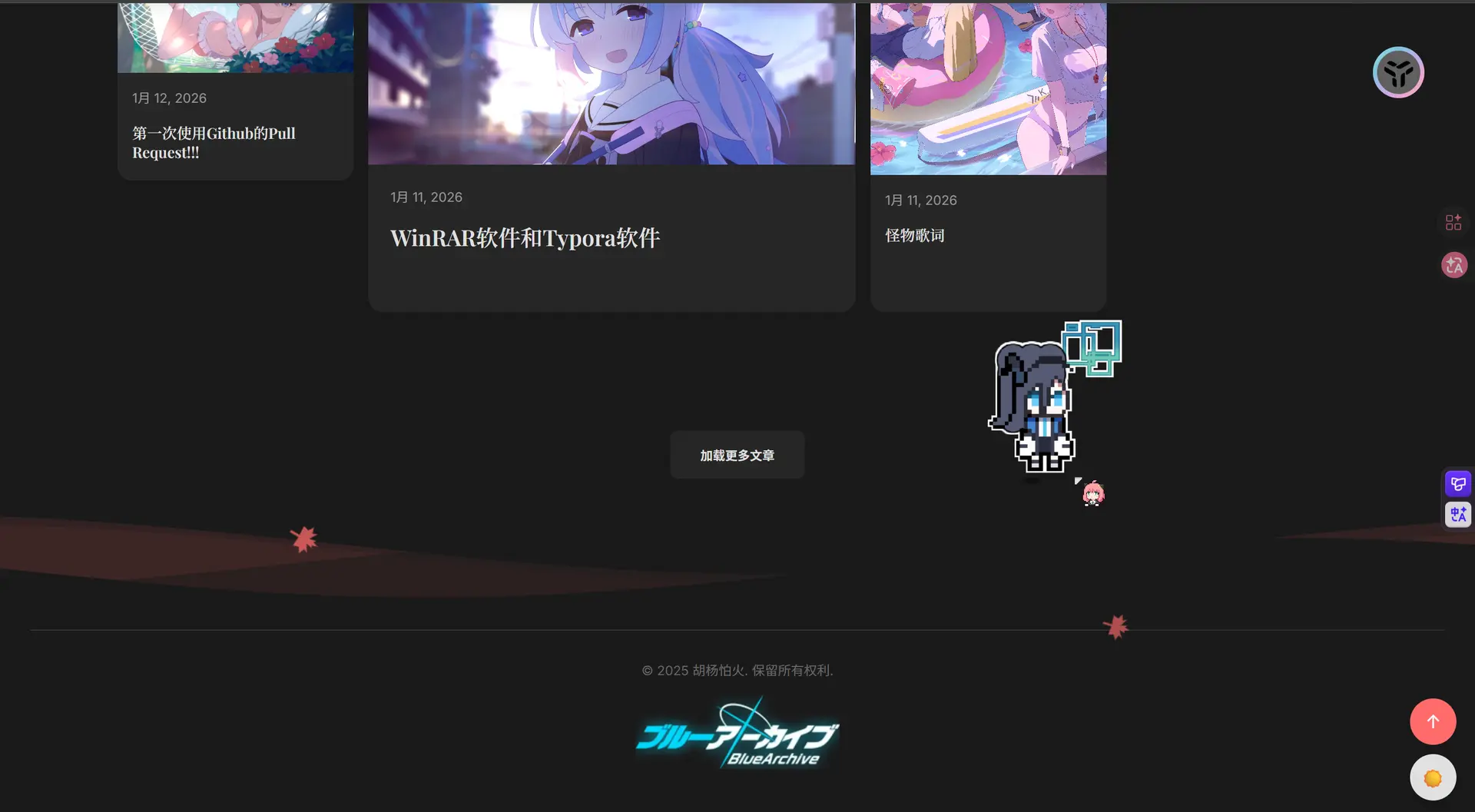
和B站大佬制作的差别太大了,尤其是这个头发的效果,头发是靠代码模拟出来的,AI根本理解不了到底怎么画才是符合人类审美的,我觉得AI已经尽力了,剩下的只能靠人类手动慢慢调,但是我看不懂AI写的代码,而且刚才说了这个是游戏引擎制作的,AI能做的也只有模拟游戏引擎物理环境和模仿效果,但好不好看只有人类知道
这只是一个半成品,未来有能力了再修改吧,争取复刻大佬的桌宠效果,目前的还是很简陋
我的想法是吧桌宠和音乐播放器结合,用桌宠哼歌的形式播放音乐,不过再此之前先搞出来像样的桌宠吧
但是这几天我看代码都快看吐了,先远离代码几天吧,我已经丧失动力了,等我打鸡血的时候再搞这个东西

评论区