我们来接着上一节数据库的学习

SQL的分类

二 : DML

image-20260112230614086

① 添加数据

image-20260112231245333

1
2
3
4
5
6
7
8
9
指定字段:
INSERT INTO 表名 (字段名1, 字段名2, ...) VALUES (值1, 值2, ...);

全部字段:
INSERT INTO 表名 VALUES (值1, 值2, ...);

批量添加数据:
INSERT INTO 表名 (字段名1, 字段名2, ...) VALUES (值1, 值2, ...), (值1, 值2, ...), (值1, 值2, ...);
INSERT INTO 表名 VALUES (值1, 值2, ...), (值1, 值2, ...), (值1, 值2, ...);

注意:

image-20260112231349573

如指定字段添加数据

1
insert into employee (workno, name, gender, age, idcard, entrydate, username) values  ('1001', 'Alice', 'F', 30, 'ID123456', '2020-01-15', 'alice01');

image-20260112232907301

以及给全部字段添加数据

1
insert into employee values ('1001', 'Alice', 'F', 30, 'ID123456', '2020-01-15', 'alice01');

以及批量添加数据

1
insert into employee (workno, name, gender, age, idcard, entrydate, username) values  ('1001', 'Alice', 'F', 30, 'ID123456', '2020-01-15', 'alice01'),('1002', 'Bob', 'M', 35, 'ID234567', '2019-03-22', 'bob02'), ('1003', 'Charlie', 'M', 28, 'ID345678', '2021-07-30', 'charlie03');

1
insert into employee values  ('1001', 'Alice', 'F', 30, 'ID123456', '2020-01-15', 'alice01'),('1002', 'Bob', 'M', 35, 'ID234567', '2019-03-22', 'bob02'), ('1003', 'Charlie', 'M', 28, 'ID345678', '2021-07-30', 'charlie03');
image-20260112234500381

② 修改数据

image-20260112234828242

1
2
3
4
5
修改数据:
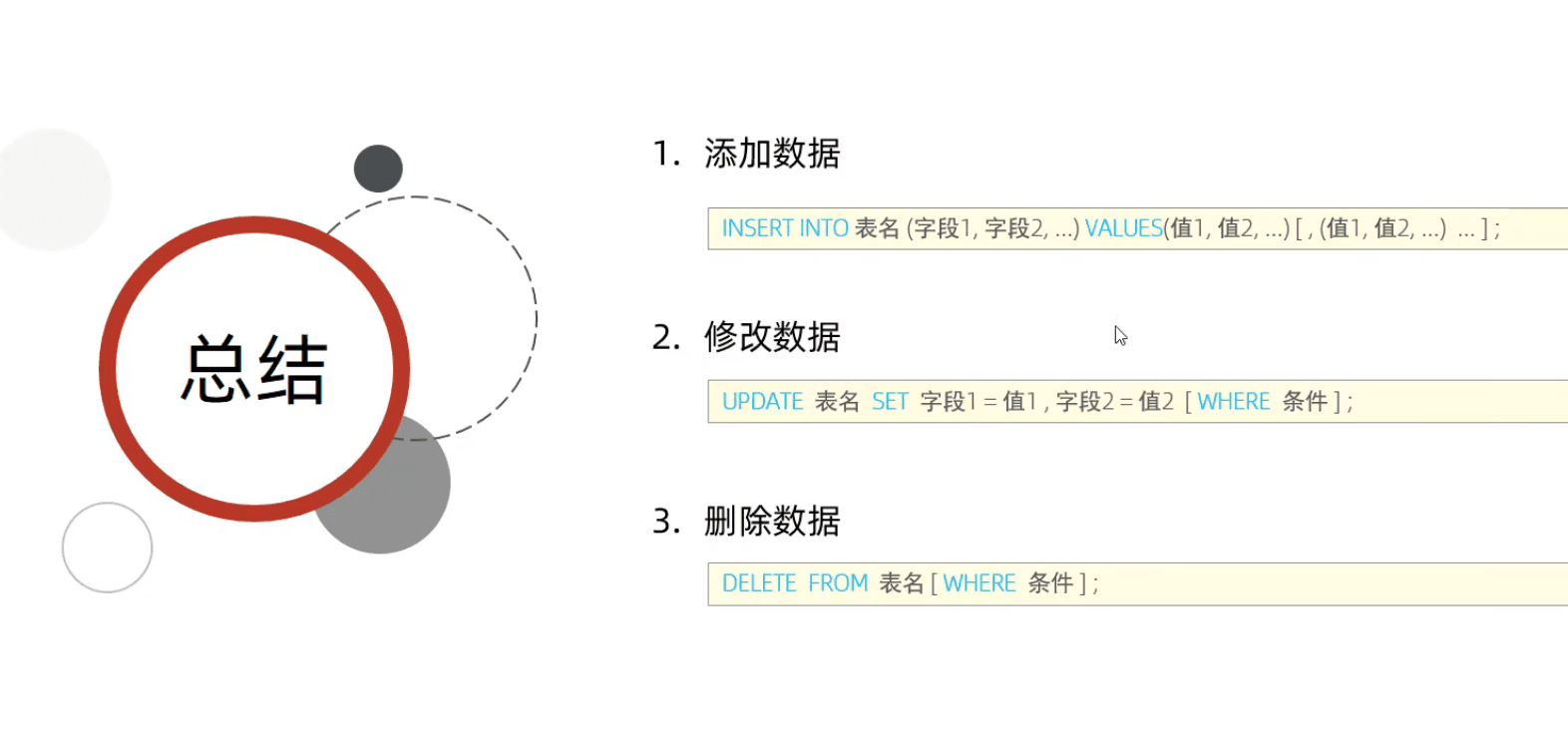
UPDATE 表名 SET 字段名1 =1, 字段名2 =2, ... [ WHERE 条件 ];

例:
UPDATE emp SET name = 'Jack' WHERE id = 1;

例如

1
2
# 修改workno为1d 数据,将name改为小明
update employee set name='小明' where workno='1001';

image-20260112235748656

1
2
# 修改workno为1001的数据,将name改为小红,gerder改为女
update employee set name='小红', gender='女' where workno='1001';

image-20260113000048768

1
2
# 将所有员工的入职日期改为2020-01-01
update employee set entrydate ='2020-01-01' ;

image-20260113000425819

③ 删除数据

image-20260113162701735

1
delete from employee where gender = '女';

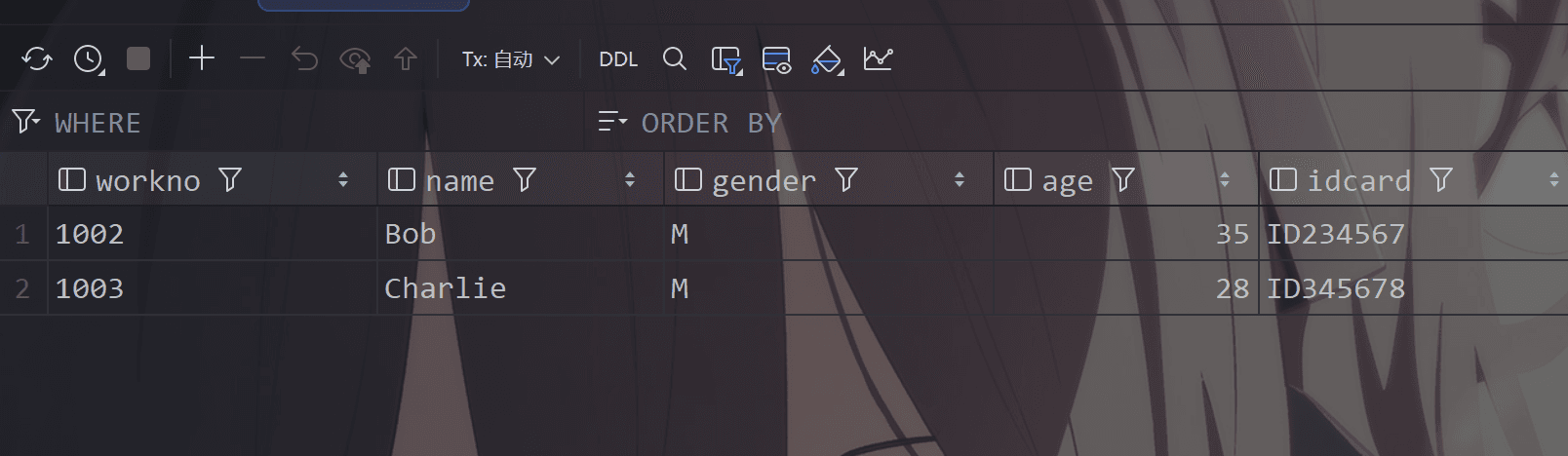
可以看到 小红被删除了

image-20260113162858901

或者删除所有员工的信息

1
delete from employee;

可以看到都没有了

image-20260113163147752

image-20260113163446839

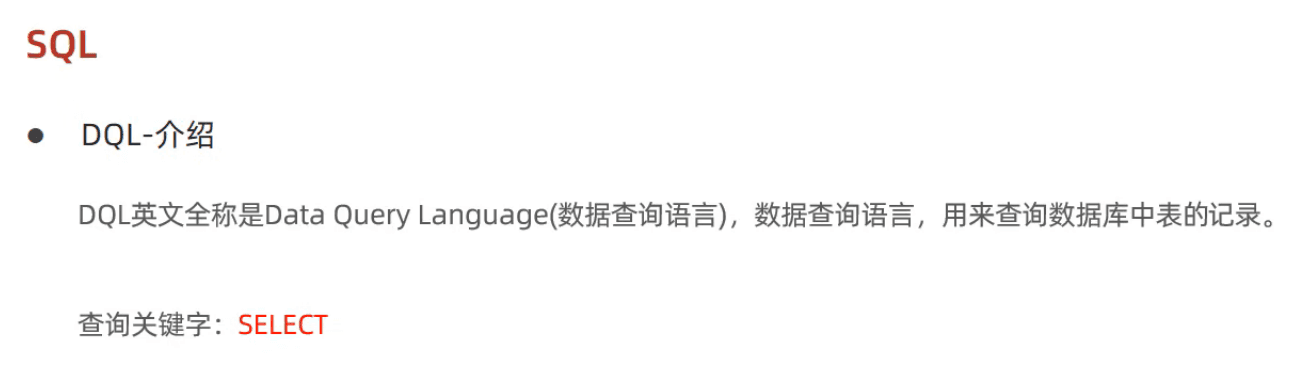
三 : DQL

image-20260113163950627

image-20260113164411577

1
2
3
4
5
6
7
8
9
10
11
12
13
14
15
16
17
18
19
20
SELECT
字段列表

FROM
表名字段

WHERE
条件列表

GROUP BY
分组字段列表

HAVING
分组后的条件列表

ORDER BY
排序字段列表

LIMIT
分页参数

① 基本查询

image-20260113164923265

首先我们创建一个表

1
2
3
4
5
6
7
8
9
10
create table emp(
id int comment '编号',
workno varchar(10) comment '工号',
name varchar(10) comment '姓名',
gender char(1) comment '性别',
age tinyint unsigned comment '年龄',
idcard char(18) comment '身份证号',
workaddress varchar(50) comment '工作地址',
entrydate date comment '入职日期'
) comment '员工表';

image-20260113165901299

1
2
3
4
5
6
7
8
insert into emp (id, workno, name, gender, age, idcard, workaddress, entrydate)
values
(1, 'A0001', '张三', 'M', 28, '110101199501011234', '北京市朝阳区', '2020-03-15'),
(2, 'A0002', '李四', 'F', 32, '110101199201012345', '北京市海淀区', '2019-07-22'),
(3, 'A0003', '王五', 'M', 45, '110101197801013456', '上海市浦东新区', '2018-11-05'),
(4, 'A0004', '赵六', 'F', 29, '110101199402014567', '广州市天河区', '2021-01-10'),
(5, 'A0005', '钱七', 'M', 38, '110101198602015678', '深圳市南山区', '2017-06-30');
#众所周知Jetbrains全家桶全部具有代码自动补全的能力,所以这些都是自动补全的哦 狗头狗头狗头

image-20260113170341099

① 查询多个字段:
1
2
3
4
5
6
7
#查询多个字段:
SELECT 字段1, 字段2, 字段3, ... FROM 表名;
SELECT * FROM 表名;

#转义:
SELECT * FROM 表名 WHERE name LIKE '/_张三' ESCAPE '/'
#/ 之后的_不作为通配符

我们输入

1
2
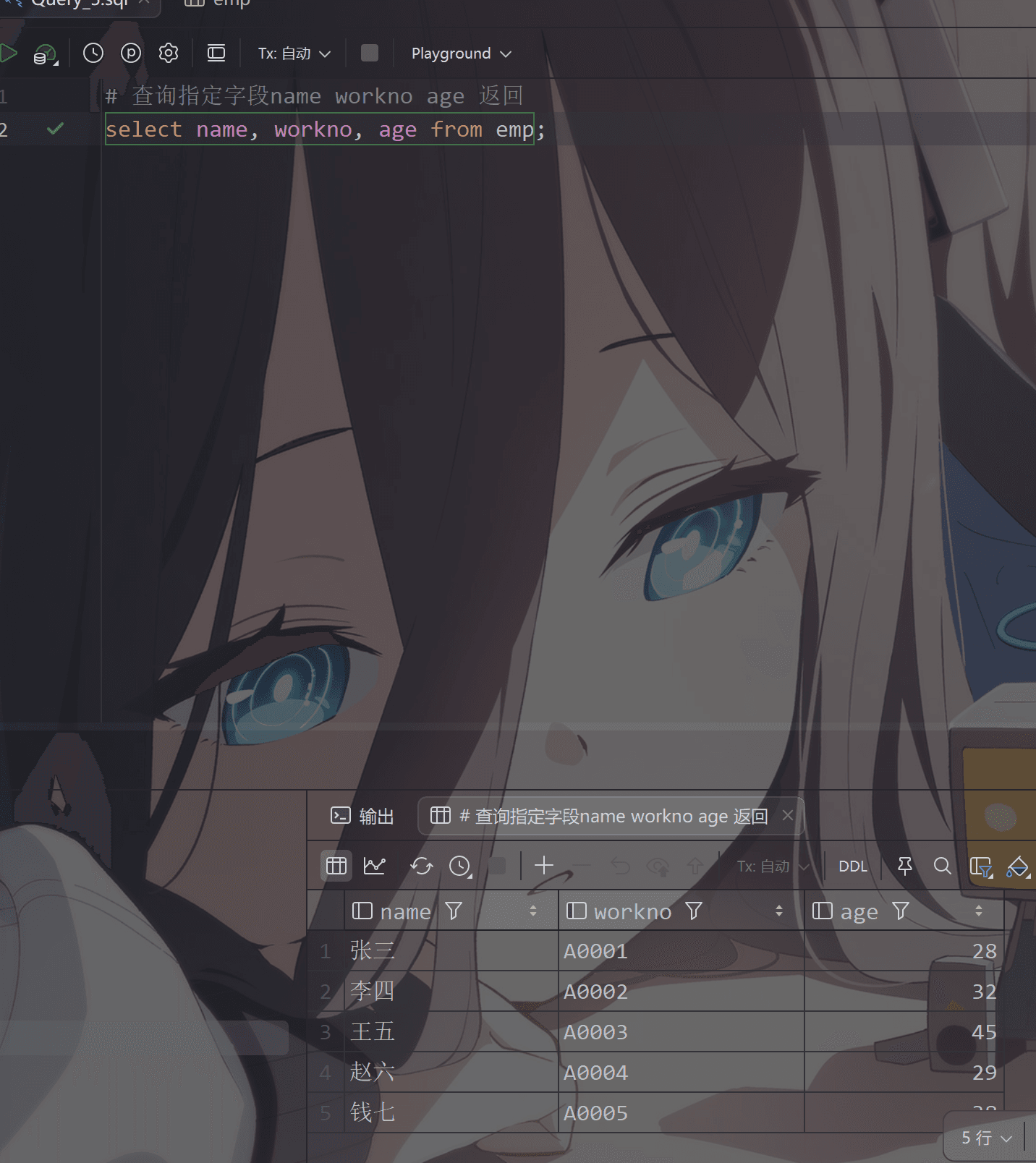
# 查询指定字段name workno age 返回
select name, workno, age from emp;

image-20260113170709135

1
2
3
4
# 查询所有字段返回
select id, workno,name,gender,age,idcard,workaddress,entrydate from emp;
#简写(最好不要用)
select * from emp;
image-20260113171103884
② 设置别名:
1
2
3
#设置别名:
SELECT 字段1 [ AS 别名1 ], 字段2 [ AS 别名2 ], 字段3 [ AS 别名3 ], ... FROM 表名;
SELECT 字段1 [ 别名1 ], 字段2 [ 别名2 ], 字段3 [ 别名3 ], ... FROM 表名;
1
2
3
4
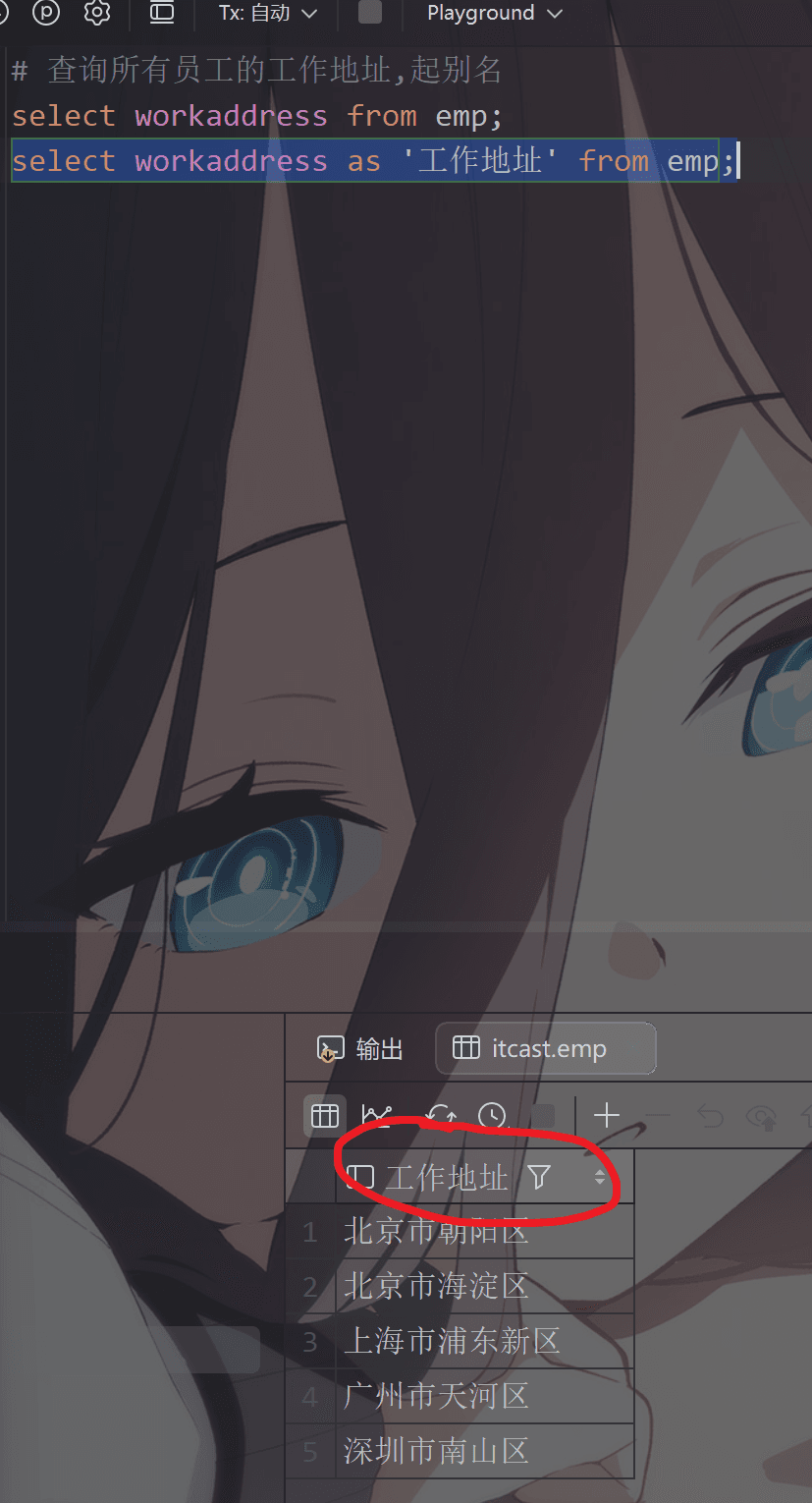
# 查询所有员工的工作地址,起别名
select workaddress from emp;

select workaddress as '工作地址' from emp;

image-20260113171538471

可以看到名字变成了这个

image-20260113171626091

③ 去除重复记录:
1
2
#去除重复记录:
SELECT DISTINCT 字段列表 FROM 表名;
1
2
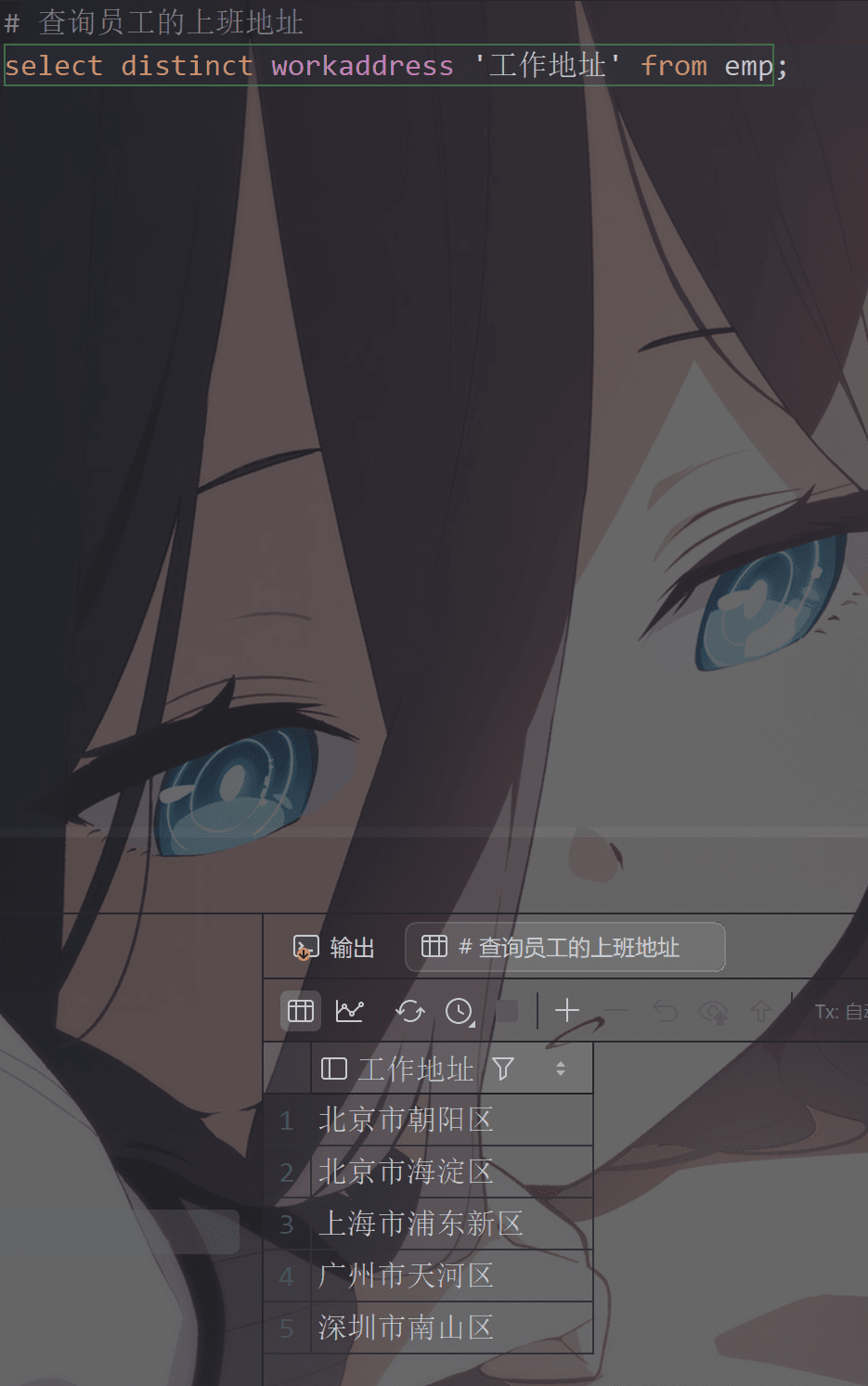
# 查询员工的上班地址
select distinct workaddress '工作地址' from emp;
image-20260113171953254

② 条件查询

image-20260113172509672

1
2
#语法:
SELECT 字段列表 FROM 表名 WHERE 条件列表;

条件:

比较运算符 功能
> 大于
>= 大于等于
< 小于
<= 小于等于
= 等于
<> 或 != 不等于
BETWEEN … AND … 在某个范围内(含最小、最大值)
IN(…) 在in之后的列表中的值,多选一
LIKE 占位符 模糊匹配(_匹配单个字符,%匹配任意个字符)
IS NULL 是NULL
逻辑运算符 功能
AND 或 && 并且(多个条件同时成立)
OR 或 || 或者(多个条件任意一个成立)
NOT 或 ! 非,不是

一下是一些练习

1 “=” 等于号

查询年龄等于28的员工

1
2
# 查询年龄等于28的员工
select * from emp where age =28;
2 “<” 小于号
1
2
# 查询年龄小于40的员工
select * from emp where age <40;
3 “<=”小于等于号
1
2
# 查询年龄小于40的员工
select * from emp where age <=30;
4 “is null”判断是否为空

这个我们先把其中一个员工的身份证信息设置null

1
update emp set idcard =null where name = '张三';
1
2
# 查询没有身份证号的员工信息
select * from emp where idcard is null;
5 “is not null”判断是否不为空
1
2
# 查询有身份证号的员工信息
select * from emp where idcard is not null;
6 “!= ”和“<>”不等于号(非)
1
2
3
4
# 查询有身份证号的员工信息
select * from emp where age !=28;
#或者
select * from emp where age <>28;
7 “and”和“&&”和 “between…and” 并列条件(与)
1
2
3
4
5
6
#查询年龄28岁(包含)到40岁(包含)之间的员工信息
select * from emp where age>=28 and age<=40;
# 或者
select * from emp where age between 28 and 40; #注意 between and 第一个值必须小于或等于第二个值,否则查询不到
# 或者
select * from emp where age>=28 && age<41;
1
2
#查询性别为 F 年龄小于40的员工信息
select * from emp where age<40 and gender ='F';
8 “or”和“||” 和“in(…)” 存在条件(或)
1
2
3
4
5
6
#查询年龄等于283245的员工信息
select * from emp where age =28 or age =32 or age =45;
# 或者
select * from emp where age in (28,32,45);
# 或者
select * from emp where age =28 || age =32 || age =45;
9 “like” 模糊匹配
1
2
#查询姓名为两个字的员工信息
select * from emp where name like '__';#两个下划线
1
2
3
4
#查询身份证号最后一位是7的员工的信息
select * from emp where idcard like '%7';
#或者一种麻烦的写法
select * from emp where idcard like '_________________7';#17个下划线加上末尾数字7

③ 聚合函数

image-20260113205519574

常见聚合函数:

函数 功能
count 统计数量
max 最大值
min 最小值
avg 平均值
sum 求和
1
2
3
4
5
#语法:
SELECT 聚合函数(字段列表) FROM 表名;

#例:
SELECT count(id) from employee where workaddress = "广东省";

1 - count 统计数量
1
2
3
4
5
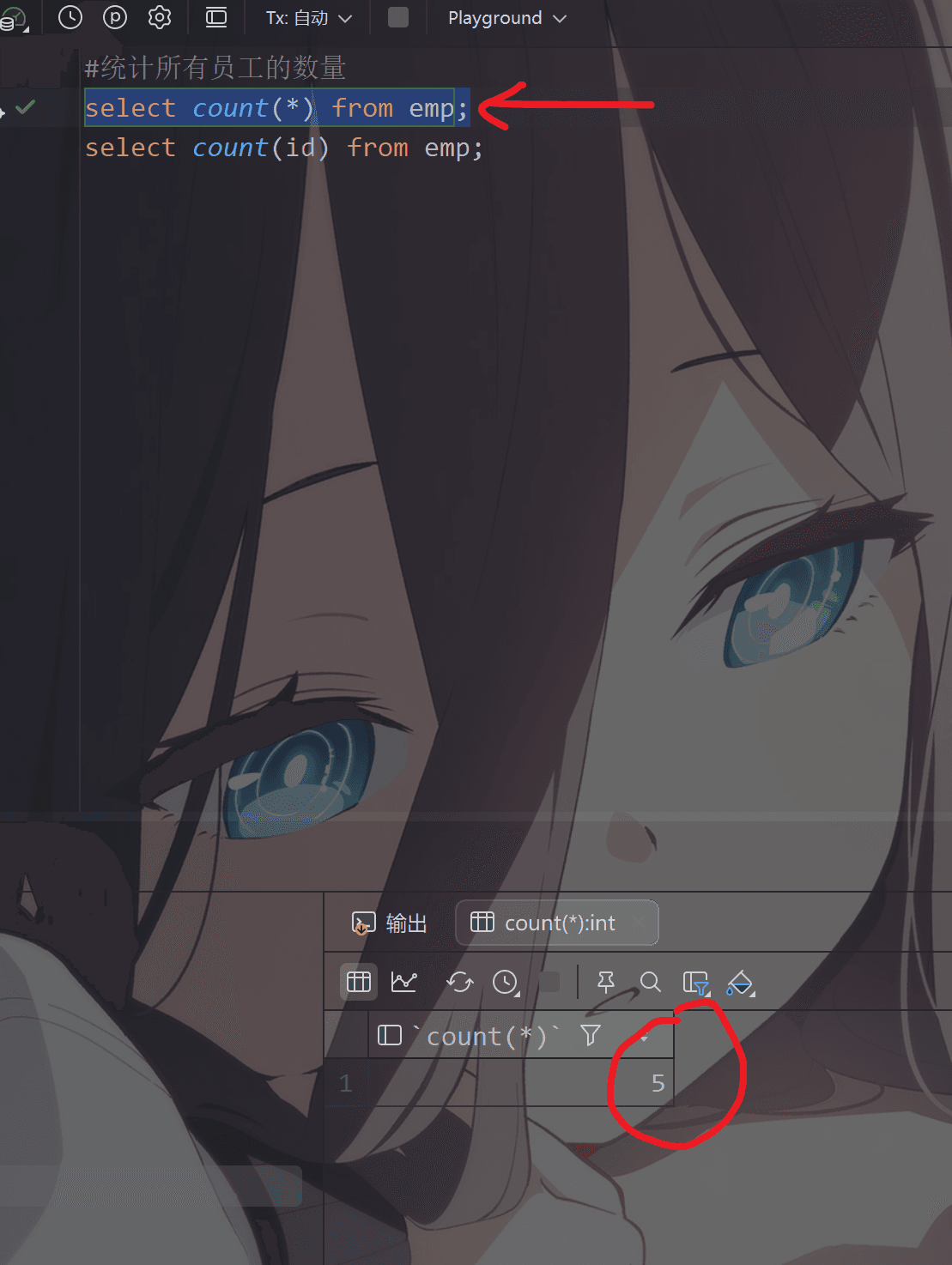
#统计所有员工的数量
select count(*) from emp;

#或者按id 或着其他字段统计
select count(id) from emp;
image-20260113210436335

注意:

image-20260113210810431

2 - max 最大值
1
2
#找出年龄最大者
select max(age) from emp;
3 - min 最小值
1
2
#找出年龄最小者
select min(age) from emp;
4 - avg 平均值
1
2
#找出年龄平均值
select avg(age) from emp;
5 - sum 求和
1
2
3
4
5
#对年龄进行求和
select sum(age) from emp;

#找到性别为女的年龄最大值
select sum(age) from emp where gender='F';

④ 分组查询

image-20260113212808412

1
2
#语法:
SELECT 字段列表 FROM 表名 [ WHERE 条件 ] GROUP BY 分组字段名 [ HAVING 分组后的过滤条件 ];
1
2
#根据性别分组,统计男性员工和女性员工的数量
select gender , count(*) from emp group by gender;

image-20260113213208918

1
2
#根据性别分组,统计男性员工和女性员工的数量
select gender , avg(age) from emp group by gender;

image-20260113214316854

1
2
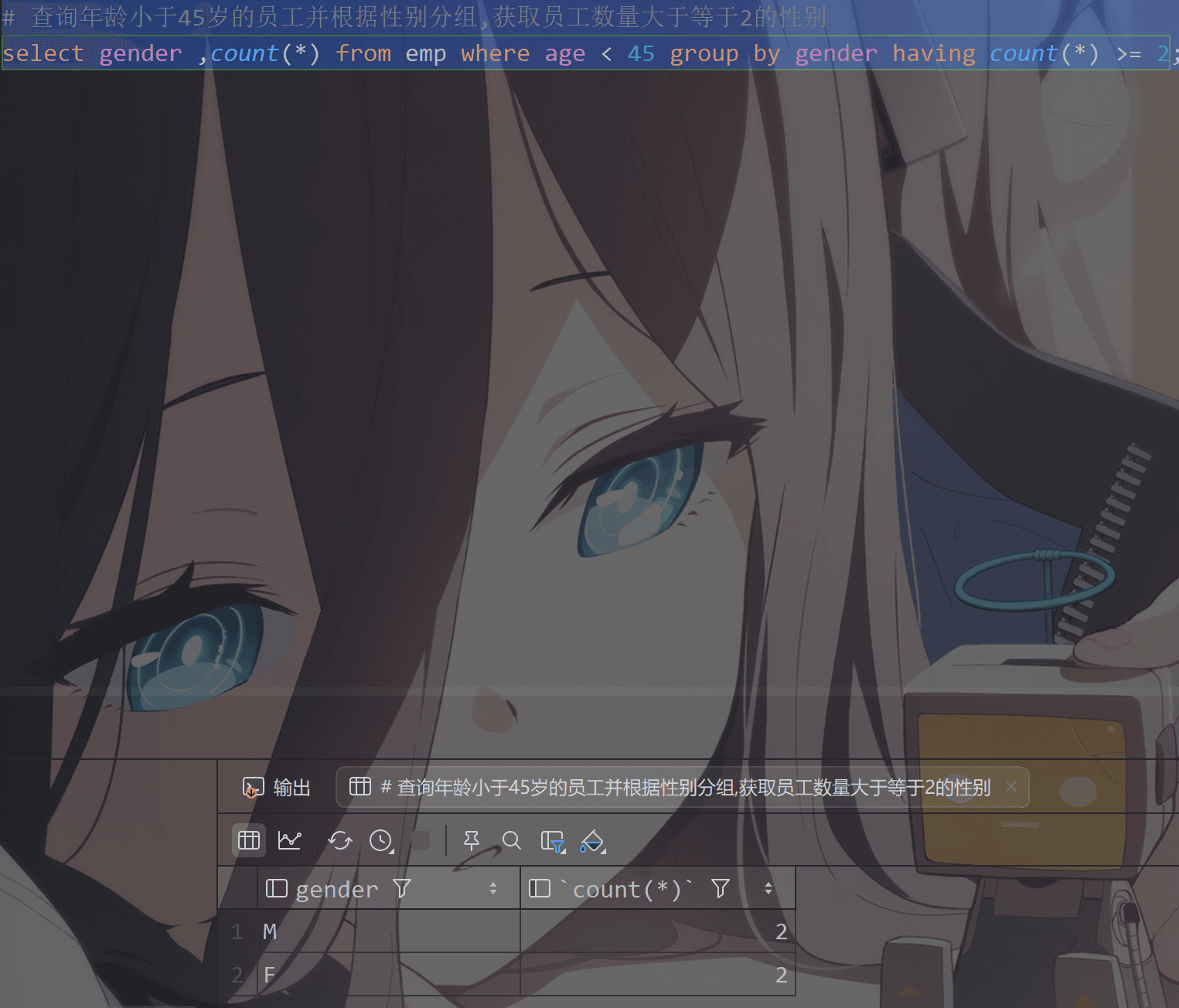
#查询年龄小于45岁的员工并根据性别分组,获取员工数量大于等于2的工作性别
select gender ,count(*) from emp where age < 45 group by gender having count(*) >= 2;

image-20260113220120220

image-20260113220457472

⑤ 排序查询

image-20260113220731003

1
2
#语法:
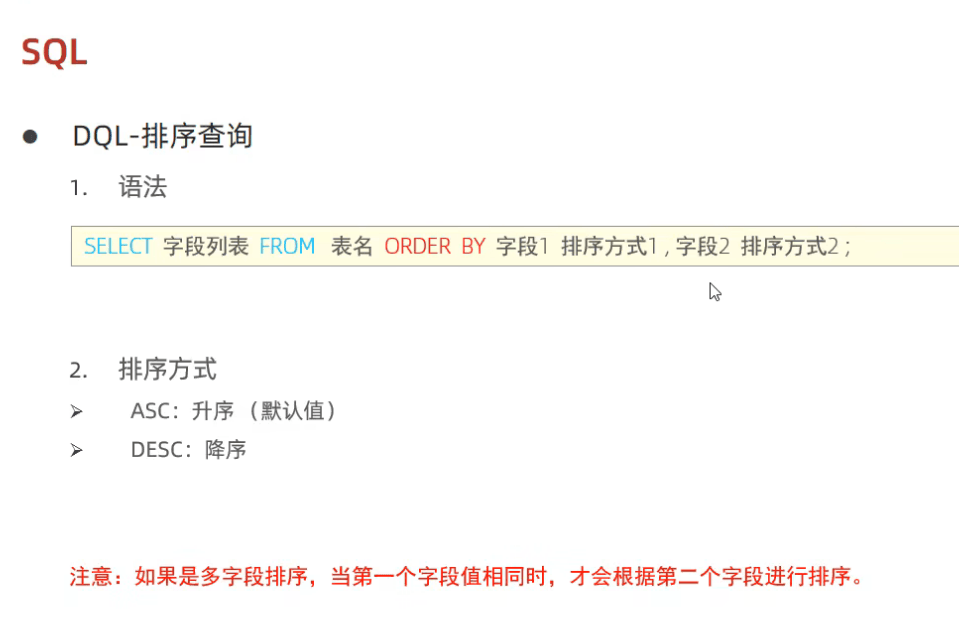
SELECT 字段列表 FROM 表名 ORDER BY 字段1 排序方式1, 字段2 排序方式2;
ASC升序
1
2
3
4
5
#根据年龄对公司的员工进行升序排序
select * from emp order by age asc;

#但是一般省略asc,因为默认就是升序
select * from emp order by age;

image-20260113223157009

DESC降序
1
2
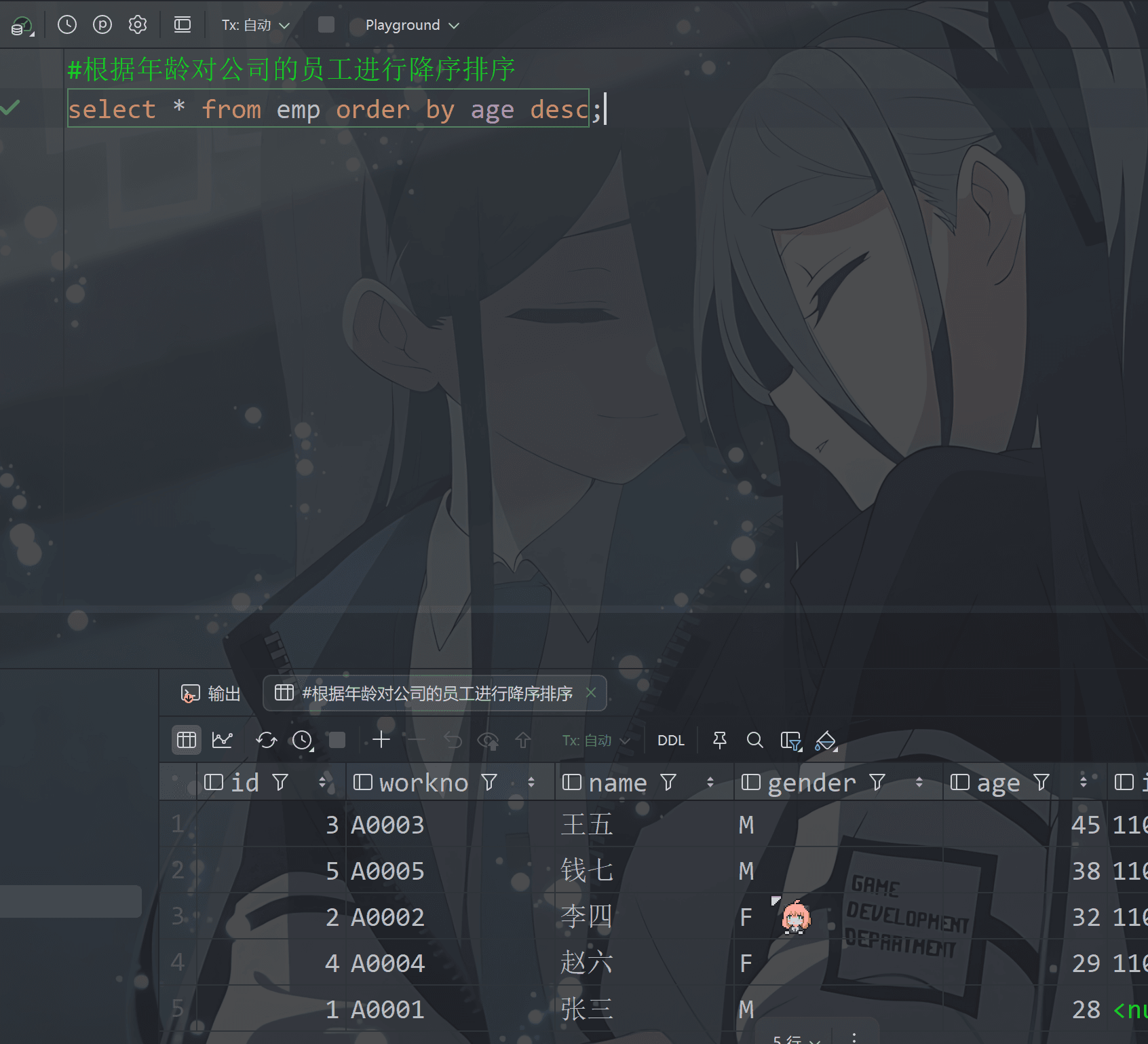
#根据年龄对公司的员工进行降序排序
select * from emp order by age desc;

image-20260113233654466

1
2
#根据入职时间对员工进行降序排序
select * from emp order by entrydate desc;

image-20260113233939608

练习
1
2
3
4
5
# 根据年龄对公司的员工进行升序排序,年龄相同,再按照入职时间进行降序排序
select * from emp order by age asc, entrydate desc;

#或者
select * from emp order by age, entrydate desc;

⑥ 分页查询

image-20260113235321618

1
2
#语法:
SELECT 字段列表 FROM 表名 LIMIT 起始索引, 查询记录数;

​ 这里

1
2
3
4
5
#查询第一页数据,每页展示10条数据
select * from emp limit 0,10;

#如果开始索引是从0开始的则0可以省略
select * from emp limit 10;
image-20260113235837476

但是你可以看到我这个数据太少了,所以就展示了5个,所以我改小一点

1
2
#查询第二页数据,每页展示2个数据  计算: (页码-1)*页展示记录数
select * from emp limit 2,4;

image-20260114000628981