
最近在国外评论区看到一个老哥分享了一个这个软件,可以修改文件默认图标,感觉可以用来修改love 2d导出的exe的默认图标,这里就用浏览器机翻插件翻译一下老哥给的说明书吧
Resource HackerTM is a resource editor for 32bit and 64bit Windows® applications. It’s both a resource compiler (for .rc files), and a decompiler - enabling viewing and editing of resources in executables (.exe; .dll; .scr; etc) and compiled resource libraries (.res, .mui). While Resource Hacker is primarily a GUI application, it also provides many options for compiling and decompiling resources from the command-line.
Resource HackerTM 是一款适用于 32 位和 64 位 Windows® 应用程序的资源编辑器。它既是**资源编译器 (针对 .rc 文件),也是一个*反编译器 ——支持查看和编辑可执行文件(*.exe; .dll; .scr; 等)以及编译后的资源库(.res、.mui)。虽然 Resource Hacker 主要是一个图形界面应用,但它也提供了多种从命令行编译和反编译资源的选项。
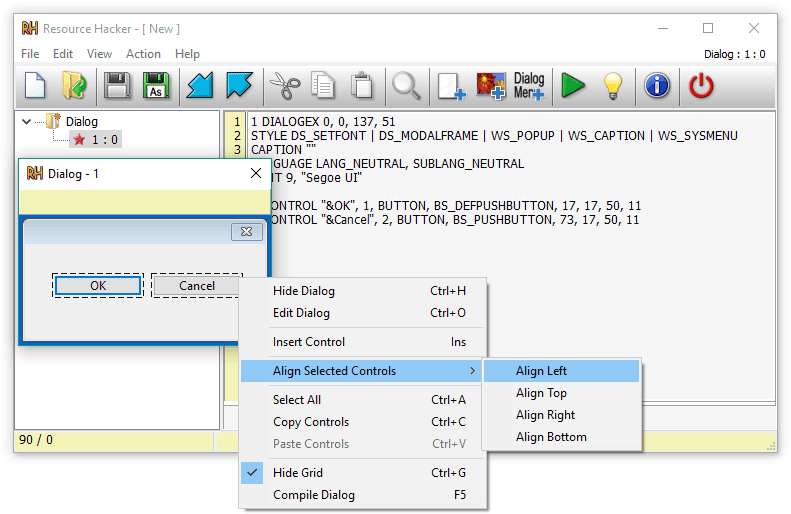
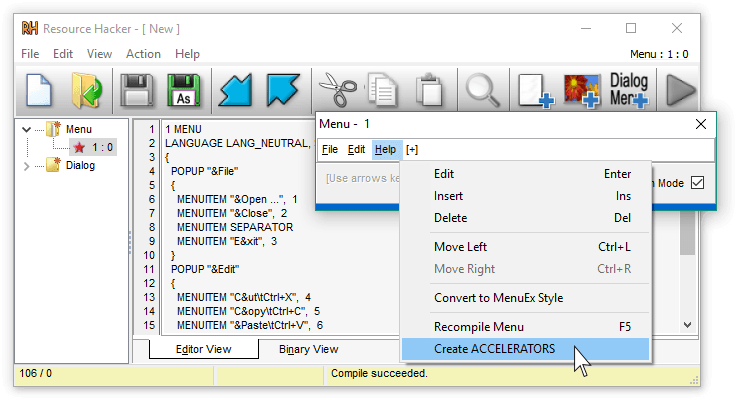
Compiling: 编译:
Compiling can be initiated either by opening an existing resource script file, or by creating one from scratch using Resource Hacker’s editor.
编译可以通过打开现有的资源脚本文件,或使用 Resource Hacker 的编辑器从头创建脚本文件来启动。
A complete list of Resource-Definition Statements can be found here.
资源定义语句的完整列表可在此查阅。
Additional features of Resource Hacker’s compiler include: The #INCLUDE directive (to access definition statements in header files etc) can be nested to multiple levels, as can the #IF, and #IFDEF directives. #DEFINE, #UNDEF, #IF, #ELIF, #ELSE, #IFDEF, #IFNDEF, #INCLUDE, and #PRAGMA directives are all supported. Strings, between double-quote (“) characters, may contain typical ‘C’ style backslashed ‘escaped’ characters — \t , \n , \ , " , \x, \u and \377 (octal). A double-quote within a string must be ‘escaped’ using either a preceding backslash or with another double-quote. Script comments are preceded either by double forward-slashes (//) or by a semi-colon (;). Filenames with relative paths are allowed. Filenames that contain spaces must be enclosed within double-quote characters.
资源黑客编译器的附加功能包括:#INCLUDE 指令(用于访问头文件中的定义语句等)可以嵌套到多个层级,#IF 和 #IFDEF 指令也可以嵌套。#DEFINE、#UNDEF、#IF、#ELIF、#ELSE、#IFDEF、#IFNDEF、#INCLUDE 和 #PRAGMA 指令均被支持。字符串在双引号(“)字符之间,可能包含典型的”C“风格反斜线”转义“字符——\t、\n、\、\”、\x、\you 和\377(八进制)。字符串中的双引号必须通过前置反斜杠或另一个双引号“转义”。脚本注释前通常以双斜杠(//)或分号(;)。允许使用带有相对路径的文件名。包含空格的文件名必须用双引号字符包围。
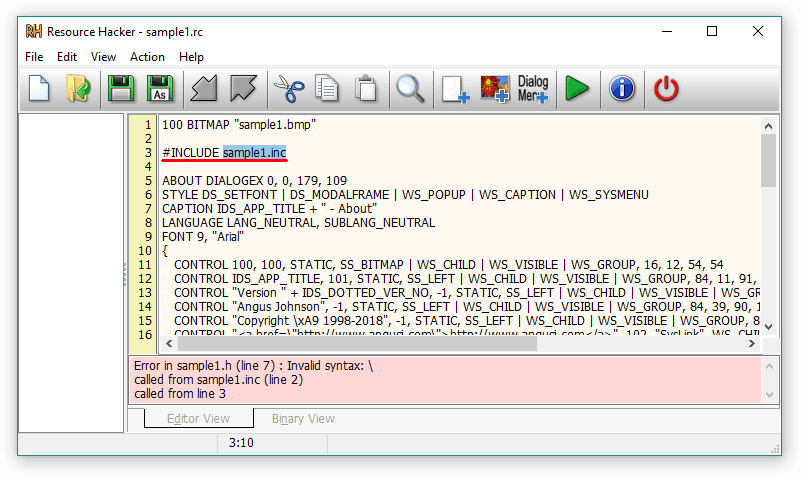
Compiler error messages are reported, even errors nested within INCLUDE statements …
编译器错误消息会被报告,甚至嵌套在 INCLUDE 语句中的错误……
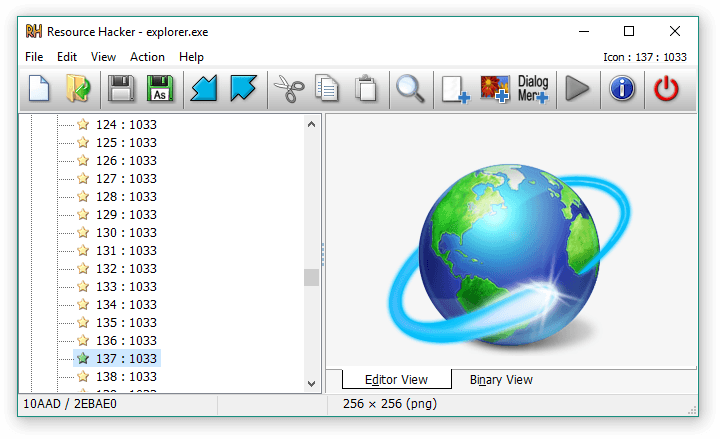
Viewing and Editing Resources: 观看与编辑资源:
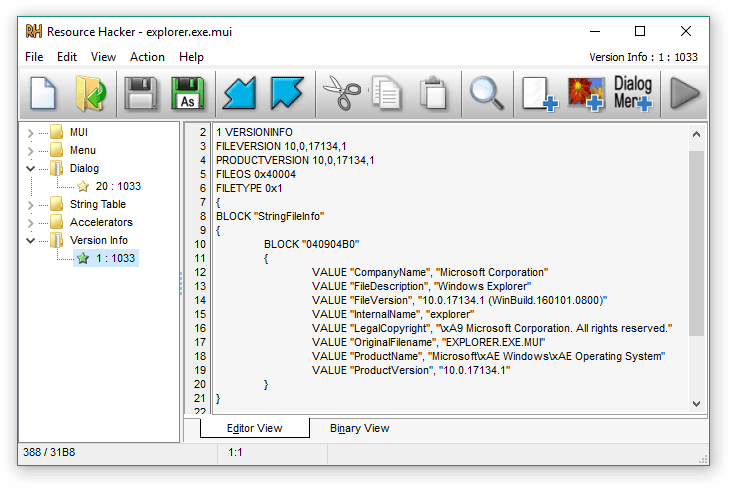
Once a resource file has been opened, its resources will generally be displayed as either an image (or group of images) or as decompiled text. Binary resources, usually images, can’t be edited directly with Resource Hacker, but they can still be very easily exported and imported once they’ve been modified by an external image editor. (I see no benefit in duplicating what third-party image editors do so well.)
资源文件打开后,其资源通常会以图像(或一组图像)或反编译文本的形式显示。二进制资源,通常是图片,不能直接用 Resource Hacker 编辑,但经过外部图片编辑修改后,仍然可以非常轻松地导出和导入。(我看不出复制第三方图片编辑器做得很好的做法有什么好处。)
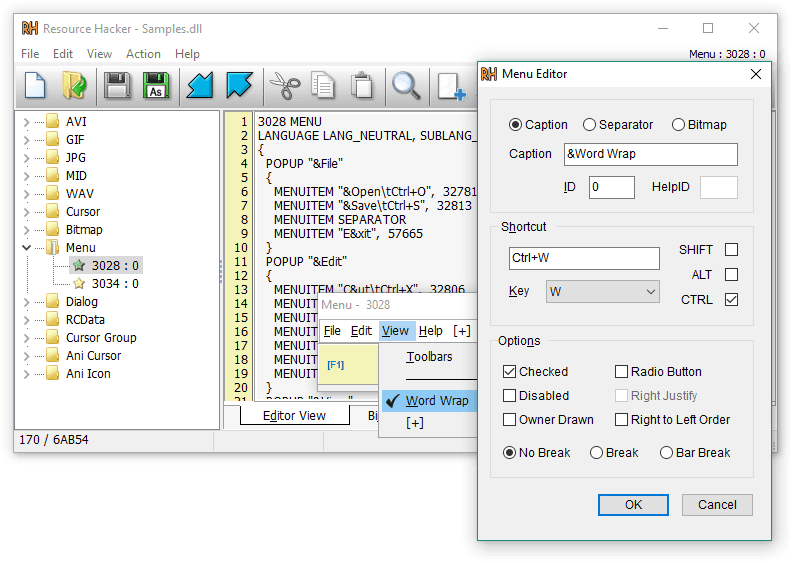
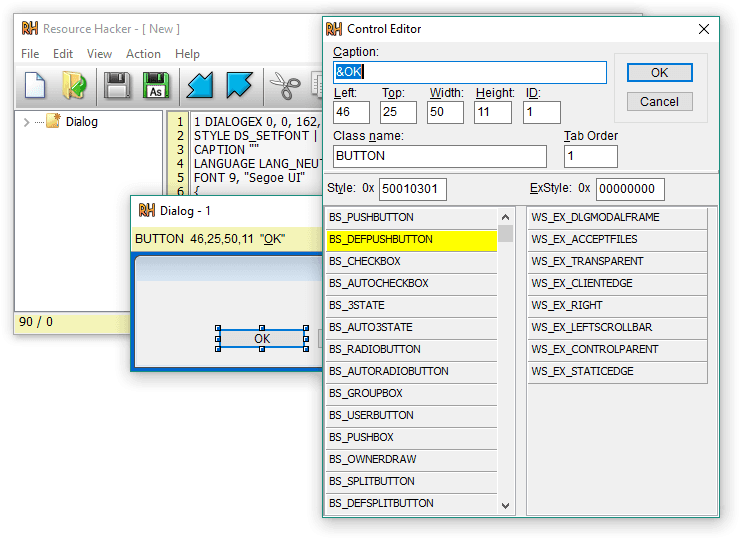
Menu and Dialog resource types have their own WYSIWYG designers:
菜单和对话资源类型各自拥有所见即所得设计器:
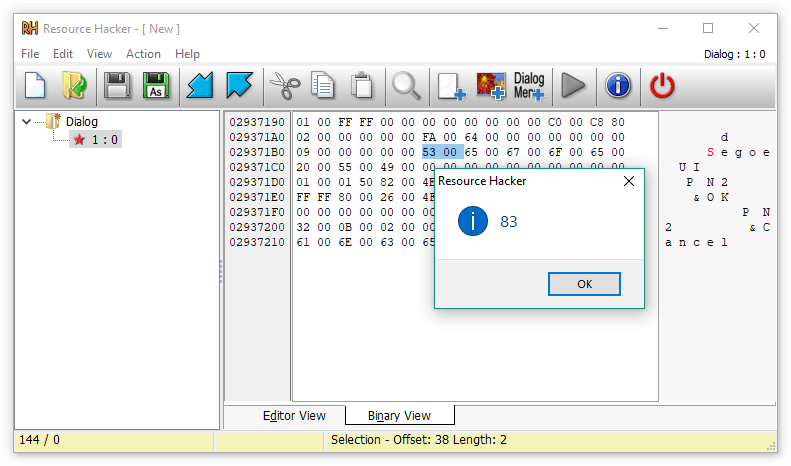
Binary resources that have unknown formats will be displayed as read-only binary text. (Any resource can also be viewed in this fashion if desired.)
格式未知的二进制资源将以只读二进制文本显示。(任何资源也可以以这种方式查看。)
Other Actions: 其他行动:
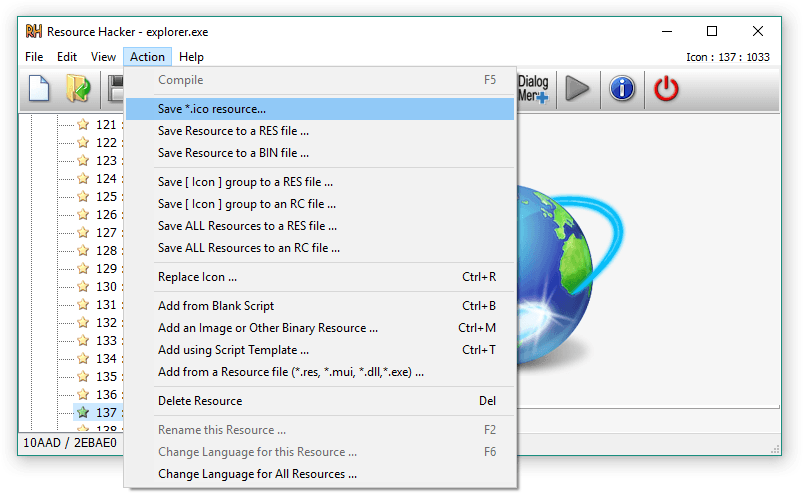
Command Line Syntax: 命令行语法:
Just about all the functionality of Resource Hacker can be accessed from the command line without having to open the Resource Hacker GUI.
资源黑客几乎所有功能都可以通过命令行访问,无需打开资源黑客的图形界面。
Command line instructions and Resource Hacker scripts can remove the drudgery entailed with repeating Resource Hacker tasks.
命令行指令和资源黑客脚本可以消除重复资源黑客任务带来的繁琐负担。
Command-line instructions are a combination of switch statements followed by switch parameters as explained in the following table: Command line statements:
命令行指令是 switch 语句加上 switch 参数的组合,详见下表: 命令行语句:
| Switch 切换 | Parameter 参数 | |
|---|---|---|
| open | filename - the name of the file that is to be modified. It should be a Windows PE file (.exe, .dll etc) or a compiled or uncompiled resouce file (.res or .rc) 文件名——要修改的文件名称。它应该是 Windows PE 文件(.exe、.dll 等)或已编译或未编译的资源文件(.res 或.rc) | |
| save | usually a filename for the new or modified file, but can also be a folder when extracting multiple resources 通常为新文件或修改文件命名,但解压多个资源时也可以是文件夹 | |
| resource | filename - contains a resource being added to the opened file. filename - 包含正在添加到打开文件中的资源 | |
| action | action to be performed on the opened file 对已打开的文件执行的操作 ①add - add a resource, but fails if it already exists 添加 - 添加资源,但如果资源已经存在则失败 ②addoverwrite - add a resource, and overwriting if it already exists 增添覆盖 - 添加资源,如果已有资源则覆盖 ③addskip - add a resource, but skipping if it already exists 增添忽略 - 添加资源,但如果已经存在就跳过 ④compile - compiles a resource script file (.rc) to a binary resource file (.res) 编译 - 将资源脚本文件(.rc)编译为二进制资源文件(.res) ⑤delete - delete a resource 删除 - 删除资源 ⑥extract - extract a resource 提取 - 提取资源 ⑦modify - modify a resource 修改 - 修改资源 ⑧changelanguage(langID) - changes the language of ALL resources 更改语言(langID) - 更改所有资源的语言 | |
| mask | resource mask - Type,Name,Language 资源掩码 - 类型、名称、语言 commas are mandatory but each of Type, Name & Language are optional 逗号是必加的,但类型、名称和语言中每个内容都是可选的 | |
| log | Filename or CONSOLE or NUL 文件名、CONSOLE 或 NUL CONSOLE can be abbreviated to CON CONSOLE 可以缩写为 CON Logs the details of the operation performed 记录作细节 If this switch is omitted, the log will be written to resourcehacker.log 如果省略了该开关,日志将被写入 resourcehacker.log | |
| script | filename - contains a multi-command script, NOT a resource script for more info: -help script filename - 包含一个多命令脚本,而非资源脚本。更多信息是:-help script | |
| help | options - command-line or script (always logged to CONSOLE) other switches are ignored. 选项——命令行或脚本(始终记录在控制台),其他交换机则被忽略 |
Notes: 注释:
- Switch identifiers (except -script) may be abbreviated down to a single char (eg -res or -r).
交换标识符(除 -script 外)可以缩写为单个字符(例如 -res 或 -r)。 - Switch instructions do not have to be in any particular order.
开关指令不必按特定顺序排列。 - File names that contain spaces must be enclosed within double quotes.
包含空格的文件名必须用双引号包围。
Batch file Examples (using rh.exe instead of ResourceHacker.exe in places for brevity)
批处理文件示例 (部分使用 rh.exe 代替 ResourceHacker.exe 以简洁起见)
reshack_help.bat: reshack_help.bat:
1 | ResourceHacker.exe -help |
reshack_compile_res_script.bat:
1 | rh.exe -open .\in\resources.rc -save .\out\resources.res -action compile -log NUL |
reshack_add_icon_to_old.bat:
1 | rh.exe -open old.exe -save new.exe -action addskip -res my.ico -mask ICONGROUP,MAINICON, |
reshack_extract_all_source_icons_to_icons_folder.bat:
1 | rh.exe -open source.exe -save .\icons -action extract -mask ICONGROUP,, -log CON |
reshack_extract_all_dialogs.bat:
1 | rh.exe -open source.exe -save .\dialogs.rc -action extract -mask DIALOG,, -log rh.log |
reshack_execute_my_script.bat:
1 | ResourceHacker.exe -script myscript.txt |
Resource Hacker Scripts: 资源黑客脚本:
Resource Hacker Scripts are executed from the command-line using the following syntax:
资源黑客脚本通过命令行使用以下语法执行:
1 | ResourceHacker.exe -script ScriptFile |
Resource Hacker Scripts are text files with the following format:
资源黑客脚本是具有以下格式的文本文件:
1 | //comments are preceded by double slashes |
Note: Filenames that include spaces must be enclosed within double quotes.
注意:包含空格的文件名必须用双引号包围。
Resource Hacker Script examples:
资源黑客脚本示例:
rh_script_myprog_rus.txt -
1 | //This script deletes all Language Neutral (0) |
rh_script_myprog_upd_images.txt -
1 | //This script updates 2 bitmaps and an |
rh_script_myprog_upd_all.txt -
1 | //This script replaces all resources |
“Packed” or “Compressed” Executables: “打包”或“压缩”可执行文件:
Some executable files are “packed” or “compressed” using compression algorithms. Not only does this reduces file size, it also makes viewing and modifying resources marginally more difficult. I suspect that this resource ‘hiding’ is (or was) a common objective in this process. Anyhow, in deference to these authors, I’ve chosen not to unpack files with Resource Hacker. As a side note, it seems that “packed” executables have become quite uncommon over the last 5-10 years, and software authors are exposing more rather than less information in executable resources. I suspect that earlier concerns about the loss of intellectual property with reverse engineering have been allayed.
一些可执行文件通过压缩算法进行“打包”或“压缩”。这不仅减少了文件大小,也使查看和修改资源变得稍微困难一些。我怀疑这种资源“隐藏”是(或者曾经)是这个过程中的一个常见目标。无论如何,为了尊重这些作者,我选择不用 Resource Hacker 解压文件。顺便说一句,过去 5 到 10 年里,“打包”可执行文件变得相当罕见,软件作者在可执行资源中暴露的信息更多而非减少。我怀疑早期关于逆向工程导致知识产权损失的担忧已经得到缓解。
Download version 5.2.8: 下载版本5.2.8:
EXE install (4.1MB)
EXE 安装 (4.1MB)
ZIP install (3.3MB)
ZIP 安装 (3.3MB)
Changes in 5.2.8: 5.2.8 版本的变化:
- fixed bug compiling controls with -1 id in DialogEx
修复了 DialogEx 中 -1 id 的编译控件错误
Changes in 5.2.7: 5.2.7 版本的变化:
- fixed minor bugs in commandline scripts
修复了命令行脚本中的小错误
Changes in 5.2.6: 5.2.6 版本的变化:
- fixed a bug incorrectly detecting text encoding
修复了一个错误检测文本编码的错误 - fixed several other minor bugs
修复了其他几个小错误
不过其实我也没看懂个软件到底是干嘛的,感觉像是那种反编译搞破解的玩意,老哥就说了怎么换图标 教程如下
Create an .ico file using GIMP, you can use the
game.icoorlove.icoincluded in the 32bit redistributable of LÖVE as a template.
用 GIMP 创建.ico 文件,你可以用 LÖVE32 位再分发包里附带的game.ico或love.ico作为模板。Rename your
.exefile tononsense.exe(explanation below).
将你的.exe文件重命名为nonsense.exe(下面有说明)。Drag the
.exefile into Resource Hacker, unfoldIcon Groupand right-click the only item in it. Select “Replace icon …” and select the.icofile you created.
把.exe文件拖到 Resource Hacker, 展开图标组,右键点击里面唯一的项目。选择“替换图标……”然后选择你创建的.ico文件。
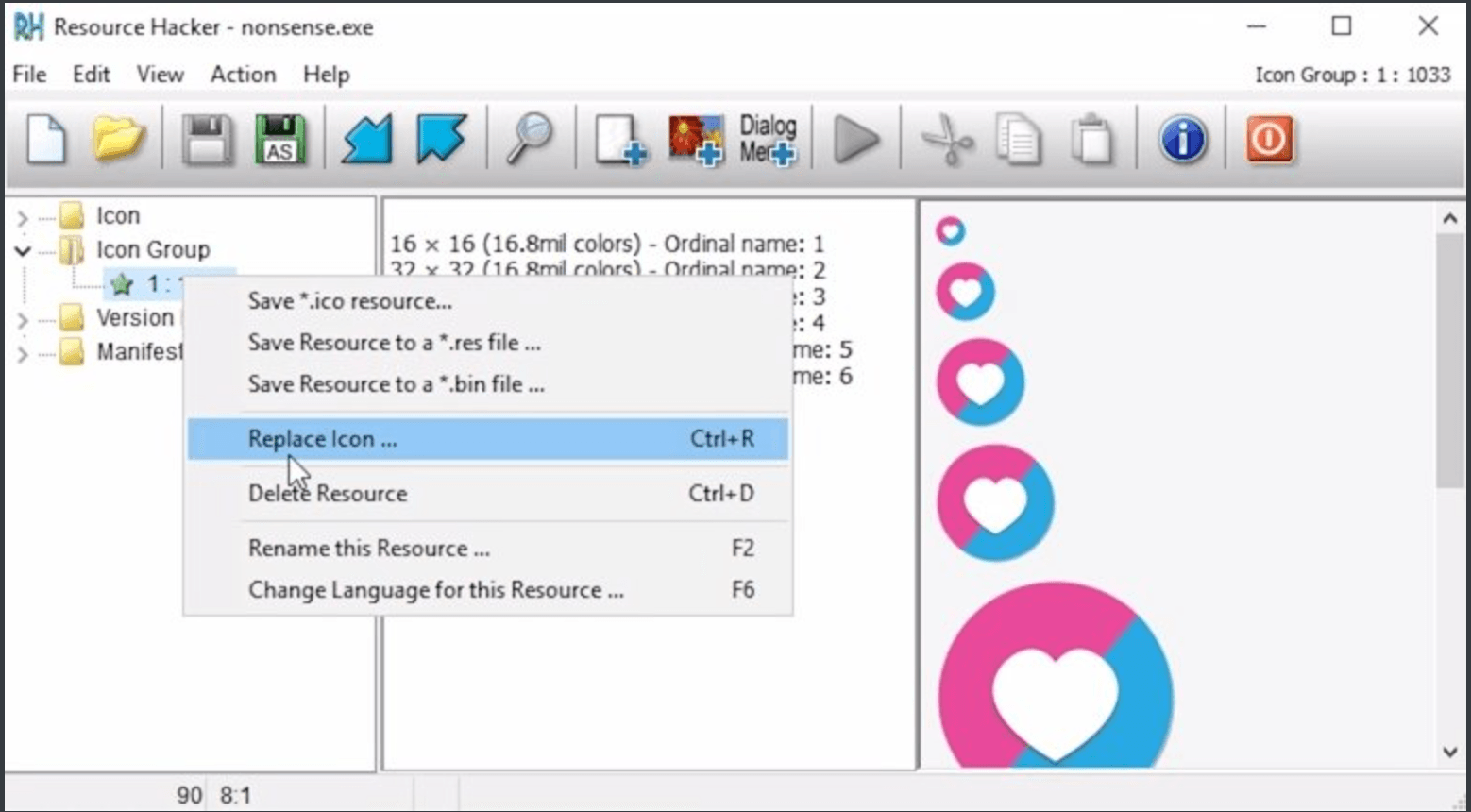
Press Save (floppy disk icon).
点击保存(软盘图标)。You might not see the change yet. Rename
nonsense.exetoyourgamename.exeand it should become visible.
你可能还没看到变化。把nonsense.exe改名为yourgamename.exe,应该会显示出来
评论区