1
2
3
4
5
6
7
8
9
10
11
12
13
14
15
16
17
18
19
20
21
22
23
24
25
26
27
28
29
30
31
32
33
34
35
36
37
38
39
40
41
42
43
44
45
46
47
48
49
50
51
52
53
54
55
56
57
58
59
60
61
62
63
64
65
66
67
68
69
70
71
72
73
74
75
76
77
78
79
80
81
82
83
84
85
86
87
88
89
90
91
92
93
94
95
96
97
98
99
100
101
102
103
104
105
106
107
108
109
110
111
112
113
114
115
116
117
118
119
120
121
122
123
124
125
126
127
128
129
130
131
132
133
134
135
136
137
138
139
140
141
142
143
144
145
146
147
148
149
150
151
152
153
154
155
156
157
158
159
160
161
162
163
164
165
166
167
168
169
170
171
172
173
174
175
176
177
178
179
180
181
182
183
184
185
186
187
188
189
190
191
192
193
194
195
196
197
198
199
200
201
202
203
204
205
206
207
208
209
210
211
212
213
214
215
216
217
218
219
220
221
222
223
224
225
226
227
228
229
230
231
232
233
234
235
236
237
238
239
240
241
242
243
244
245
246
247
248
249
250
251
252
253
254
255
256
257
258
259
260
261
262
263
264
265
266
267
268
269
270
271
272
273
274
275
276
277
| #Requires AutoHotkey v2.0
#SingleInstance Force
SendMode "Input"
; =========================
; 全局变量
; =========================
global ColorGui := 0
global CustomGui := 0
global InfoGui := 0
global CustomHex := "FF0000"
; =========================
; 仅在 Typora 生效
; =========================
#HotIf WinActive("ahk_exe Typora.exe")
^!c::ShowColorGui()
#HotIf
; =========================
; 预设颜色点击
; =========================
ApplyColorFromText(ctrl, *)
{
WinActivate "ahk_exe Typora.exe"
Sleep 40
AddFontColor(ctrl.Tag)
}
; =========================
; 主颜色窗口
; =========================
ShowColorGui()
{
global ColorGui
if IsObject(ColorGui)
{
ColorGui.Show()
return
}
; 创建窗口
ColorGui := Gui("+AlwaysOnTop +Resize", "字体颜色")
ColorGui.SetFont("s9")
; ===== 顶部按钮 =====
; 按钮宽 120,中间间距 20
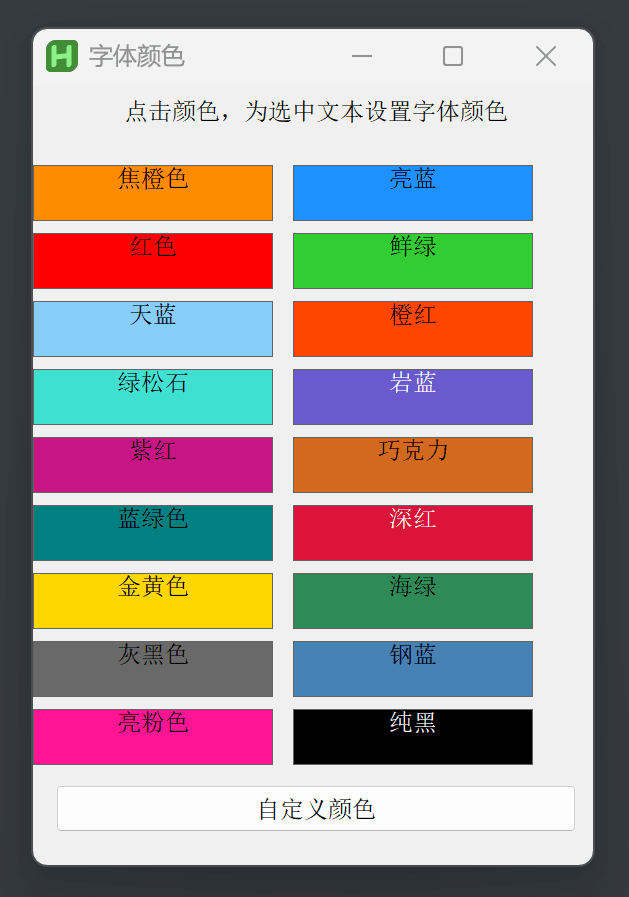
infoBtn := ColorGui.AddButton("xm w120", "使用说明(必看)")
customBtn := ColorGui.AddButton("x+20 yp w120", "自定义颜色")
infoBtn.OnEvent("Click", (*) => ShowInfoGui())
customBtn.OnEvent("Click", (*) => ShowCustomColorGui())
; ===== 颜色定义 =====
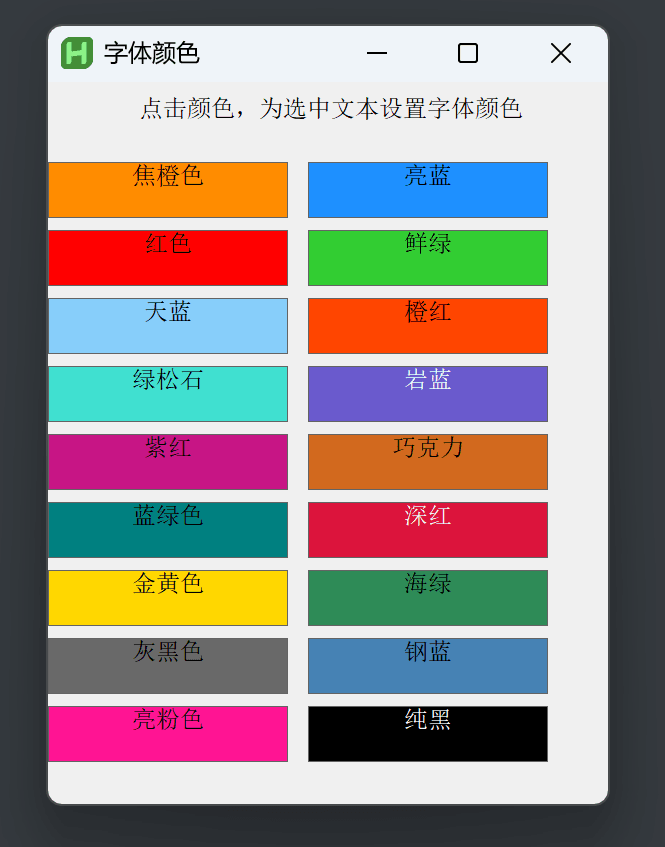
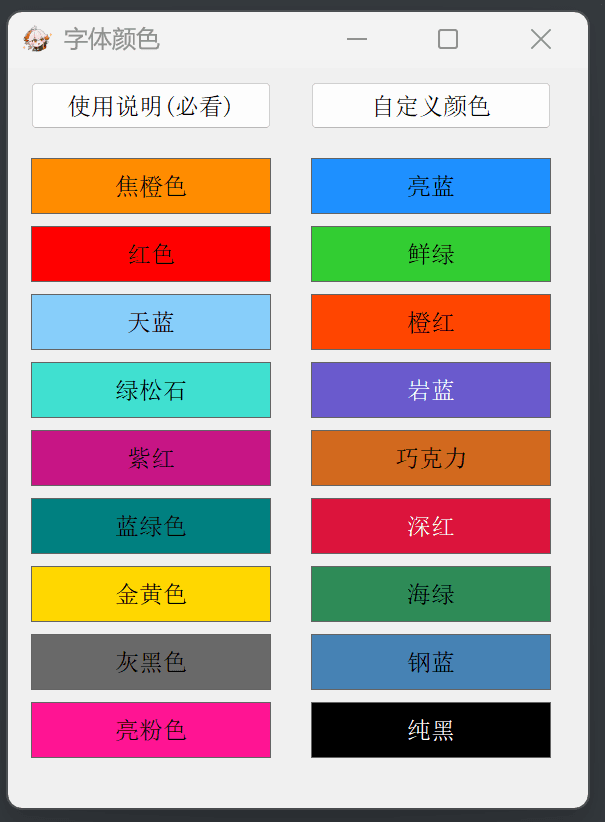
colors := [
["DarkOrange","焦橙色"], ["Red","红色"], ["LightSkyBlue","天蓝"],
["Turquoise","绿松石"], ["MediumVioletRed","紫红"], ["Teal","蓝绿色"],
["Gold","金黄色"], ["DimGray","灰黑色"], ["DeepPink","亮粉色"],
["DodgerBlue","亮蓝"], ["LimeGreen","鲜绿"], ["OrangeRed","橙红"],
["SlateBlue","岩蓝"], ["Chocolate","巧克力"], ["Crimson","深红"],
["SeaGreen","海绿"], ["SteelBlue","钢蓝"], ["Black","纯黑"]
]
ColorHex := Map(
"DarkOrange","FF8C00","Red","FF0000","LightSkyBlue","87CEFA",
"Turquoise","40E0D0","MediumVioletRed","C71585","Teal","008080",
"Gold","FFD700","DimGray","696969","DeepPink","FF1493",
"DodgerBlue","1E90FF","LimeGreen","32CD32","OrangeRed","FF4500",
"SlateBlue","6A5ACD","Chocolate","D2691E","Crimson","DC143C",
"SeaGreen","2E8B57","SteelBlue","4682B4","Black","000000"
)
; ===== 布局参数 =====
colW := 120 ; 色块宽度(与顶部按钮一致)
rowH := 28 ; 色块高度
gapY := 6 ; 上下间距
startY := 45 ; 第一行颜色的起始Y坐标(稍微拉开一点点与按钮的距离,更好看)
; 这里的 gapX 必须等于顶部两个按钮的间距 (20)
; 计算右列的 X 偏移量:左边距(xm) + 按钮宽(120) + 间距(20) = 140
Loop colors.Length
{
c := colors[A_Index][1]
n := colors[A_Index][2]
; 计算行列 (0为左列, 1为右列)
col := (A_Index <= 9) ? 0 : 1
row := Mod(A_Index - 1, 9)
; >>> 核心修改:X坐标对齐逻辑 <<<
; 如果是左列(0),位置就是 xm
; 如果是右列(1),位置就是 xm+140 (即 xm + 宽度120 + 间距20)
xPosStr := (col == 0) ? "xm" : "xm+140"
; 计算 Y 坐标
yPos := startY + row * (rowH + gapY)
; 添加色块
; 0x200 保证垂直居中
t := ColorGui.AddText(
xPosStr " y" yPos " w" colW " h" rowH
" 0x200 Center Border Background" ColorHex[c],
n
)
t.SetFont(c="Black"||c="Crimson"||c="SlateBlue" ? "cWhite":"cBlack")
t.Tag := c
t.OnEvent("Click", ApplyColorFromText)
}
; 自动调整高度,宽度稍微给点余量避免紧贴边缘,但内容是绝对居中的
ColorGui.Show("w290 h370")
}
; =========================
; 提醒窗口(独立)
; =========================
ShowInfoGui()
{
global InfoGui
if IsObject(InfoGui)
{
InfoGui.Show()
return
}
InfoGui := Gui("+AlwaysOnTop +Resize", "使用说明")
InfoGui.SetFont("s9")
InfoGui.AddEdit(
"xm ym w400 h260 ReadOnly -VScroll Wrap",
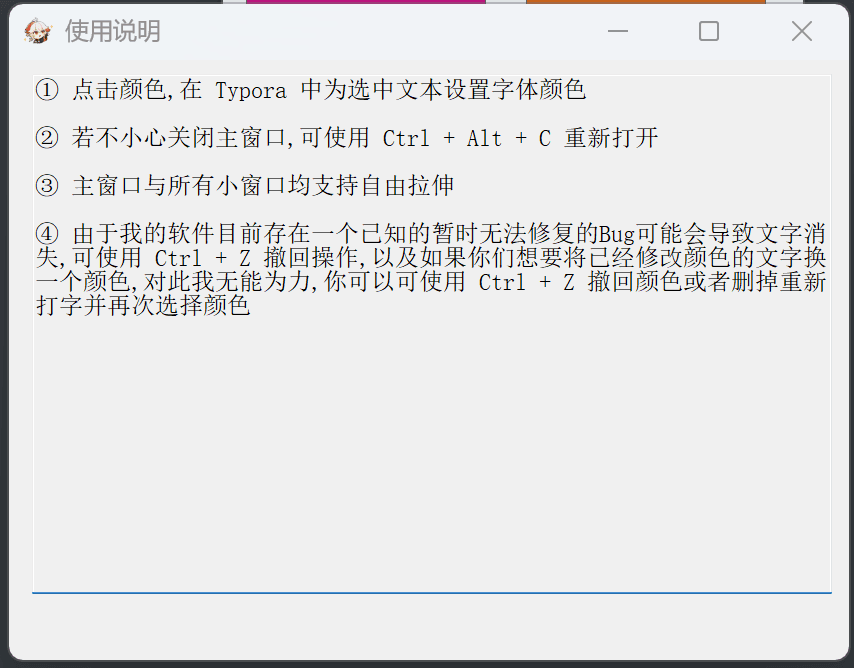
"① 点击颜色,在 Typora 中为选中文本设置字体颜色`n`n"
"② 若不小心关闭主窗口,可使用 Ctrl + Alt + C 重新打开`n`n"
"③ 主窗口与所有小窗口均支持自由拉伸`n`n"
"④ 由于我的软件目前存在一个已知的暂时无法修复的Bug可能会导致文字消失,可使用 Ctrl + Z 撤回操作,以及如果你们想要将已经修改颜色的文字换一个颜色,对此我无能为力,你可以可使用 Ctrl + Z 撤回颜色或者删掉重新打字并再次选择颜色"
)
InfoGui.Show("w420 h300")
}
; =========================
; 自定义颜色窗口
; =========================
ShowCustomColorGui()
{
global CustomGui, CustomHex, ColorGui
if IsObject(CustomGui)
{
CustomGui.Show()
return
}
CustomGui := Gui("+AlwaysOnTop +Resize", "自定义颜色")
CustomGui.SetFont("s9")
; ===== HEX =====
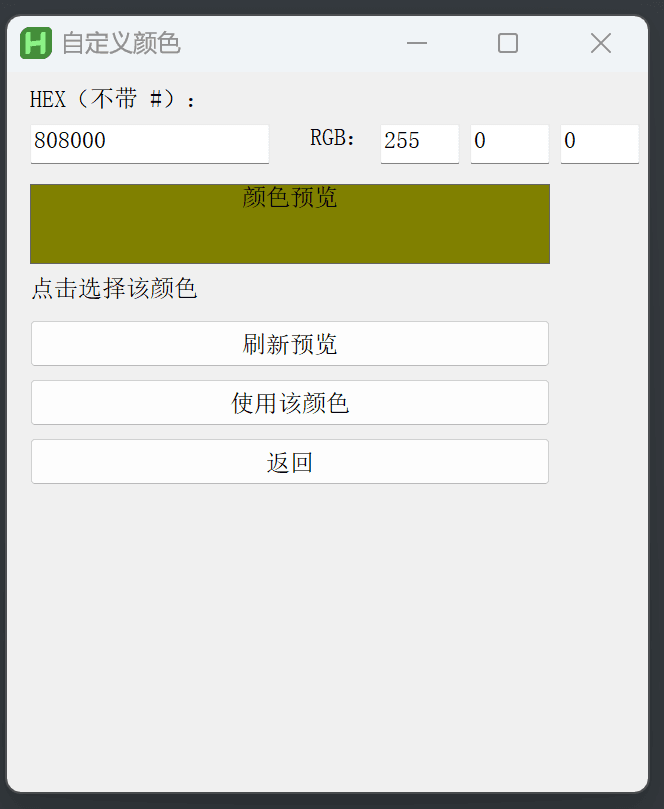
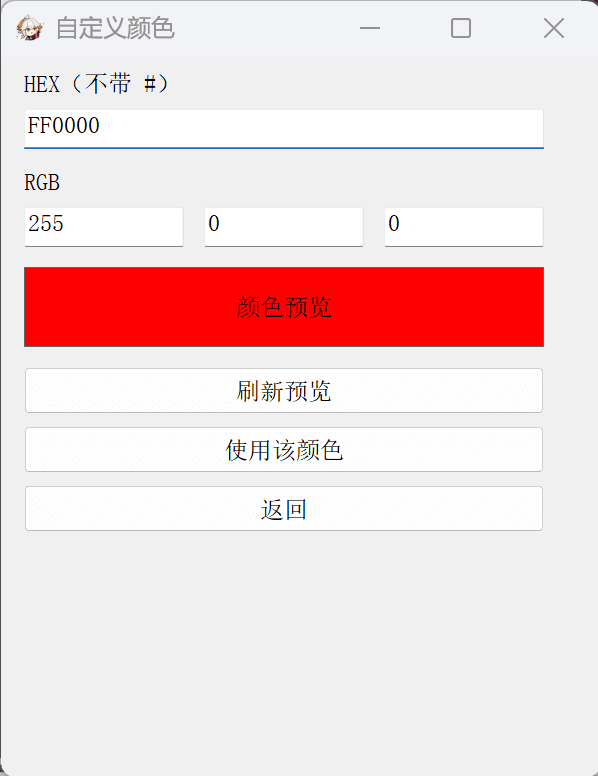
CustomGui.AddText("xm", "HEX(不带 #)")
HexEdit := CustomGui.AddEdit("xm w260", CustomHex)
; ===== RGB =====
CustomGui.AddText("xm y+10", "RGB")
R := CustomGui.AddEdit("xm w80", "255")
G := CustomGui.AddEdit("x+10 yp w80", "0")
B := CustomGui.AddEdit("x+10 yp w80", "0")
; ===== 预览 =====
Preview := CustomGui.AddText(
"xm y+10 w260 h40 0x200 Center Border Background" CustomHex,
"颜色预览"
)
R.OnEvent("Change", (*) => UpdateFromRGB(R, G, B, HexEdit, Preview))
G.OnEvent("Change", (*) => UpdateFromRGB(R, G, B, HexEdit, Preview))
B.OnEvent("Change", (*) => UpdateFromRGB(R, G, B, HexEdit, Preview))
HexEdit.OnEvent("Change", (*) => UpdateFromHex(HexEdit, Preview))
refresh := CustomGui.AddButton("xm y+10 w260", "刷新预览")
refresh.OnEvent("Click", (*) => RefreshPreview(R, G, B, HexEdit, Preview))
apply := CustomGui.AddButton("xm y+6 w260", "使用该颜色")
apply.OnEvent("Click", (*) => ApplyCustomColor())
back := CustomGui.AddButton("xm y+6 w260", "返回")
back.OnEvent("Click", (*) => (CustomGui.Hide(), ColorGui.Show()))
CustomGui.Show("w300 h360")
}
; =========================
; 颜色逻辑
; =========================
UpdateFromRGB(R, G, B, HexEdit, Preview)
{
global CustomHex
CustomHex := Format("{:02X}{:02X}{:02X}", Clamp(R.Value), Clamp(G.Value), Clamp(B.Value))
HexEdit.Value := CustomHex
Preview.Opt("Background" CustomHex)
}
UpdateFromHex(HexEdit, Preview)
{
global CustomHex
if RegExMatch(HexEdit.Value, "^[0-9A-Fa-f]{6}$")
{
CustomHex := HexEdit.Value
Preview.Opt("Background" CustomHex)
}
}
ApplyCustomColor()
{
global CustomHex
WinActivate "ahk_exe Typora.exe"
Sleep 40
AddFontColor("#" CustomHex)
}
RefreshPreview(R, G, B, HexEdit, Preview)
{
global CustomHex, CustomGui
if RegExMatch(HexEdit.Value, "^[0-9A-Fa-f]{6}$")
CustomHex := HexEdit.Value
else
CustomHex := Format("{:02X}{:02X}{:02X}", Clamp(R.Value), Clamp(G.Value), Clamp(B.Value))
CustomGui.Hide()
Preview.Opt("Background" CustomHex)
CustomGui.Show()
}
Clamp(v)
{
if (v = "" || !IsNumber(v))
return 0
v := Integer(v)
return v < 0 ? 0 : v > 255 ? 255 : v
}
AddFontColor(color)
{
ClipSaved := ClipboardAll()
A_Clipboard := ""
Send "^c"
ClipWait 0.5
if (A_Clipboard != "")
{
A_Clipboard := "<font color='" color "'>" A_Clipboard "</font>"
Send "^v"
}
else
{
A_Clipboard := "<font color='" color "'></font>"
Send "^v"
Send "{Left 7}"
}
Sleep 30
A_Clipboard := ClipSaved
}
; =========================
; 启动即显示
; =========================
ShowColorGui()
|



评论区